


Perplexity is useful for students when the job is fast source discovery: find starting points, understand a topic, collect citations to inspect, and compare what the current web says.
This guide shows how to use Perplexity Pro and SheerID verification, when to compare it with Google study tools or ChatGPT, and when a source-grounded workspace should handle citation checks.
The safest student workflow is to separate discovery from verification. Use Perplexity to find leads. Save the sources that matter. Then study, compare, and cite from the materials themselves. Treat the AI answer as a pointer, then confirm the source before you reuse a claim.

Compare your class sources in Atlas
Add class sources, compare their claims, and inspect citations before reuse.
Quick verdict
Use Perplexity to learn the basics of a topic and find current web sources. It helps early in a paper, talk, debate, or current-events task.
Perplexity does not cover every study step. Open each cited source, check its passage, and follow class rules. If your work starts from assigned PDFs or notes, NotebookLM or Atlas may be a better next step.
Match each tool to a stage. Perplexity finds sources. NotebookLM studies a fixed set. ChatGPT and Claude explain ideas and help with allowed drafts. Atlas compares selected sources and opens cited passages. See Perplexity vs Claude for the discovery and drafting choice.
What to look for
A student AI tool should fit the current step: finding sources, studying, drafting, checking, or saving work. Choose for that step instead of the longest feature list.
Use this rubric:
- Discover: can it find current sources and expose links you can open?
- Collect: can it keep the source set or does it lose context after one chat?
- Study: can it work over assigned materials rather than random web context?
- Draft: does your school allow the use case?
- Verify: can you inspect the passage behind an important claim?
- Preserve: can you keep checked notes and evidence for the final paper?
Perplexity student comparison table
This comparison maps tools to student jobs. Each tool helps with a different stage of research, study, or drafting, so treat the table as a workflow map rather than a universal ranking.
| Student job | Best-fit tool | Why it fits | What to check |
|---|---|---|---|
| Preserve and compare selected sources | Atlas | Grounded questions across saved sources with citation badges | Inspect passages and source quality |
| Discover current sources | Perplexity | Fast web research with source links and conversational follow-ups | Open the cited sources before using claims |
| Study assigned materials | NotebookLM | Built around selected sources and study aids | Confirm source limits and citation behavior |
| Explain concepts and practice | Gemini | Good fit for Google-connected study help and explanations | Check student offer and availability |
| Draft, rewrite, or reason through prompts | ChatGPT | Flexible explanation, file work, and writing assistance | Follow school policy and verify facts |
| Socratic help and structured learning | Claude | Useful for reasoning, drafting, and learning-mode style support | Check access and education availability |
Table 1: The strongest setup often combines Perplexity with a follow-up workspace. Perplexity discovers sources. A source-grounded workspace handles the materials you decide to trust.
A safer workflow for student research
Use a six-step workflow:
- Discover: Ask Perplexity broad and specific questions to find source leads.
- Collect: Save only sources that are relevant, credible, and assignment-appropriate.
- Study: Read the sources directly or move them into a bounded study workspace.
- Draft within policy: Use AI for explanation, outline pressure-testing, or revision only where your school allows it.
- Verify: Open every important citation and check the supporting passage.
- Preserve: Keep notes, source links, and checked claims somewhere you can return to.
This workflow reduces the common student mistake of copying a cited AI answer without checking whether the citation actually supports the claim.
Where Atlas fits after Perplexity
Atlas fits after Perplexity has helped you find sources worth keeping. Add class readings, papers, PDFs, or web sources to an Atlas project, then ask questions against those materials.
For example, after finding 5 sources on a public policy topic, ask Atlas:
Compare these sources on their main claim, evidence type, limitation, and strongest cited passage.
Then open the citation badges for the claims you might use. Keep the answer only if the passage supports the claim and the source is acceptable for the assignment.
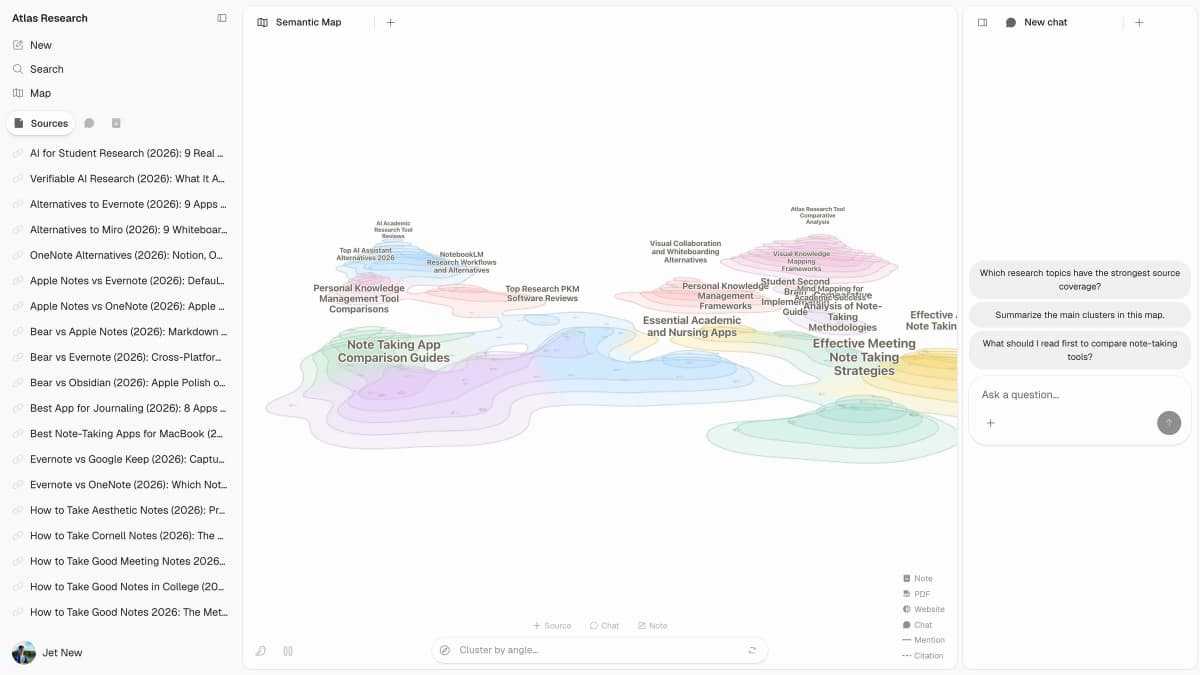 This published Atlas demo uses a Multi-Agent Learning sample corpus. It shows saved sources beside a semantic map and question suggestions; it does not show student coursework, Perplexity importing, or answered citations.
That is the difference between discovery and verification. Perplexity helps you find what to read. Atlas helps you work across the sources you chose and inspect the evidence behind the answer.
Best Perplexity student uses
Perplexity helps most when a student needs to move from a vague topic to an inspectable source list. It can answer questions with links, suggest related concepts, and surface recent sources faster than a blank search tab.
1. Topic orientation
Use Perplexity when you need a fast map of a topic before deeper reading. Ask for the main terms, current debates, likely source types, and questions you should answer next.
2. Source discovery
Use Perplexity to find recent sources for a presentation, paper, debate, or current-events assignment. Treat the answer as a starting list. Open the links and decide which sources deserve deeper reading.
3. Definition comparison
Use it to compare how official pages, news sources, reports, or scholarly pages define a concept. This is useful when a paper needs a sharper research question.
4. Follow-up reading questions
After opening a source, ask Perplexity for related terms, background context, or competing views. Then return to the source and verify the answer against the text.
5. Library search preparation
Use Perplexity to find words for a library search. Save useful terms, authors, groups, and phrases for your next query.
Use it carefully for academic work. A cited answer is not automatically a correct citation. Open the source, read the relevant passage, and decide whether the source is appropriate for the assignment.
Perplexity Education Pro and student verification
Student offers change. Check the student page, Education Pro help page, and SheerID offer page for the current price and rules. Education Pro may help if you use Perplexity often, but many students can stay on the free plan.
Before paying, ask:
- Do you use Perplexity several times a week for source discovery?
- Do you need higher research limits or Pro features for coursework?
- Are you verifying with a student or educator workflow that is still current?
- Are you confusing current Education Pro with an expired free-year promotion?
- Would a free plan plus your library databases be enough?
If most tasks start from class PDFs or notes, choose a tool built around your own files. Perplexity is strongest on the web, though file uploads and Projects can help with later work.
Should students use Perplexity?
Choose Perplexity if your assignment allows web research and you need a quick overview with current sources you can open and check.
Skip it when the task allows only course materials or your teacher bans AI. Start with class readings, your library, and your teacher's guidance.
Use Perplexity to find sources. For later work, move the sources you trust into a workspace that keeps them in view. See NotebookLM for students, NotebookLM vs Perplexity, and Perplexity vs ChatGPT.
Compare your class sources in Atlas
Add class sources, compare their claims, and inspect citations before reuse.