


Gemini is worth trying if you already live in Google Docs, Drive, Gmail, Slides, or Meet. It helps with explanation, exam practice, feedback, and first-pass research.
It is not the only tool a student should evaluate.
The better question is: which AI tool should handle each study job? Gemini is strong for Google-connected help. NotebookLM is better when the job is studying a bounded set of uploaded class materials. ChatGPT and Claude are useful for guided tutoring and writing feedback. Perplexity is useful for current web discovery. Atlas fits when the study task has moved from "help me understand this" to "compare these sources and show me the passages before I use the claim."

Compare class sources with citations
Compare your class sources and inspect cited passages before using a claim.
Quick verdict
Use Gemini for students when the assignment needs broad explanation, image prompts, quick practice, Google app help, or a first research pass.
Google's Gemini for Students page lists study guides, file uploads, web search, source links, concept help, exam practice, work checks, and career prep.
Do not choose Gemini only because a search result says there is a student deal. Google AI plan names, offer length, country access, age rules, and included products have changed recently.
Check each offer claim on Google's current student, Google One, and support pages before entering payment details.
My practical split is:
-
Use Atlas when you need to compare class sources, synthesize across readings, and inspect citation passages before saving a finding.
-
Use Gemini when the task starts in Google apps or needs broad study help.
-
Use NotebookLM when you want to study from a known set of notes, slides, readings, or websites.
-
Use ChatGPT when you want step-by-step tutoring and knowledge checks.
-
Use Perplexity when you need current web discovery with source links.
-
Use Claude when you want writing feedback or step-by-step help from a tool your school provides. That split keeps the tool decision tied to the academic risk. A practice quiz can tolerate more roughness than a sentence you plan to cite in a paper.
What Gemini for students includes now
There are several Google surfaces that can look similar in search results, but they are not the same offer.
Current consumer access
- Gemini free access: Google's student page says students can use Gemini for free. It also links to paid plans with more access.
- Google AI Pro: Google's subscription page covers the paid Pro plan. It may add more Gemini use, Gemini in Google apps, NotebookLM Pro, more storage, and Deep Research. Access depends on the plan and country.
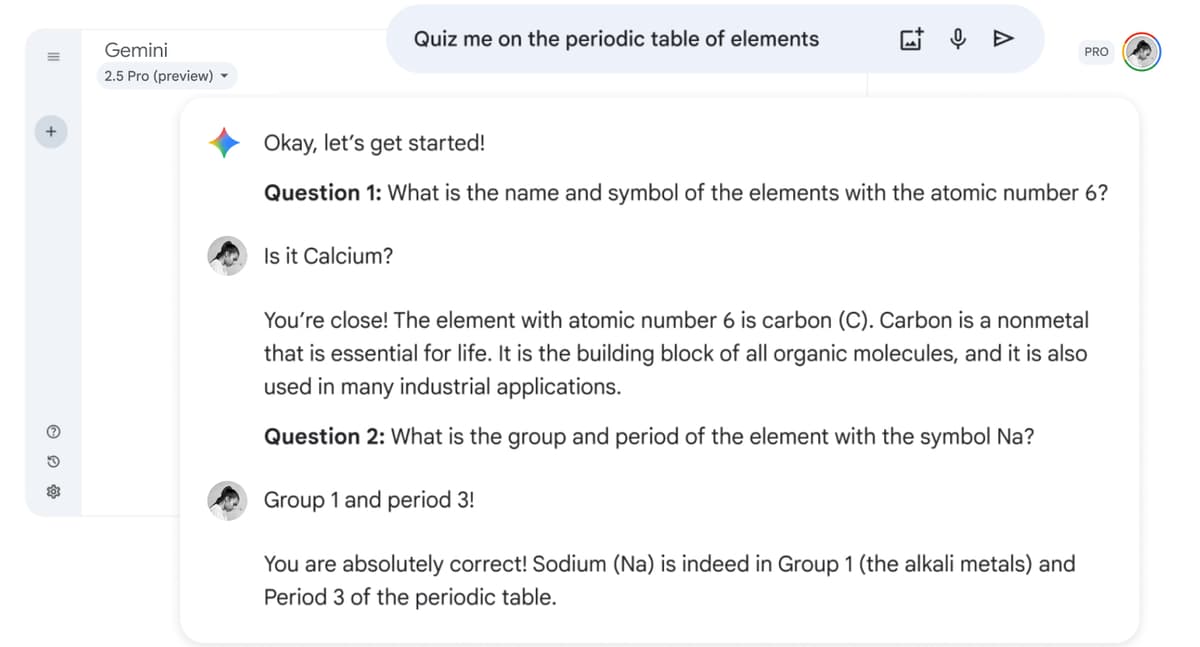
Google shows Gemini Pro making a practice quiz from class files. The screenshot proves that use case, but it does not prove that each answer is right. Check source-based schoolwork against the assigned reading.
Student offers and school-managed access
- Student offers: Google's U.S. student page currently advertises a one-year offer for eligible U.S. college students aged 18 or older. Earlier promotions and other regions have different dates. Check eligibility, redemption deadlines, payment requirements, and renewal terms on the current page before enrolling.
- School access: Gemini for Education is managed by a school. It is different from a plan that a student buys alone.
For most students, the useful answer is not "Is Gemini free?" It is "What can I safely use Gemini for even if my plan changes later?" The durable uses are concept explanation, practice questions, first-pass outlining, Google app help, and early research framing. Exact plan benefits are less durable.
Where Gemini helps students most
Gemini helps students with 7 main jobs:
- Explain a hard idea: Ask for another way to explain a lecture topic, book passage, problem type, or new term. Check the answer against your class files and the method your teacher uses.
- Turn notes into practice: Ask for study guides, quizzes, flashcards, or exam questions based on your notes. Compare the questions with the syllabus and past exams before you use them for practice.
- Check work: Gemini can comment on essays, slides, rubrics, and calculations. Your course rules decide whether that help is allowed. For writing-focused work, also compare Jenni AI for research.
- Work with images and files: Gemini can read screenshots, diagrams, slides, equations, whiteboard photos, and PDFs. Use another tool when you need to track claims across many readings.
- Start web research: Deep Research and Google Search can help you learn the background and find sources. An AI research assistant may fit better when finding papers is the main job. Open each source before you cite it.
- Work in Google apps: Gemini fits students who use Docs, Drive, Gmail, Slides, Sheets, or Meet. Check the sources behind a draft before it becomes a paper claim.
- Prepare for work: Gemini can help with resumes, cover letters, mock interviews, and talks. Replace broad tips with facts from your own projects and results.
What to look for in AI stacks
The safest way to use Gemini for school is to name the study job first. The same student may use Atlas, Gemini, NotebookLM, ChatGPT, Perplexity, and Claude in one week without making this a brand ranking. For a wider shortlist, compare the broader best AI tools for students by assignment type.
| Tool | Best student job | Source support | Verification behavior | Freshness caveat |
|---|---|---|---|---|
| Atlas | Comparing saved class sources and checking passages | PDFs, websites, YouTube transcripts, paper search, notes, and attachments | Answers can include citation badges that open to source passages | Best after sources are collected and processed |
| Gemini | Google app help, practice, image prompts, Deep Research, and broad study help | Uploads, Google Search grounding, and Google app context when your account supports them | Can show sources in some flows. Check key claims against the source | Deals, Pro benefits, age rules, countries, and limits change often |
| NotebookLM | Studying from a fixed set of class notes, slides, readings, and sites | Built around sources you add to a notebook | Best when the question is "what do these files say?" | Limits and Pro benefits depend on current Google plan pages |
| ChatGPT | Tutoring, step-by-step learning, brainstorming, and writing help | Depends on mode, uploads, connectors, and plan | Study Mode uses hints, guided steps, and checks | Model and school access can vary by plan |
| Perplexity | Current web search and quick cited web answers | Web citations, uploads, Pro searches, and Education Pro features | Good for finding sources. You still need to open and read them | Student checks, price, and features can change |
| Claude | Reasoning, writing feedback, review planning, and school access | Depends on product, project, and school setup | Claude for Education uses Learning mode for guided reasoning | School access is separate from individual self-serve access |
Table 1: This is why "Gemini vs ChatGPT" is too narrow for many students. If the job is "teach me this concept," ChatGPT Study Mode or Gemini may be enough. A fuller student tutoring comparison is useful when tutoring style matters more than Google app integration.
If the job is "find recent sources," Perplexity or Gemini Deep Research may be a better start. The Perplexity for students guide is the better fit when live web discovery is the main task. If the job is "what do these six assigned readings say, where do they disagree, and which passage supports this claim?" a source-grounded workspace becomes more important.
Best Gemini alternatives and complements for students
Atlas
Atlas fits a later step, after you have the sources to study.
Use it to keep class files together, ask questions across them, compare what they say, and open the citation behind a claim.
Add the PDFs, web pages, class notes, and papers to one Atlas project. Ask a clear question such as "How do these two readings differ in method?" or "Which source supports this claim, and what limit does it give?" Open the citation for each finding you plan to save.
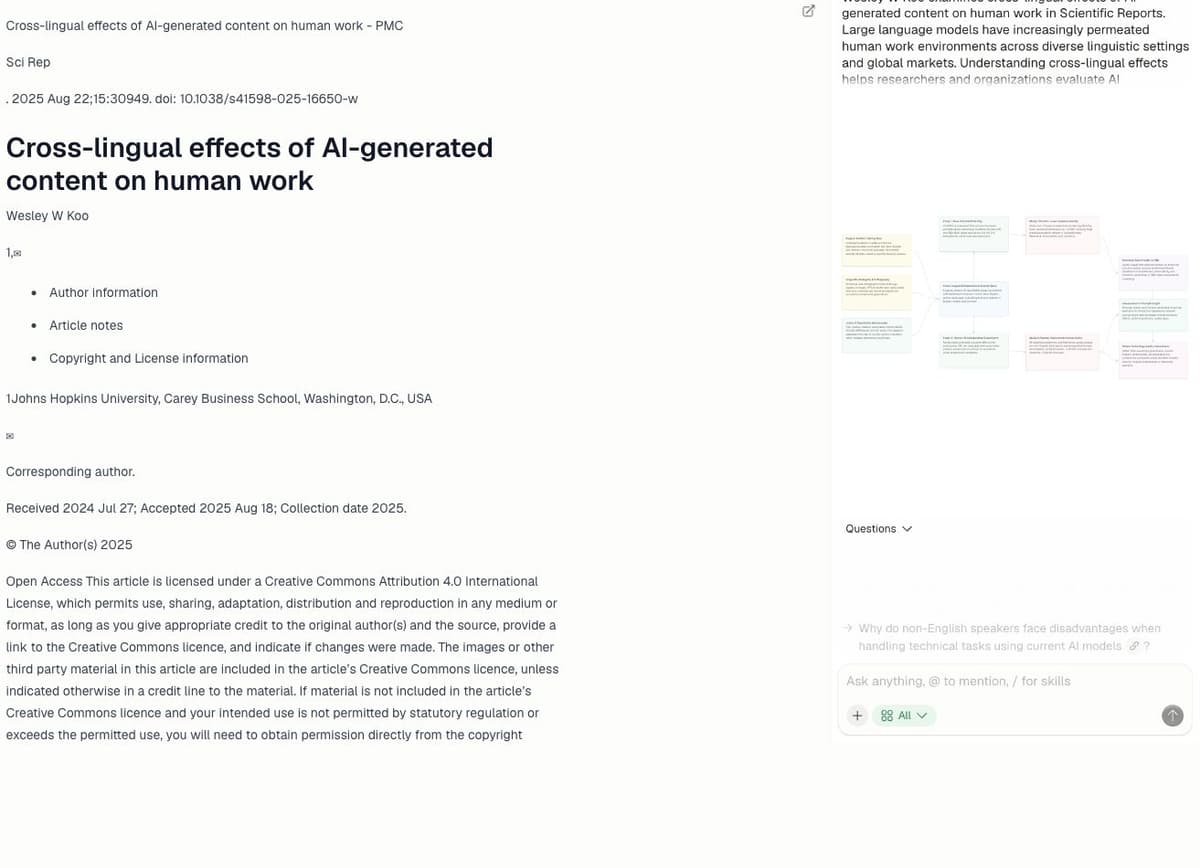
Atlas’s source reader shows Wesley W. Koo’s “Cross-lingual effects of AI-generated content on human work,” Scientific Reports 15, 30949 (2025), licensed CC BY 4.0, beside a generated summary and Knowledge Map. It illustrates one-source reading and organization; it does not show a submitted answer, opened citation, cross-source comparison, student assignment, or accuracy proof.
Google Gemini
Gemini is the best first stop for broad AI help inside Google apps. It can explain a topic, make a quiz, work with images, help draft in Docs, and start a web search.
Gemini can use uploaded files and Google Search, and some answers show source links. Students still need to open those sources and note which one supports each important claim.
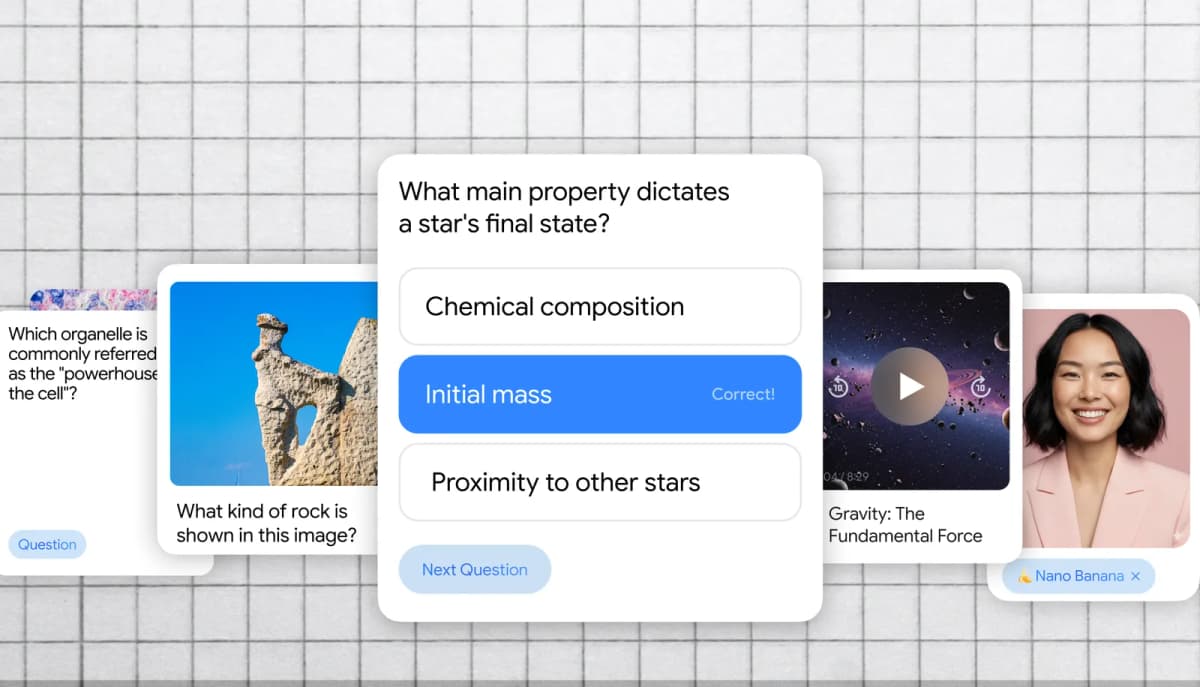
Google’s student features article shows a card-based quiz example. It illustrates the custom-quiz feature Google describes; it does not establish that a generated answer is accurate.
NotebookLM
NotebookLM is the better Google tool when the assignment starts from a fixed source set. That can mean slides, chapters, articles, websites, notes, or class files.
Grow with Google describes NotebookLM as a way to ask questions about class content and make study guides or audio overviews from uploaded material.
Use NotebookLM when your main task is studying a class packet. Use Gemini when you want broader help across prompts, Google apps, multimodal tasks, or early research.
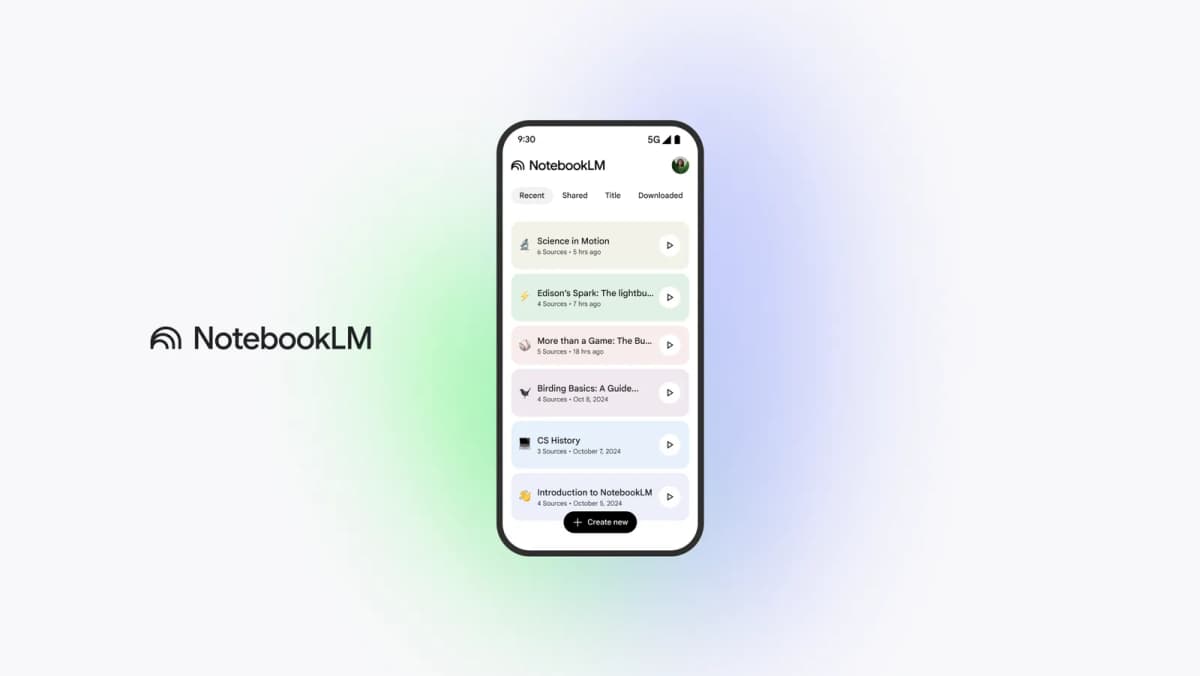
The official NotebookLM app view shows separate notebooks and source counts. It illustrates source organization, not the quality of answers or an Atlas feature.
ChatGPT
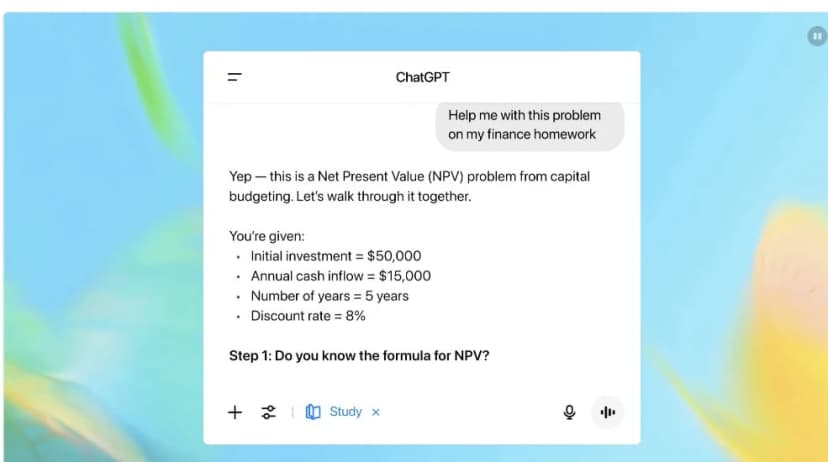
OpenAI’s launch demo shows Study Mode guiding a finance problem one step at a time. It is promotional material, not an independent test of tutoring accuracy.
ChatGPT is strongest when you want a tutor-like exchange. OpenAI describes Study Mode as a way to work through problems step by step instead of getting quick answers.
It can use prompts, hints, guided steps, personal context, and knowledge checks.
That makes ChatGPT useful for learning a concept, preparing for an exam, or practicing a problem type.
It is less ideal as the only source trail for a research claim unless your workflow also preserves the original sources and checks the exact passages. Students comparing general chat assistants can also use a citation behavior guide to separate cited answers from passage verification.
Perplexity
Perplexity is useful when the first job is web search. Its Education Pro help page says verified students and teachers can get a student plan.
That plan can include Pro features, Learn Mode, searches, uploads, premium models, and checks through SheerID.
Use it to find current web sources and get a cited starting point. Then open the sources yourself. A cited web answer is not the same as a reviewed passage you can quote or rely on in a final draft, especially when the assignment asks for exact evidence from course readings.
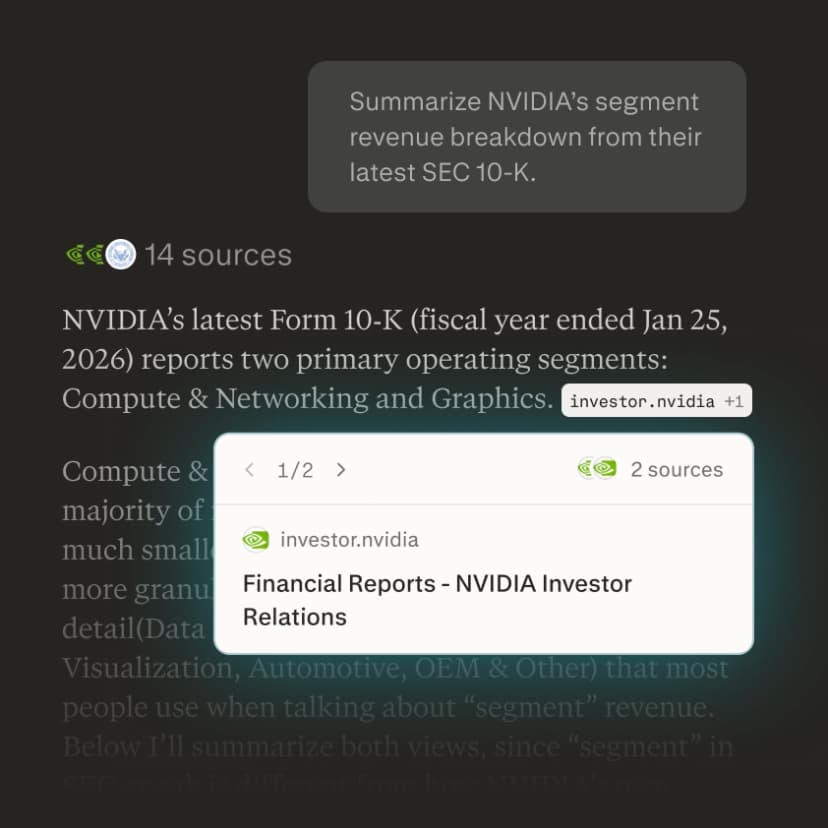
Perplexity’s Search image shows a cited answer and source detail card. It illustrates the general Search interface, not the Education Pro plan or Learn Mode, and does not establish that the example answer is correct. Source: Perplexity Search.
Claude
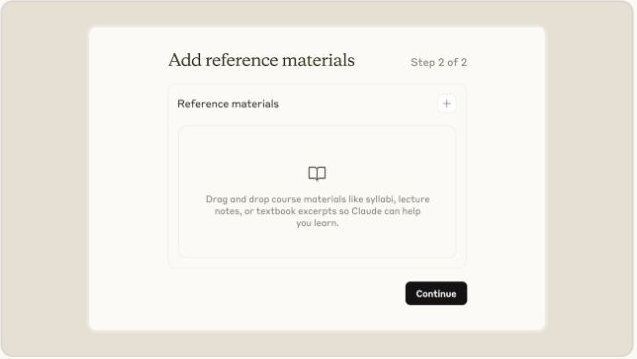
Anthropic’s launch walkthrough shows students adding course materials to Learning Mode. It is a staged example and includes a historical model label; it does not establish current model availability or learning outcomes.
Claude can help students plan an answer, work through a hard problem, and improve a draft. Anthropic says its Learning mode uses questions, key ideas, and templates to guide the student.
Claude for Education is a plan that a school provides. It does not mean every student can buy the same school plan alone. If your school offers it, test it on your real study and writing tasks.
Source-traceability decision workflow
A student AI workflow needs more than one label like "chatbot" or "research tool." I would use this rubric:
| Workflow step | Question to ask | Good tool fit |
|---|---|---|
| Explain | Do I understand the concept or method? | Gemini, ChatGPT, Claude |
| Collect | Which sources, readings, notes, or web pages belong in the assignment? | Gemini Deep Research, Perplexity, Google Search, library databases |
| Study | What do my bounded class materials say? | Atlas, NotebookLM, Gemini |
| Draft | Can I turn my understanding into an outline or paragraph I can revise? | Gemini, ChatGPT, Claude |
| Compare | Where do these sources agree, disagree, or use different methods? | Atlas, NotebookLM, Claude with provided context |
| Verify | Can I open the source passage that supports the claim? | Atlas, original PDFs, NotebookLM citations, Perplexity source links |
| Preserve | Can I save the verified finding with enough context to reuse later? | Atlas, notes app, citation manager, course workspace |
Table 2: The source-traceability cutoff is the important part. General chatbot answers can be useful for learning. Web-cited answers can be useful for discovery.
Uploaded-source answers can be useful for studying a packet. Passage-verified claims are what you want before a finding becomes part of a paper, literature review, presentation, or exam study note.
Here is the worked flow I would use for a source-heavy assignment:
- Start in Gemini if you need a broad explanation of the topic, a first outline, or a list of concepts to watch for in the readings.
- Collect the actual assigned sources: PDFs, article pages, lecture notes, slides, or paper records.
- Add the durable sources to Atlas rather than relying on a one-off chat attachment when you need later search, citation, and synthesis.
- Ask a grounded comparison question, such as "Compare how Source A and Source B define retrieval practice, and cite the passage for each definition."
- If the answer blends sources together, ask for a table with separate columns for claim, supporting evidence, limitation, and citation.
- Open the citation badges for the claims you plan to use. Read the highlighted sentence and nearby context.
- Save only the findings whose cited passages support the claim, including any caveat you found.
This workflow is slower than copying a chatbot answer.
It catches common source-checking failures. A claim may overstate the source. A citation may point to a related but incomplete passage. The answer may miss a disagreement between readings.
Recommendation for students
Yes, students should consider Gemini if they want Google-connected study help, multimodal prompts, practice questions, app assistance, or a first pass at research. It is especially attractive when the student already works in Google Docs, Drive, Gmail, Slides, Sheets, and Meet.
Use something else when the job changes:
-
Choose Atlas when the assignment requires source comparison, evidence synthesis, and citation passage checks before you preserve a finding.
-
Choose NotebookLM when the study set is bounded and you want outputs from uploaded class materials.
-
Choose ChatGPT when you want guided tutoring, Socratic prompts, and knowledge checks.
-
Choose Perplexity when you need current web discovery and source links.
-
Choose Claude when you want structured reasoning, writing feedback, or your institution provides Claude for Education. The safest student setup is not one AI tool. Use a general assistant to learn and explore.
Then use source-focused tools to study assigned files. Check important claims against the passage before turning them into academic work.
Compare class sources with citations
Compare your class sources and inspect cited passages before using a claim.