


SciSpace and Perplexity answer different research jobs. Start with SciSpace when your sources are papers and PDFs. Start with Perplexity when you need broad web search, current sources, Projects, file uploads, or connectors.
The better question is where your sources start. Use SciSpace for paper reading. Use Perplexity for broad research. Use Atlas after either tool when chosen sources need checked notes.

Compare selected sources in Atlas
Compare selected sources with citations you can inspect before saving a note.
Quick verdict
Choose SciSpace when your research starts with papers. Its main product page and Chat with PDF page cover paper search, PDF reading, review help, AI writing, citation tools, and data tools. Chat with PDF stays centered on the paper itself, with cited answers, summaries, highlighted text explanations, related papers, language support, and notes in the same reading flow.
Choose Perplexity when your research needs current web context or mixed source types, because its Projects help page describes spaces that combine threads, files, rules, search, shared work, and connected apps. Its file-upload help also says uploaded files can influence later questions in the same chat, although long files may be reduced to the parts Perplexity finds most relevant to the query.
After search, add your best papers, reports, PDFs, web pages, or notes to Atlas. Use one project to compare them. Atlas does not replace SciSpace search or Perplexity web search.
It helps you ask a focused question. Then you can open citation badges, read source passages, and save findings that hold up.
Compare the workflow jobs
Compare SciSpace and Perplexity by splitting the research job into stages. Start with source discovery, move into close reading, organize the project context, generate a synthesis, inspect the cited evidence, and only then save the finding for later use.
SciSpace is strongest in the first stages when the source set is academic, because the product is built around papers, PDFs, review help, and writing support. It fits questions like "What does this paper say?" or "Which related papers should I read next?" before the source set expands into broader synthesis. The same source-checking problem shows up in research paper summary AI workflows.
Perplexity is stronger once the source set extends beyond academic papers. Projects can hold threads, files, rules, shared context, and app sources depending on the plan, so it is better suited to questions that span the web, reports, uploaded files, and current sources in one workspace.
If you are comparing Perplexity against broader answer engines instead of paper-first tools, use the Perplexity alternatives guide.
Both tools can blur the final check. Cited answers help, but a cited answer is not a checked finding.
Before you reuse a claim, open the source and read the passage. Check nearby text for caveats. Make sure the answer is not stronger than the evidence.
SciSpace vs Perplexity compared
This table scores each tool by job fit. Plan limits, prices, connector access, and privacy terms can change. Confirm those details on official pages before you buy or set a team policy.
| Decision point | SciSpace | Perplexity | What to verify |
|---|---|---|---|
| Best starting job | Papers, PDFs, and literature-review prep. | Web research, Projects, files, and mixed sources. | Are your sources mostly papers, or a mix of files and web pages? |
| Source discovery | Paper search, related papers, and research tools. | Web, academic papers, social threads, files, data sources, and app connectors. | Do you need paper search or broad web search? |
| PDF and file handling | Chat with PDF is central, with cited answers, summaries, explanations, and notes. | Uploads add context to a session. Projects can hold files and threads. | Do you need close PDF reading or wider project context? |
| Citations and evidence | Strong fit for cited answers from PDFs and papers. | Strong fit for cited answers across web and file context. | Open citations before you reuse key claims. |
| Project organization | Useful for paper reading and writing prep. | Built for threads, files, instructions, shared work, and connected context. | Does the research need a shared workspace? |
| Synthesis | Best when synthesis starts from papers. | Best when synthesis needs web context plus files. | Does the answer keep sources separate? |
| Main limit | Can be too paper-centered for broad web research. | Can be too broad for close paper reading. | Does the answer survive a source check? |
| Atlas continuation | Move papers, reports, or documents into Atlas for cited comparison. | Move web sources, files, or reports into Atlas for source-grounded follow-up. | Ask focused questions, inspect citations, and save checked notes. |
Table 1: SciSpace is the better starting point for paper-centered work, while Perplexity is stronger when the research context spans web sources, files, projects, and connectors.
Academic depth, files, and source verification
For school and research papers, SciSpace has the clearer paper-first role. Its Chat with PDF page lists PDF citations, section summaries, highlighted text help, and related papers.
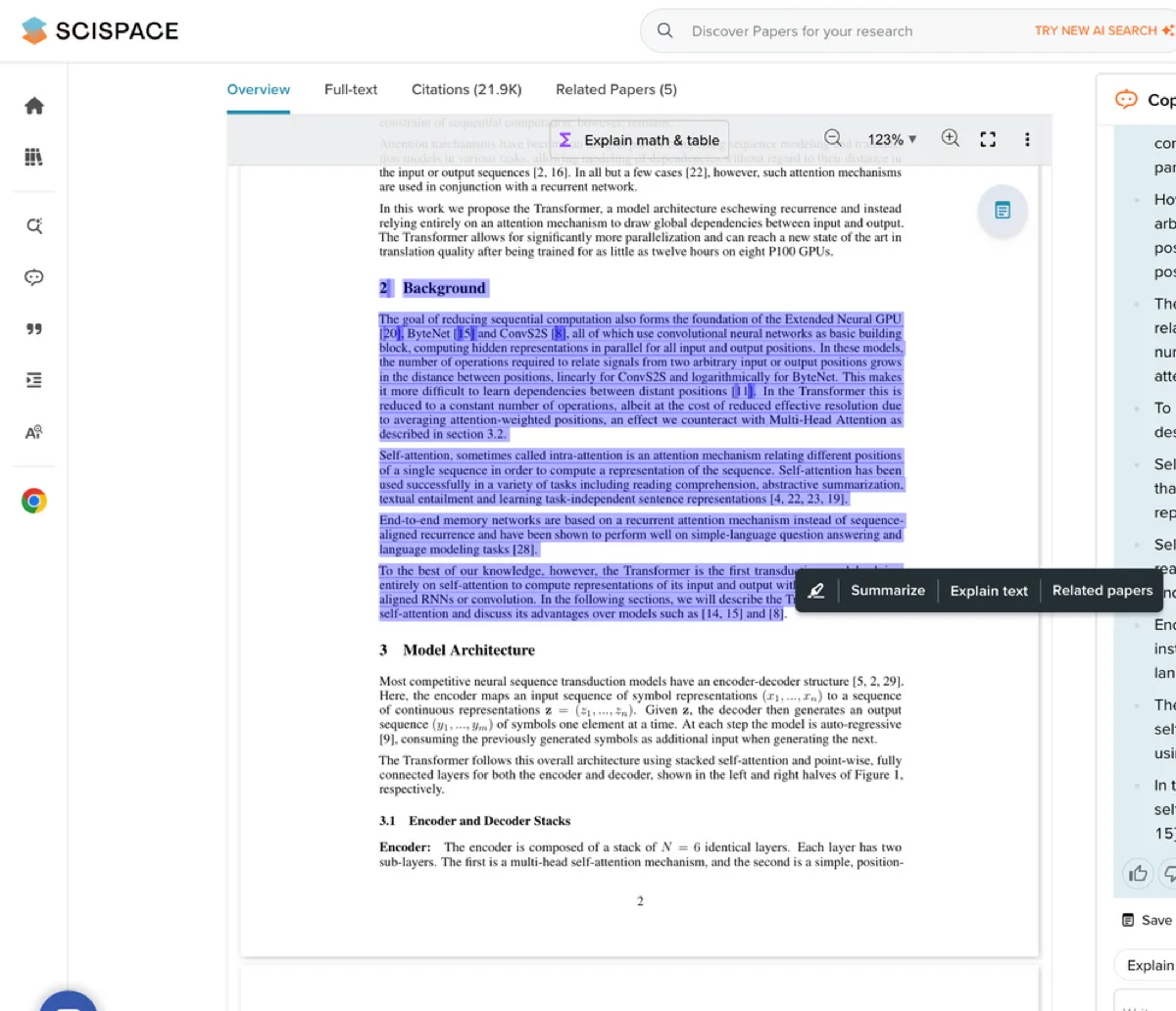
Those close-reading features matter when you need to understand methods, claims, figures, or hard terms before writing. If the file itself is the main object of review, compare the choice against PDF analysis AI tools built around cited answers.
Perplexity has a broader role. Its Projects docs describe a workspace with instructions, files, search, shared work, and connected apps.
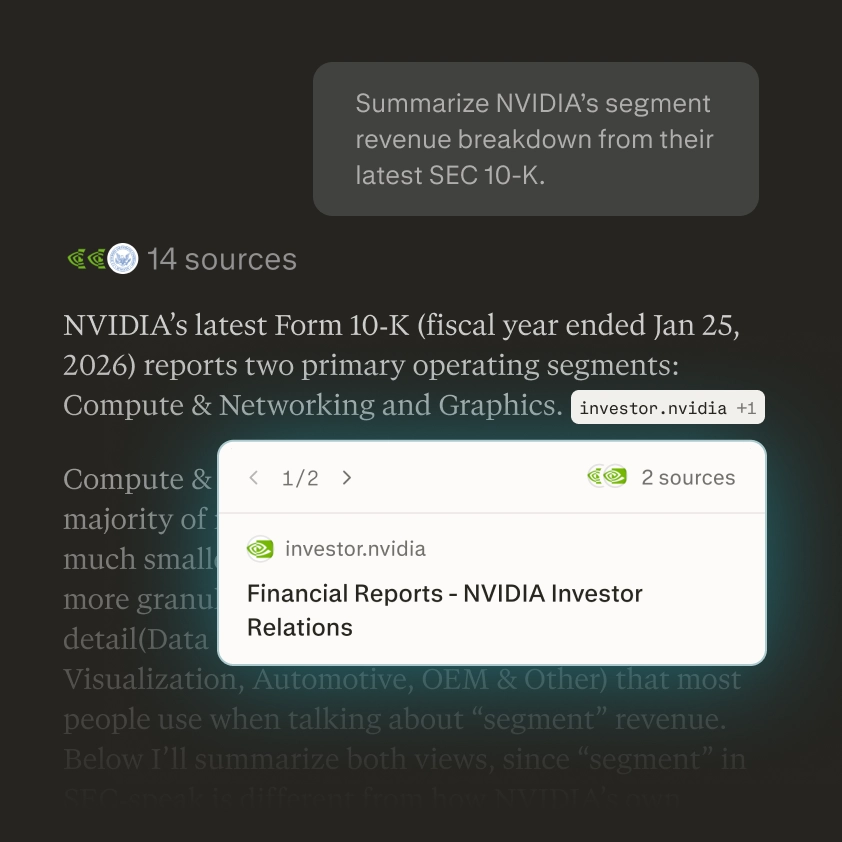
Its file-upload docs say uploads can guide follow-up questions in a session. For long files, Perplexity may extract the parts it sees as important for the query. That helps with mixed research, but it is not the same as reading a paper line by line.
The SERP has source bias. Many results are videos, rival pages, software lists, or forum threads. Those sources show how searchers talk about the choice. They should not prove feature claims. Broader AI tools for academic research lists need the same official-source separation.
For product facts, use SciSpace's product pages and Perplexity's help center. For reader concerns, forum threads show the live worries about source trust, limits, and whether a demo answer survives real research.
The deciding question is where verification happens. If you ask SciSpace or Perplexity for an answer you plan to cite, do not stop at the answer.
Open the cited paper, page, or source. Check whether the passage directly supports the sentence. Look for caveats nearby. If the answer combines multiple sources, make sure it names which source supports which claim.
Where Atlas fits after SciSpace or Perplexity
Atlas fits after you have selected the sources worth keeping. A common handoff looks like this:
- Use SciSpace to read papers, inspect PDFs, and find the studies that matter.
- Use Perplexity when you also need current web context, project threads, files, or app data.
- Add the selected papers, reports, web pages, or notes to an Atlas project.
- Ask a focused grounded question, such as "Compare these sources on claim X, with one cited row per source."
- Ask for source separation when the answer blends papers or reports together.
- Open the citation badges for the claims you plan to reuse.
- Read the cited passage and surrounding paragraph before saving the finding.
- Turn the verified answer into a note or evidence table.
That handoff keeps each tool in its lane. SciSpace helps during paper search and PDF reading. Perplexity helps when the question needs current web and file context.
Atlas helps when chosen material needs to become an evidence base you can inspect.
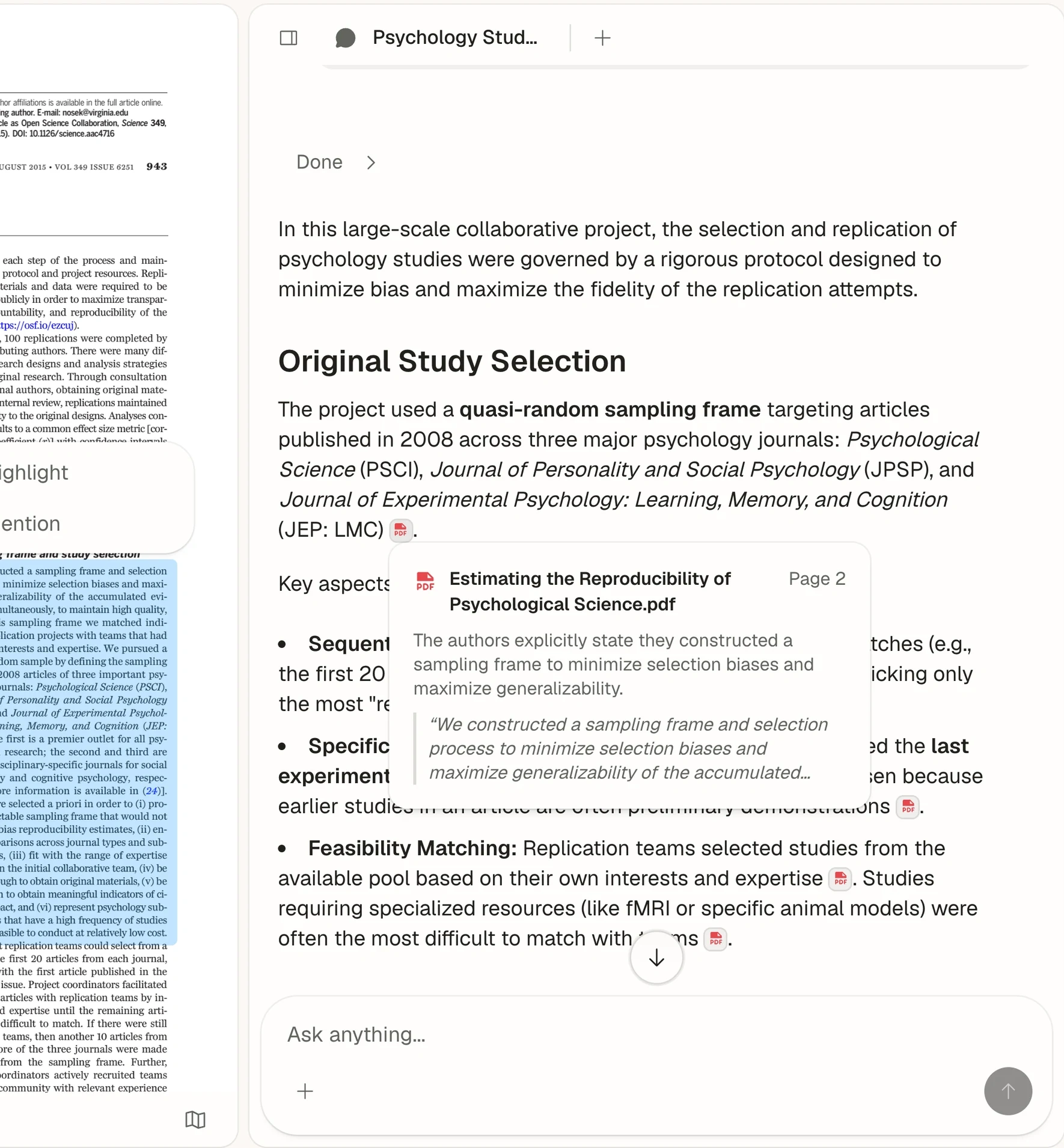
Atlas citations let you check the source behind an answer. A citation means Atlas found source support.
For important claims, open the passage and decide whether the answer matches the source. If the citation is weak, ask a narrower follow-up or revise the claim before saving it.
Which should you choose?
Use SciSpace if the job is mostly paper search, PDF reading, paper explanation, or review prep. It fits best when you expect to spend most of your time inside papers and need cited paper context close.
Use Perplexity if the job is broader than papers. It fits best when you need current web research, Projects, files, connectors, teamwork, and answers across mixed sources.
Check official help pages before you rely on file limits, connector access, privacy defaults, or plan details.
Use both when paper research expands into a broader topic. SciSpace can help you understand the papers. Perplexity can help you gather current context.
Atlas can then hold the chosen sources together. Use it to compare claims, inspect citations, and save notes that survive review.
Do not treat either tool as final when the answer will appear in a review, report, or memo. The final step is still source inspection. Pick the tool that gets you to evidence you can check with the least cleanup.
Compare selected sources in Atlas
Compare selected sources with citations you can inspect before saving a note.