


Anki is still the benchmark if you want maximum control over spaced repetition. The best Anki alternative is the app that fits the study job you are trying to finish.
If you already have clean facts and want long-term review, keep Anki or choose another SRS app. If your pain starts earlier, choose a notes, AI-card, or source-based workflow first. That applies when readings, lecture notes, PDFs, or videos still need to become trustworthy prompts. For the broader student stack beyond flashcards, compare this with the free AI tools for students guide.

Check readings before making your own cards
Ask Atlas about a reading and inspect citations before writing cards.
Quick verdict
Keep Anki when custom cards, add-ons, shared decks, and large decks matter more than polish. Anki's own site lists sync, media support, custom review timing, large decks, and add-ons. That is why power users defend it even when setup feels technical.
Pick an app based on the bottleneck:
- Choose RemNote when notes and flashcards should live together.
- Choose Quizlet when you want a familiar student flashcard system with Memory Score and scheduled review.
- Choose Brainscape when confidence ratings and habit-driven review are the appeal.
- Choose Mochi when Markdown, local-first storage, and a lighter notes-to-cards app matter.
- Choose Knowt or FlashRecall when AI-generated study material is the main reason you are leaving manual card creation.
- Choose SuperMemo when you want deep reading-to-review work.
- Use Atlas before or beside a flashcard app when PDFs, sites, transcripts, papers, or rough notes need cited answers first.
That last distinction matters. A flashcard app helps you remember a prompt. It does not automatically prove that the prompt is faithful to the source.
Study workflow criteria
Most Anki alternative searches mix different jobs. One learner wants an easier iPhone app. One wants lecture slides turned into cards. One wants notes with review. One needs to understand a paper before making cards.
Use this routing rule before comparing feature lists:
When the facts are already clean
- If the facts are already correct and stable, focus on review discipline.
- If you plan to keep cards for years, focus on export, ownership, and scheduling control.
When the facts still need work
- If the facts are buried in notes, focus on note-to-card creation.
- If the facts come from readings, lectures, or research sources, check the source trail before review.
- If you need shared decks or classroom study, focus on discovery and group use.
Comparison matrix or decision table
The table below is a workflow filter. It is not a universal ranking. Plans, file support, and phone behavior change often. Refresh plan details on the official site before you move a large deck.
| Tool | Best fit | Review model | Card or source creation | Source traceability | Mobile or offline posture | Main tradeoff |
|---|---|---|---|---|---|---|
| Atlas | Source-grounded study before flashcards | Separate from flashcard scheduling | PDFs, websites, YouTube transcripts when available, academic papers, Markdown/text notes, and attachments become project sources | Cited answers link back to source passages for inspection | Cloud source workspace. Use another app for card drills | Use beside Anki or another SRS tool |
| Anki | Serious long-term memorization with high control | Spaced repetition with user-controlled decks, templates, timing, and add-ons | Manual cards, imports, shared decks, media, and custom templates | Strong for card ownership, but source evidence depends on how you write cards | Free desktop app, free AnkiWeb sync, official iOS app, free Android app from contributors | More setup and interface friction than simpler student apps |
| RemNote | Notes plus flashcards in one study workspace | Scheduled spaced repetition inside documents and a global practice queue | Manual cards, AI generation, document annotation, and import paths | Better than deck-only apps when cards stay near notes, but source verification still depends on note quality | Mobile apps are part of the practice flow | Less attractive if you only want a lightweight deck reviewer |
| Quizlet | Familiar student flashcards and shared sets | Memory Score and scheduled review | Sets, classroom-style study modes, and shared material | Weak if you need every claim tied back to a reading passage | Strong mainstream student app presence | Less power-user control than Anki |
| Brainscape | Confidence-based review and guided study habits | Learners rate confidence from 1 to 5, which informs review timing | Flashcard creation and catalog study | Good for review habits. Use another workflow for source checks | Designed around repeated practice across sessions | Different lane from Anki add-ons or custom templates |
| Mochi | Markdown-first notes and flashcards | Spaced repetition with Markdown cards | Markdown notes, cards, LaTeX/formatting-friendly study material | Good when your source trail lives in your notes. Separate from citation tools | Local-first storage with sync when online and apps across major platforms | Smaller ecosystem than Anki |
| Knowt | AI-assisted student study from existing material | Flashcards, practice tests, learn mode, and spaced-repetition mode | Notes, PDFs, videos, lecture material, study guides, and generated tests | Convenient for generation, but important claims still need source checks | Built for student study modes | AI outputs should be verified before memorization |
| FlashRecall | Mobile-first AI card generation | Spaced repetition and active recall | Topics, PDFs, images, audio, documents, and web links into flashcards | Best for fast card creation. Check citations elsewhere | iOS-first positioning with offline and sync claims on its site | Current platform, pricing, and file behavior need refreshing before a serious switch |
| SuperMemo | Incremental reading and lifelong knowledge extraction | Spaced repetition applied to reading extracts and cloze deletions | Reading material becomes extracts, clozes, and long-term review items | Strong when the reading process itself is the study system | Best known for the SuperMemo ecosystem rather than broad beginner ease | Steeper learning curve than modern flashcard apps |
Table 1: Use the matrix to pick the study job first: controlled review, simpler shared decks, notes-to-cards study, AI card generation, incremental reading, or source checking before cards.
Best Anki alternatives by workflow
Anki: best for review control
Anki belongs in an alternatives guide because many searchers should stay with it. It handles large decks and media. It also lets you change card layouts and review timing. Its open flashcard ecosystem remains hard for simpler apps to match.
Stay with Anki for medicine, language vocab, law, test prep, or any deck that may live for years. Setup can feel rough. The control is still the reason to stay.
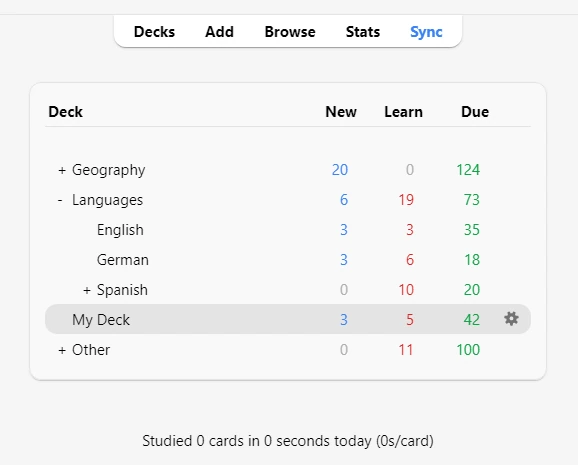
Switch when the deck is no longer the hard part. You may need help making reliable cards. You may need notes beside cards, phone review, or source checks before memorizing.
RemNote: best for notes that become flashcards
RemNote is the strongest Anki alternative when your study starts in notes. Its spaced-repetition help docs cover manual cards, AI cards, reading notes, imports, document queues, and one global practice queue.
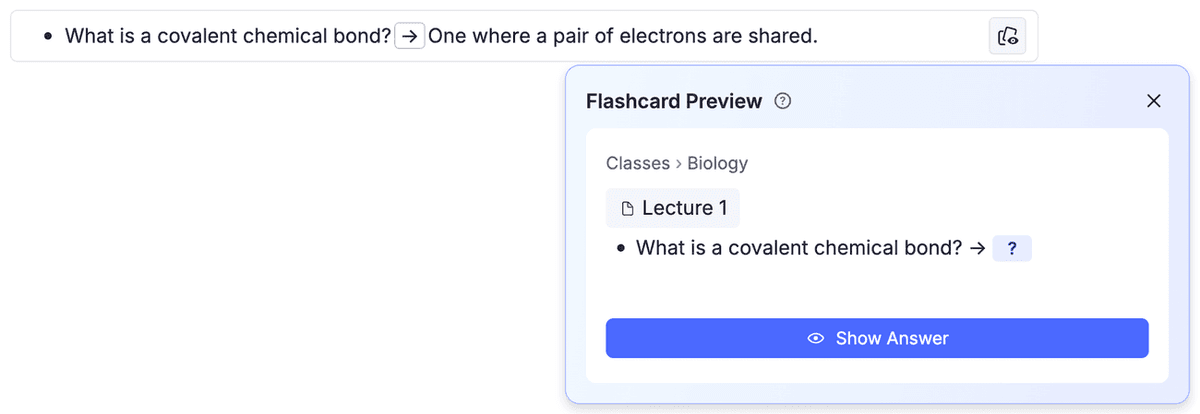
Choose RemNote if your cards should stay connected to outlines, class notes, or documents. That makes it a better fit than Anki for learners who think in notes first and review second.
Anki still wins when you want deeper card-template control. It also has a larger add-on ecosystem and works well without a notes workspace.
Quizlet: best for familiar shared study sets
Quizlet fits students who want a known flashcard app, shared sets, and less setup than Anki. Its spaced repetition page centers on Memory Score and planned reviews. That is enough for many exams and classes.
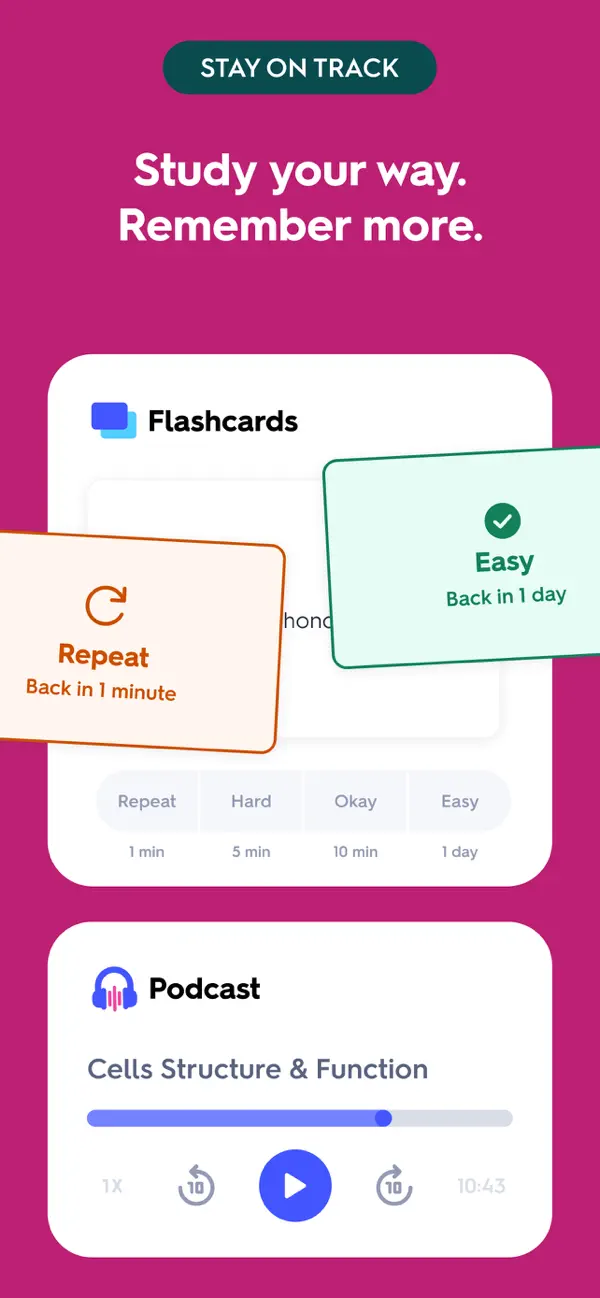
Choose Quizlet when speed and shared sets matter more than owning every detail of a deck. It is also a natural option when classmates already use it, especially if your broader app stack includes shared notes, study sets, reminders, and exam planning.
Anki still wins for power users who need advanced templates, custom review rules, add-ons, or long-term deck control.
Brainscape: best for confidence-based review
Brainscape has a different center of gravity from Anki. It asks learners to rate confidence, then uses those ratings to guide review. That fits people who want judgment and habit built into study.
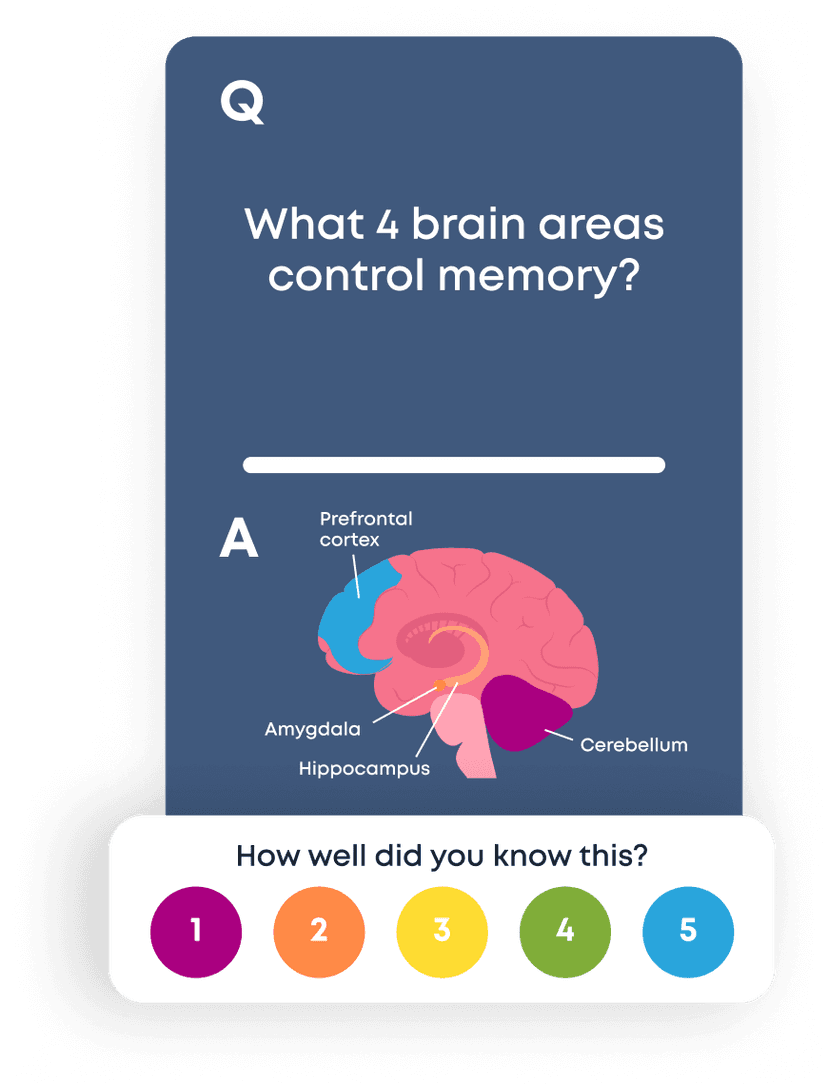
Choose Brainscape when you like judging how well you know each card and want the review system to respond. Its spaced-repetition explainer is useful when the real problem is showing up often enough to review.
Anki still wins if you need custom cards, add-ons, or deck export.
Mochi: best for Markdown-first flashcards
Mochi is a good Anki alternative for learners who want notes and cards in a Markdown-friendly app. Its product page lists Markdown notes, review, local storage, sync, and desktop and mobile apps.
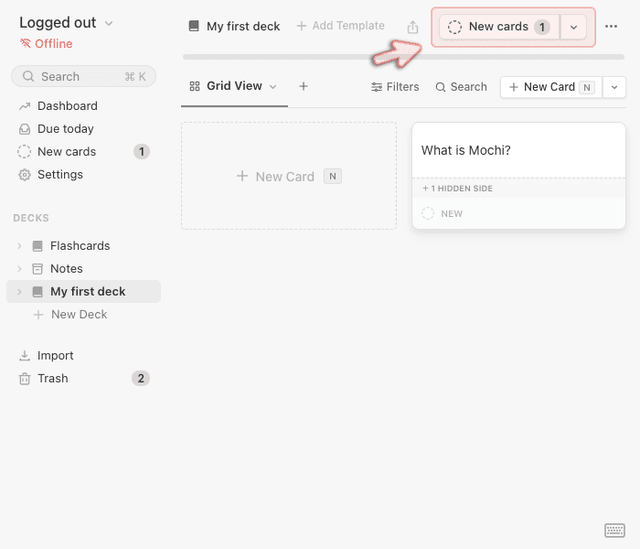
Choose Mochi if you want less Anki setup. It fits text notes, formatting, and data that starts on your own device. It is better for solo study than for classrooms that need public decks.
Anki still wins when add-ons, shared know-how, and deck control matter more than a cleaner notes app.
Knowt: best for AI-assisted student study
Knowt fits the searcher who wants AI to turn class content into guides, flashcards, practice tests, and review modes. Its student study page lists PDFs, videos, lecture content, AI study guides, learn mode, matching, practice tests, and spaced repetition.
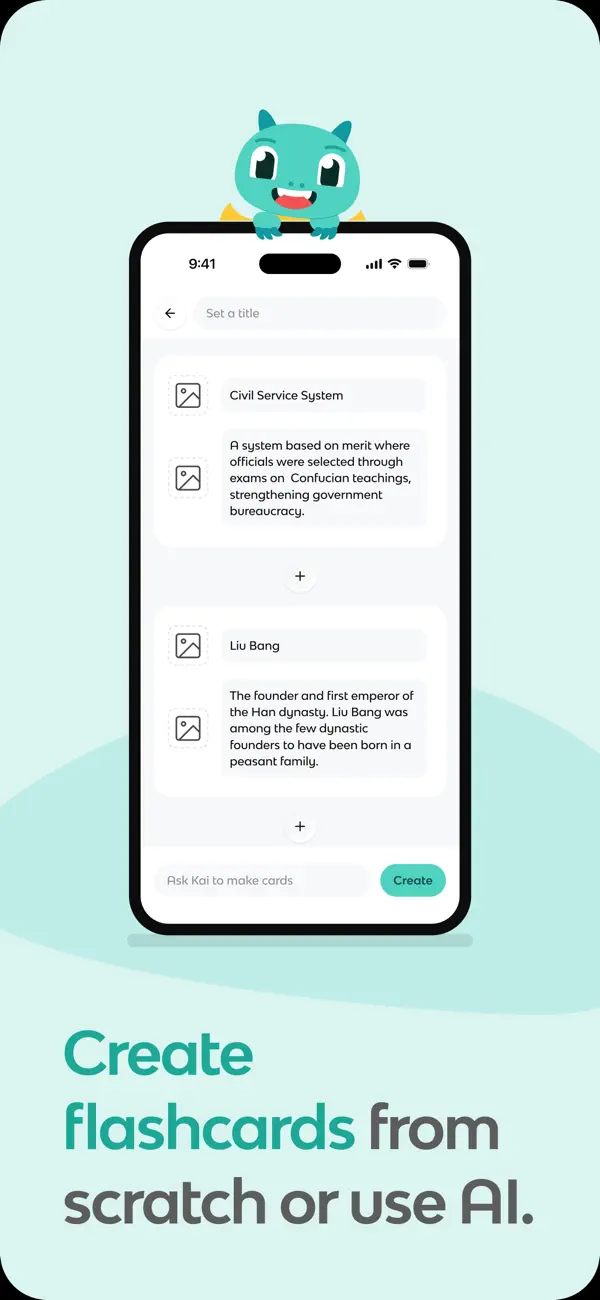
Choose Knowt when manual setup is the pain and you are working with normal class content. It can turn raw notes into review items faster than hand-making every card.
The risk is verification. If Knowt generates a card from a lecture or PDF, check the original source before trusting the card. Fast generation helps only when the answer is faithful.
FlashRecall: best for mobile-first AI card creation
FlashRecall fits learners who want flashcards from photos, PDFs, audio, docs, topics, or web links on a phone. Its AI flashcard page lists AI card generation, review, active recall, offline access, and sync.
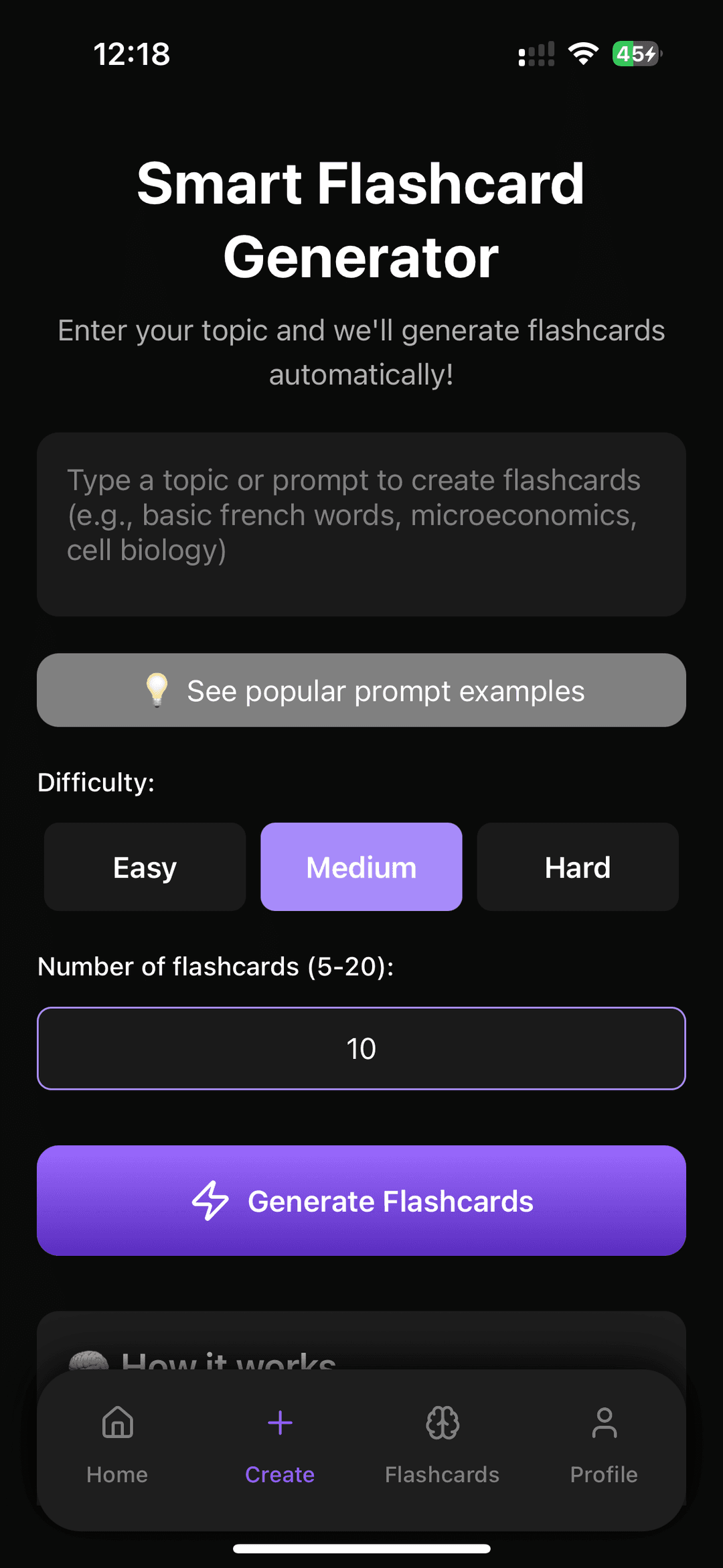
Choose FlashRecall when fast capture matters more than a power-user SRS system. It can fit exam prep, language study, and lecture review when the phone is the main device.
Refresh platform, pricing, file-support, and export claims before using it for a semester. AI card creation can help, but high-stakes cards still need source checks.
SuperMemo: best for incremental reading
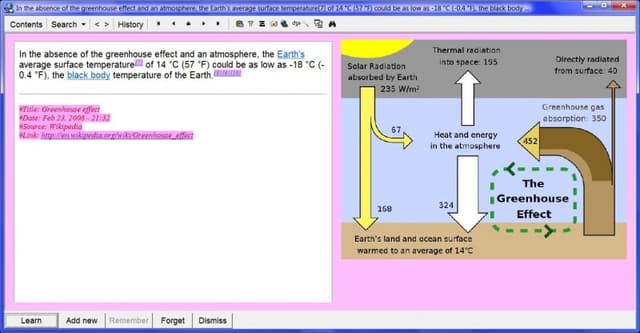
SuperMemo is a serious choice when learning starts with reading and extraction. Its incremental reading page shows written sources becoming extracts, cloze cards, and long-term review items.
Choose SuperMemo when you want reading to become long-term knowledge. Anki and SuperMemo both care about memory. SuperMemo puts more weight on reading depth.
Choose SuperMemo for incremental reading, because its reading-to-review system rewards learners who will invest time in extract selection, cloze creation, and long-term review.
Source-to-card workflow before flashcards
When cards start from readings, the first job is source checking. Collect the source, ask what it supports, check the passage, then write the card. Atlas is one way to do that source step before the review app takes over.
Use a source-first step when you need to:
- Add class readings, papers, websites, YouTube transcripts when available, or Markdown/text notes as sources.
- Ask a focused question. Try "Which causes explain this idea?" or "What evidence supports this claim?" If the source is a PDF-heavy course reading, the AI PDF summarizer workflow explains when a summary is enough and when passage checks matter.
- Compare sources in one cited answer when they disagree or define a term differently.
- Open citation badges and check the source passage before saving a finding.
- Turn verified findings into flashcard prompts in Anki, RemNote, Mochi, or another SRS tool.
In Atlas, the source-checking step before card creation looks like this:
- Add the PDF or article to Atlas.
- Ask for three likely exam claims, with one cited passage per claim.
- Open each citation and check whether the passage supports the answer.
- Rewrite each verified claim as a question-answer card.
- Put only the checked card into your SRS app.
That source-checking step separates understanding from memorization. The flashcard app schedules review. Atlas helps you decide what the card should say and whether the answer still points back to evidence. If the study material spans several files, the chat with documents guide covers the same source-grounded question pattern for document sets.
Decision guidance
Choose Anki if you want the most control over long-term spaced repetition and you can tolerate the setup. Choose RemNote if your notes and cards should live together. Choose Quizlet if shared sets and student familiarity matter. Choose Brainscape if confidence ratings help you study consistently. Choose Mochi if Markdown and local-first notes are the draw. Choose Knowt or FlashRecall if AI card generation is the bottleneck. Choose SuperMemo if incremental reading is the real job.
Use Atlas when the sources are not ready to become flashcards yet. Add the reading. Ask a grounded question. Compare evidence. Check citations. Then write the card.
The worst switch is moving from Anki to another app without naming the actual friction. A simpler card app helps if review is the problem. A notes-to-cards app helps if creation is the problem. A source-grounded workspace helps if the problem is whether the card is true.
Check readings before making your own cards
Ask Atlas about a reading and inspect citations before writing cards.