


For NotebookLM vs Notion, choose Gemini Notebook when your next job is to question a set of sources and make study outputs. Choose Notion when the findings need pages, databases, owners and follow-up work. Both can provide cited answers, so inspect the source before deciding that a third tool is needed.
NotebookLM is now Gemini Notebook. The renamed product supports notes and exports as well as source research. This guide starts from the reader who already uses that notebook and is deciding whether to add a workspace. The Notion-first comparison starts from the opposite problem: an existing workspace that needs a source-research layer.
Atlas is an option when project sources, cited chat and a synthesis note fit the way you review evidence. The worked example below shows that role without assuming Google or Notion cannot check sources.

Compare your own sources in Atlas
Check cited answers before saving verified findings to your workspace.
What Does Gemini Notebook Replace?
Gemini Notebook can replace a source-questioning step and hold the notes you write from it. It can also make study aids. If your project ends with a checked note or an exported Google file, that may be enough.
Keep Notion when the result needs records, owners and follow-up work. Before adding it, name the task your notebook cannot cover. Then try one checked finding in the destination. A second app should solve a real handoff need.
Source workflow criteria
This comparison uses current official product guidance. It does not report a hands-on accuracy test or migration benchmark. Start with the work you cannot complete in your current setup, then test that step on a small source set.
A source notebook and a workspace can both hold long-running research. The useful distinction is what you need to do with the finding next. If the next step is a question about the paper, stay near the source. If it needs an owner, status or team review, consider workspace structure.
Use these criteria before comparing plans:
- Source scope: Can you choose the material that should shape the answer, and tell whether the AI also searched elsewhere?
- Evidence: Can you open the cited source and read enough context to check the claim?
- Note use: Do you need written research notes, a database record, a project page or an exported file?
- Actions: Do you want an explanation, or an agent that changes pages and records?
- Review outputs: Would a source map, quiz or Audio Overview help you study the material?
- Access: Can the intended reader open the source after you share or export the finding?
A citation is a route to evidence. It does not make an answer correct by itself. Apply the same standard in every tool: read the passage, check the caveat and keep points where sources disagree.
NotebookLM vs Notion compared
The table focuses on what you do after adding sources. In Notion, the plan, model and access rules affect what AI can use. In Google, check the account's source limits and AI allowance.
| Decision point | Gemini Notebook | Notion |
|---|---|---|
| Starting context | Notebook sources and notes | Pages, databases and connected apps |
| Source questions | Select sources and inspect chat citations | Cited Enterprise Search and Agent file analysis |
| Written notes | Write notes or save chat answers | Pages and database records |
| Visual review | Native source Mind Maps | Workspace views and project records |
| Generated outputs | Study aids and source-based artifacts | Agent can create pages, databases and files |
| Work leaving the app | Notes to Docs or Sheets and map downloads | Page and database exports, plus Agent files |
| Daily constraint | Source limits and compute allowance | Plan, AI allowance, credits and access |
Table 1: Current workflow comparison based on Google notes, Google maps, Notion search and Notion Agent. It compares documented tasks rather than tested scores.
Gemini Notebook's Current Research Workflow
Google's source guide covers PDFs, Google files, web pages, audio, images and other supported inputs. Check the imported material when a claim relies on a chart or footnote. Web and YouTube imports have distinct limits, including transcript-based video input. Supported Drive sources can sync changes, while other inputs may need a fresh import.
Choose the sources for your question, then read the supporting text through the chat citation controls. A narrow question about methods or a disagreement is easier to verify than a request to summarize everything. Broader experimental chat modes can use other context, so check which mode is handling the task.
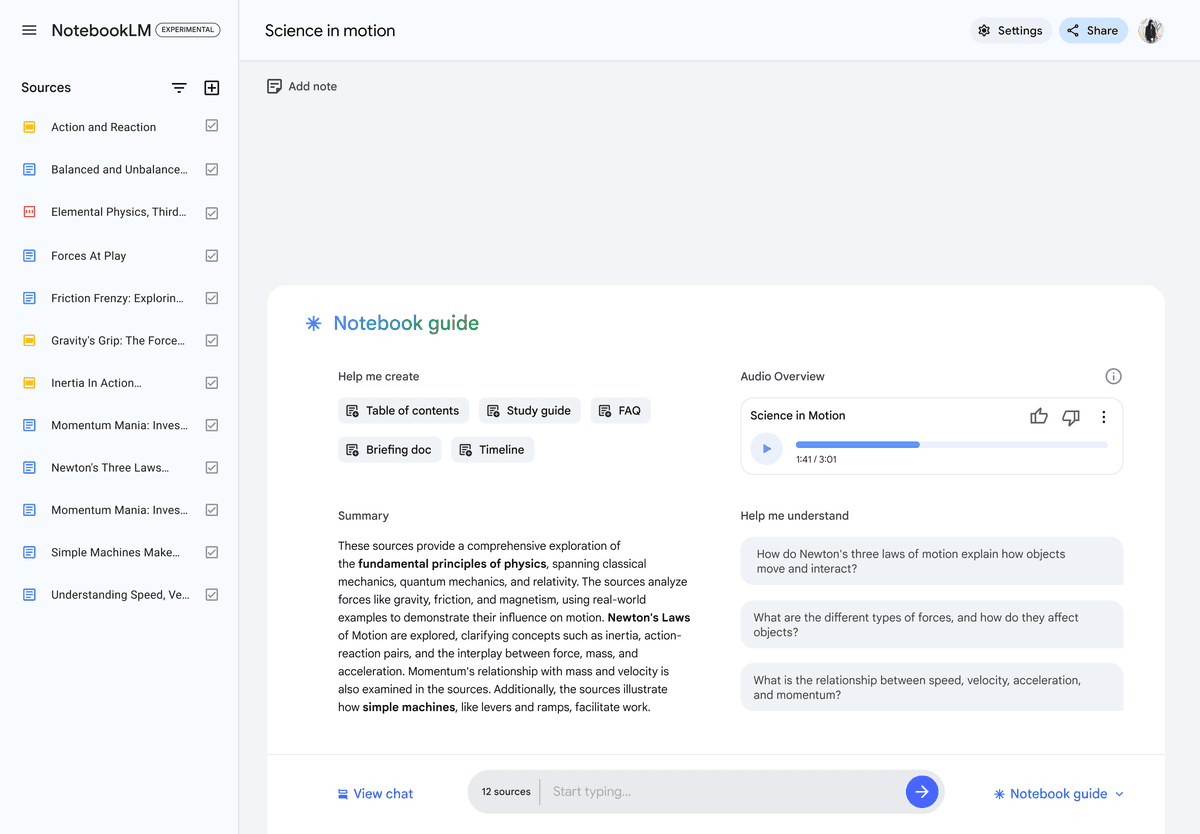 This retained screenshot shows the former NotebookLM name and an older notebook guide. It illustrates source selection, rather than the full current Gemini Notebook interface.
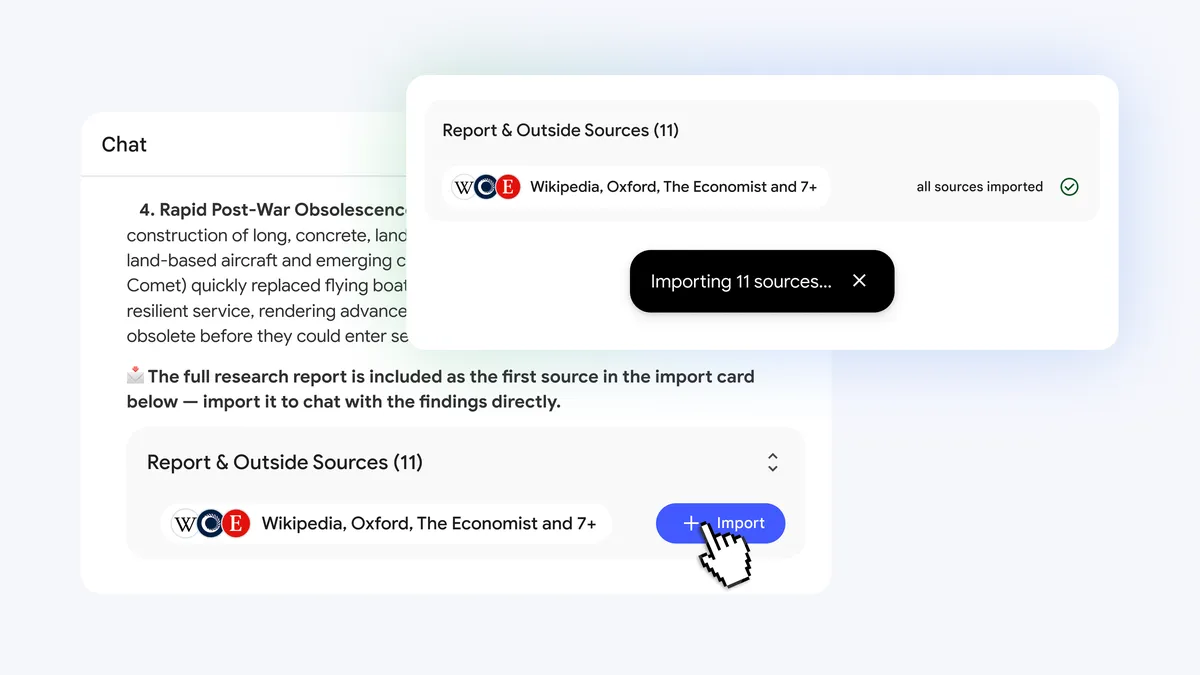 Google's June 2026 research article shows an 11-source import card alongside a chat answer. The official image documents the source-selection and chat workflow; the older screenshot above remains historical context.
The product can also hold your own notes. Google's note guide describes writing notes, saving responses and exporting to Docs or Sheets. Those exports create separate files. Later edits do not sync back, and the notebook's sharing permissions do not carry over.
Native Mind Maps let you explore branches, ask about a topic and download a map. The help identifies current mobile restrictions. If that map and the written notes cover your task, keep the notebook. You do not need Notion merely to preserve an idea over time.
Notion's Search and Workspace Actions
Notion adds structure for findings that become ongoing work. Its database guide describes collections of pages with properties and views. A research record can hold a finding, source reference and review status beside the team's other records.
Enterprise Search is available on Business and Enterprise plans. It searches workspace and connected-app content, and cites those sources in its answers. You can specify context instead of assuming every search sees everything. Follow the source link and check whether the reader you share with can access it.
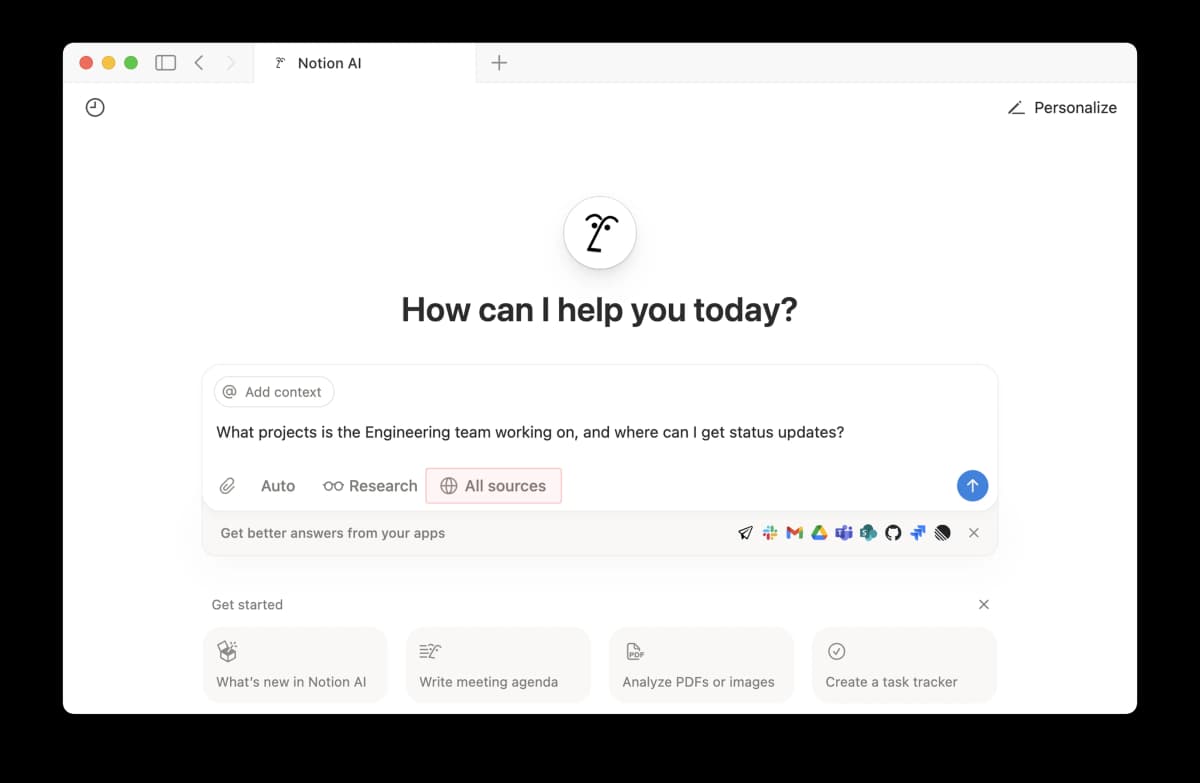 The official Notion image shows context and source controls, with connected apps beneath the prompt. Searchable context is still subject to setup and access.
Notion Agent can create or edit pages and databases, analyze uploaded files and produce downloadable files. It follows your permissions. Model choice can affect access to workspace and connected-app context. Test the source path in the mode you plan to use rather than treating every AI answer as a workspace search.
Custom Agents are a distinct option for scheduled or triggered work. Their setup controls which pages, databases and connected tools they can use. They spend credits, so review a run before you rely on a recurring report. A personal Agent chat is not the same as a background workflow.
Limits, Exports and Privacy
Google's current limits guide describes compute that refreshes after five hours until the weekly ceiling. Prompt complexity, chat length, source count and outputs affect usage. Check your account's allowance instead of relying on an old daily chat or audio quota.
Notion's pricing page distinguishes the workspace plans and AI access. Check the current allowance, connector access and credit rules for the features you need. Atlas also has a Free plan and account usage limits. Check its Billing settings before paying for an additional workspace.
Notion documents exports for pages and databases. Try a sample that contains a source link and the fields you rely on. Google's Docs and Sheets export and a Notion database export serve different purposes. Neither should be assumed to preserve the other app's full structure or permissions.
For private files, read the terms for your account and the feature you use. Google's privacy guide has distinct rules for personal feedback and qualified work or school accounts. Notion's AI privacy guide says customer data is not used for model training by default. How long providers keep it can vary by plan and feature. Check the source as well as the finding before you share it.
Source handoff matrix
Choose where a finding should stay by what still needs to happen. An uncertain claim does not automatically belong in Atlas: Gemini Notebook and Notion can also support source checks. Adding a tool makes sense only when its specific workflow fills a gap you can name.
| State of the finding | Next step | Where to try it |
|---|---|---|
| Source support is uncertain | Open the citation and check the passage | Current source tool, or an Atlas project |
| Papers disagree | Separate each source's claim and caveat | Selected notebook sources or project chat |
| Finding needs an owner | Save a checked record with review status | Notion page or database |
| Export or access is unclear | Test the file and source link with a reader | The actual destination and vendor guidance |
Table 2: Source-to-workspace handoff matrix: each row suggests the next check for a finding. No product scores are reported.
The handoff is ready when the claim, supporting source and caveat remain understandable outside the chat. If a sentence only makes sense beside an AI answer, rewrite it before adding it to a team record.
For example, a paper might find a benefit only in a small sample. Keep that limit beside the finding. A database status such as reviewed should mean someone checked the passage, rather than simply moved the answer into a new page.
Which should you choose?
Choose Gemini Notebook when your sources define the question and you want cited answers or native review outputs. Keep it when its notes, maps and exports cover the job. The NotebookLM tutorial covers the source workflow under both names.
Choose Notion when you need the findings to join pages, databases, team ownership or recurring work. Its search and Agent can also handle source-related tasks. Evaluate those features in your actual plan before paying for a separate research layer.
Use both when you repeatedly move from source analysis to team work. A student may keep a course notebook and use Notion for assignment status. An analyst may question a source packet, then put the checked conclusion in a project page. Keep the source reference with that conclusion.
Choose Atlas when you want to keep the sources in a project, compare them through cited chat and write a synthesis note. Test that flow against your current setup. A source or note's editable Knowledge Map can help you outline the checked synthesis.
For a wider replacement search, see NotebookLM alternatives. This comparison stays focused on whether a source notebook needs a structured workspace beside it.
Verify source claims before saving
Here is a hypothetical reading task: two papers study the same intervention, but one reports a benefit and the other does not. Before turning that into a workspace claim, compare the samples, measures and conditions. Try the steps below on your own papers and record what you find.
- Keep the sources together. In Atlas, add the papers to one project and wait for processing. Supported documents added through the chat composer become project sources. Images remain attached to the message.
- Name the material. Use source mentions to focus the question on the two papers. Ask how their methods and results differ, with a citation for each point.
- Check each contribution. Open the important citations. Read the nearby source text and confirm that the claimed result uses the right sample and measure.
- Preserve the conflict. If the answer merges the studies into one conclusion, ask it to separate what each paper supports. Keep the unresolved difference in the note.
- Write the finding. Save a synthesis note in your own words with the sources and limits. If a visual outline helps, generate a Knowledge Map from that note and inspect its labels.
- Prepare the handoff. Copy the checked finding into the destination page or record. Confirm that the source reference, caveat and next review step remain clear.
Atlas's semantic map can help you find related items in the current project. It is distinct from the Knowledge Map generated from a source or note. Similarity between items does not prove that they support the same claim, and map nodes do not guarantee an exact citation for every label.
You can apply the same evidence check in Gemini Notebook or Notion when the source path meets your needs. In any tool, a useful answer should make it easier to read the source. It should not turn the act of moving a note into proof that the claim is correct.
The Atlas and NotebookLM comparison covers the broader product choice. Keep Atlas for a distinct project research step, rather than treating it as a substitute for Notion's databases or all of Google's generated outputs.
When to use both
Use both when a source question leads to work that needs tracking. The handoff should preserve the evidence and make the next action explicit.
- Review the source set. Add the relevant files to Gemini Notebook and select the material for the question. Sources from different projects may share a notebook if they belong in the comparison.
- Check before copying. Open the citations and write the finding with its scope. Include where the sources differ and what remains uncertain.
- Create the workspace record. Put the checked finding in a Notion page or database item. Keep the source title, link or file location, and page details when available.
- Assign the next review. Record who should act on the finding and what needs checking later. Let an eligible Notion Agent help with page or record work after you inspect its proposed changes.
- Maintain one final version. Decide whether the notebook note or Notion record is the copy you will update. Exported Google notes do not sync back, so changes need an explicit handoff.
For a small project, one tool may be enough. Do not add a database merely because the answer can be stored in one. Add it when ownership, status or team review solves a repeated problem. Likewise, do not add a research app if Notion already gives you the source check you need.
This page starts with sources and asks when workspace structure becomes useful. If you already have a Notion system and are deciding whether to add Google research, use Notion vs NotebookLM. That owner covers the workspace-first decision, rather than repeating this source-to-record handoff.
Choose the fewest tools that let you check, keep and reuse the finding. Add Atlas only when its cited project workflow fills a specific gap. Keep the source trail intact whichever workspace you choose.
Compare your own sources in Atlas
Check cited answers before saving verified findings to your workspace.