


NotebookLM is now Gemini Notebook, the same standalone Google source-research product. Choose Notion when you need one place for project notes, team docs, tables, tasks, and meeting notes. Choose NotebookLM when you want to ask questions about a known set of papers, reports, class readings, interviews, or other files.
The choice depends on where the work starts. Notion helps manage the project around the research. NotebookLM helps read and question the source pack. With either tool, open the source passage before a claim enters a report or essay.

Compare your own sources in Atlas
Compare selected sources, then inspect the citations behind each finding.
Compare the workflow fit
Google says NotebookLM works with sources you add or find. You can ask questions about those sources and make study aids from them. Check source capacity and compute usage separately. Chat and Studio tasks draw from a five-hour allowance within a weekly limit; source slots do not measure remaining compute.
Notion puts AI inside its workspace. Enterprise Search can search pages and linked apps. Notion also documents its AI tools and Custom Agents, which can use pages and databases as context.
These official pages establish what each product does. They do not prove that an AI answer is correct. Check the source passage before you cite a claim.
Answer these four questions before you choose:
- Do you need a workspace for an ongoing project or a place to study one source pack?
- Are you sorting notes and tasks, or asking questions about files?
- Does the team need shared tables and project views?
- Must readers be able to open the source behind the answer?
When to trust a citation
A source link is enough for low-stakes navigation, such as choosing which paper to read next. Read the cited passage before you reuse a fact, quote, number, method, or conclusion in school or work.
Use this check:
- Open the link. Make sure it points to the source named in the answer.
- Read the full passage. Check the lines before and after the cited text.
- Match the claim. Confirm the passage supports the same subject, scope, and level of certainty.
- Check each source. If an answer combines several files, inspect the support from each one.
Always review the passage for a published claim, graded work, a disputed point, or a choice that affects other people. In those cases, a citation is a path to the evidence rather than proof by itself.
Export and portability
Keep your original files outside both tools. Notion can export pages and workspaces, but an export may not recreate database views, permissions, linked apps, or AI context in another product. NotebookLM begins with source files you control, yet moving those files does not recreate the notebook's chat or generated study aids.
Gemini Notebook can export notes to Docs or Sheets. Exports do not sync back, and notebook permissions do not carry over. Drive source imports can refresh automatically while the notebook is open. Before committing to either workflow, export one real project and check both its content and destination permissions.
Notion wins when the project needs pages, tables, templates, owners, and due dates. NotebookLM wins when the files are known and the reader needs help understanding them. The screenshot below shows Notion's workspace-first flow, with controls for context, Research Mode, all sources, and linked apps.
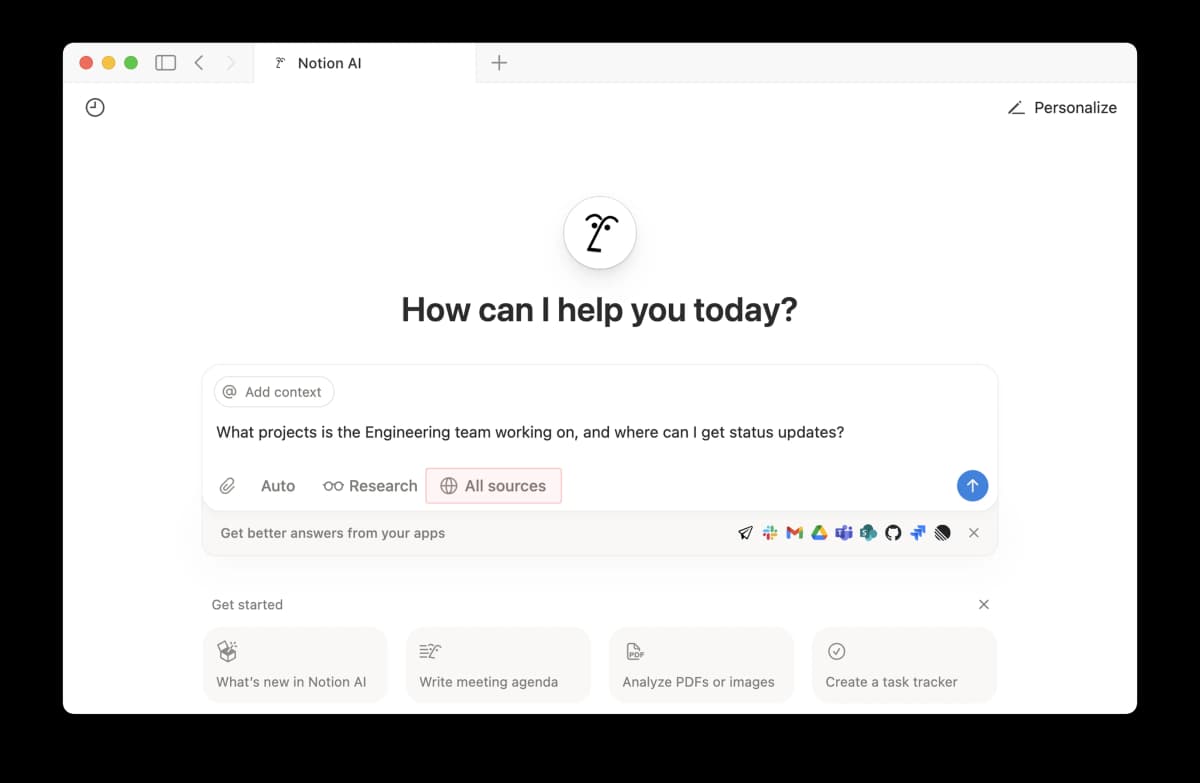
The Notion AI screen can add workspace context and search linked apps such as Slack, Gmail, Drive, Teams, GitHub, Jira, and Linear. This suits a question that begins inside an existing team workspace.
The prompt asks where the engineering team posts project updates. That is a workspace question. Notion can search the team's pages and linked apps, then help the user return to the page it found. NotebookLM starts with a source pack, so it is a better fit when the papers or readings have already been chosen.
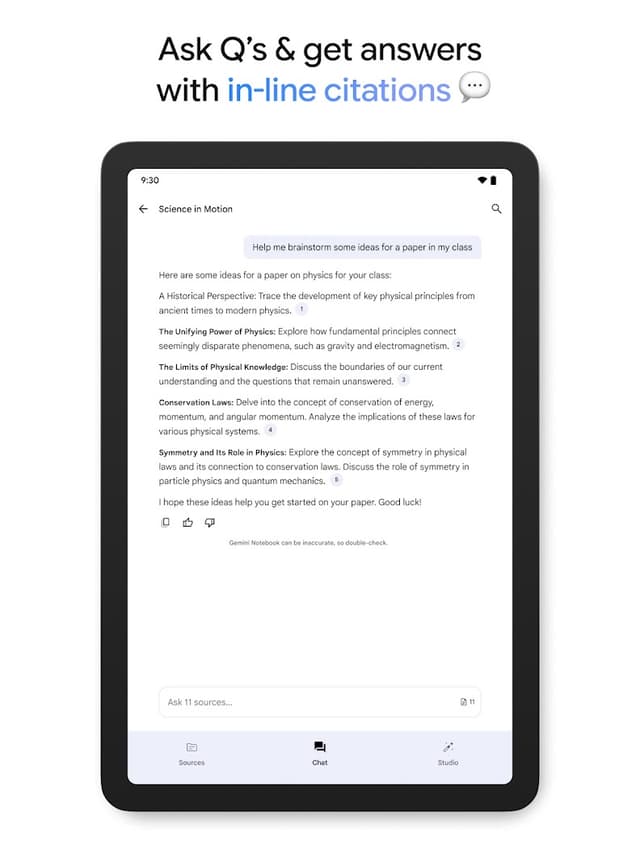
Google’s official Gemini Notebook app listing shows a source question and answer with inline citation numbers. It illustrates source Q&A in NotebookLM’s successor app, not a comparison with Notion or proof that the cited answer is correct. Source: Gemini Notebook on Google Play.
Neither tool proves a claim on its own. Notion can store an unchecked claim. NotebookLM can miss a warning or point of doubt in a source. Open the cited text before you rely on the answer.
For a general-purpose chat tool, review the ChatGPT alternatives. You can also compare NotebookLM with Perplexity. See NotebookLM for research for a full process. For workspace choices, read Notion for students or Notion versus ChatGPT.
Notion vs NotebookLM compared
Use the table to match the tool to your next task: manage the project, read a source pack, or check a claim.
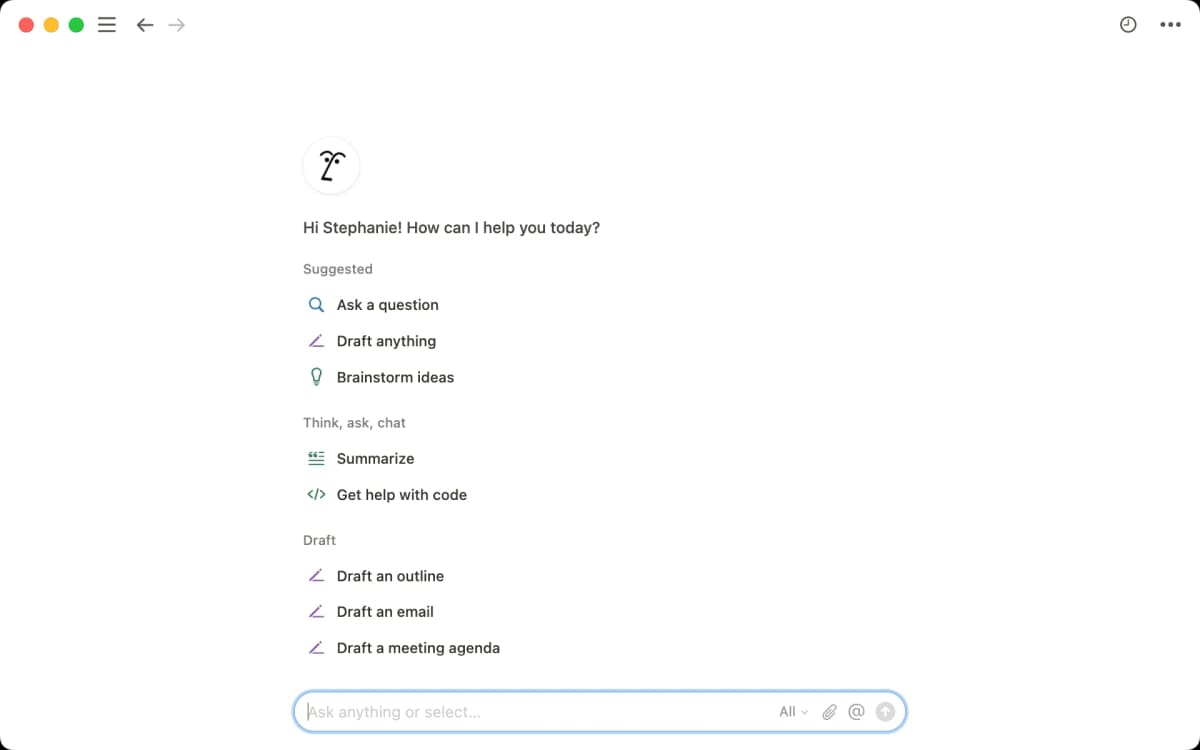
Notion’s official guide shows these AI actions in its workspace. The screenshot illustrates Notion’s side of the comparison; it does not compare answer quality with NotebookLM.
| Workflow job | Notion fit | NotebookLM fit | Verification step |
|---|---|---|---|
| Research planning | Strong for databases, tasks, owners, notes, and repeatable project structure. | Useful after sources are selected, but not a project-management system. | Keep evidence links near claims. |
| Source Q&A | Possible with pasted or connected content, depending on setup. | Strong when sources are added to a notebook and questions stay inside that set. | Open the cited source before using the answer. |
| Literature notes | Strong for durable notes and knowledge-base structure. | Strong for first-pass summaries and questions over readings. | Save only claims that survive passage checks. |
| Study outputs | Useful for organizing study plans and notes. | Strong for study guides, summaries, and source-based explanations. | Confirm details against the assigned reading. |
| Team workspace | Strong for shared docs, workflows, views, and databases. | Less suited to broad team operations. | Decide where durable decisions live. |
| Cited synthesis | Needs careful source linking and checking. | Helpful for source-grounded answers inside a notebook. | Use a cited workspace when selected sources need comparison. |
Table 1: Notion manages the project. NotebookLM helps read the source pack. Both still require you to check the passage behind an important claim.
Verify cited synthesis work
The final step is to check the source. If a claim matters, use a workspace that links each answer point to the passage behind it.
Use this optional three-tool handoff when the project benefits from keeping checked comparison notes in Atlas:
- Use Notion to organize the project, reading list, and research notes.
- Use NotebookLM to study a known set of sources and form early questions.
- Add the key PDFs, pages, or notes to Atlas when you need to compare them.
- Ask Atlas, "Which source supports this claim, and what limit does it state?"
- Open each citation badge and read the passage before you reuse the finding.
This trial gives each tool a role. Notion can hold the team project, NotebookLM can help read its source pack, and Atlas can keep source comparisons beside project notes. Both Notion and NotebookLM also cite sources; a citation alone is not a reason to add a third tool.
Which should you choose?
Choose Notion if your notes, plans, tasks, and meeting records are spread across too many places. It is the better default when research must live beside the rest of a team project.
Choose NotebookLM if you need to understand a set of sources you have picked. It is the better default for questions about readings, reports, or papers. For another view of this choice, compare NotebookLM vs Notion.
Use both when the project needs a long-term home and a way to question its source pack. Try Atlas when you want a focused comparison of selected project sources beside your own notes. Open the supporting passages in whichever tool you choose.
Compare your own sources in Atlas
Compare selected sources, then inspect the citations behind each finding.