

A YouTube video summary AI turns a transcript, captions, audio, or saved text into a short answer, outline, set of time marks, study note, or chat. For a fast overview, paste the link into NoteGPT, Mindgrasp, Decopy, Noiz, or Monica.
Use Eightify or YouTube Summary with ChatGPT & Claude to see a summary while you watch. Use HappyScribe when you also need to export the transcript.
Use Atlas when the video becomes a research source. Read its summary, ask a focused question, open the citation, and check the transcript passage. This matters for a lecture, interview, policy video, or technical talk that will support a claim in your own work.
A one-click summary helps you decide what to watch. It should not serve as the final source for a claim. Before you quote or publish, check the transcript, time mark, and passage behind the summary.

Ask cited questions about a YouTube source
Add a YouTube source, ask one question, then inspect the cited transcript.
What to look for
First, check the transcript. It may be missing, and poor captions can weaken every later summary.
The tool should tell you whether it used a transcript, kept time marks, or missed details shown only in slides and demos.
Then match the output to the job. A student may want lecture notes and questions. A creator may want key moments and time marks.
A researcher may need answers linked to the source. A team may need notes it can export. A tool can be good for a skim and still be weak as evidence.
Use these criteria before trusting the first result:
- Transcript: can the tool read useful captions or transcript text?
- Time marks: can you jump to the exact part of the video?
- Format: does it return bullets, chapters, questions, maps, or a short brief?
- Questions: can you ask about a given claim, method, or section?
- Export: can you move the summary into notes, files, or team work?
- Source check: can you open the passage before you reuse an answer?
- Current terms: have the price, login, browser access, or AI model changed?
Comparison matrix
The table separates quick-skim tools from timestamp, transcript, and cited-evidence workflows.
Check current free limits, AI models, browser access, and export rules on each product page.
| Tool | Best fit | Summary workflow | Verification check |
|---|---|---|---|
| Atlas | Cited follow-up on a selected YouTube source | Import transcript-backed source, read summary, ask grounded questions | Open citations and inspect transcript passages |
| NoteGPT | Fast YouTube summaries and transcripts | Paste a YouTube link for transcript and summary output | Check the transcript before using claims |
| Mindgrasp | Student lecture and learning notes | Paste a video URL and summarize transcript-based learning content | Review whether the transcript covers the lesson |
| Decopy | Structured formats from one video | Generate bullets, mind maps, FAQs, and timestamped summaries | Confirm timestamps and transcript quality |
| YouTube Summary with ChatGPT & Claude | Browser-extension workflow | Summarize YouTube, articles, and PDFs in the browser | Review extension permissions and source text |
| Noiz | One-click summaries and Q&A | Produce key ideas, Q&A, video-to-text, and timestamped summaries | Verify key claims against the video |
| Eightify | Timestamped video navigation | Summaries, key ideas, transcriptions, and mobile flows | Jump back to important moments |
| Monica | Lightweight GPT-assisted YouTube summary | Browser-assisted summary for learning or casual review | Check transcript completeness and output specificity |
| HappyScribe | Transcript-first professional workflow | Summarize YouTube URLs or video files with transcript-centered outputs | Review transcript, formats, and export needs |
Table 1: Choose based on what happens if the summary is wrong.
A casual summary can be temporary. A research note, client brief, or class citation needs a link back to the transcript or video.
Atlas cited evidence workflow
Use Atlas after you choose a YouTube video as a source:
- Add its URL, wait for the transcript, and check that the text is readable.
- Use the first summary to learn what the video covers and whether it belongs in the project. A missing or broken transcript will also weaken the answers.
- Ask a specific question, such as "What support does this interview give for the claim about student notes?"
- Open each citation and read the transcript passage. Keep the answer only if that passage supports the claim in context.
- Ask a narrower question or return to the time mark when the passage is weak.
Best tools
Atlas
Atlas is best when a YouTube video belongs in a research project. It reads the transcript, answers questions, and lets you open each citation. Atlas does not download, host, or edit videos, and it cannot fix a poor transcript.
NoteGPT
NoteGPT fits quick summaries, transcripts, subtitles, and AI notes. Use it to learn what a video covers before you decide to watch. Check current login rules, free limits, video limits, and AI models first.
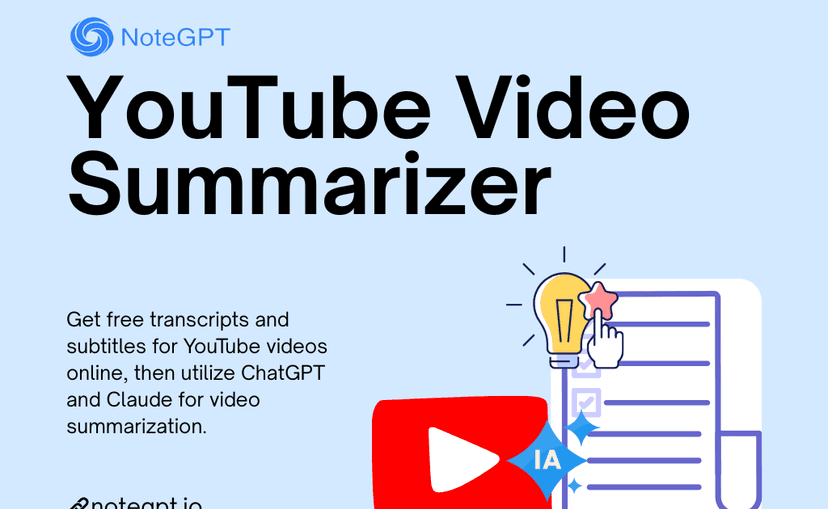
The product graphic shows NoteGPT's transcript-first promise. It does not demonstrate timestamp links or claim-level citations, so check those features in the current interface if verification matters.
Mindgrasp
Mindgrasp fits lectures, lessons, webinars, podcasts, and interviews. Paste a URL to turn the transcript into a summary. Check the video itself when a slide, diagram, or screen demo carries the lesson.
Decopy
Decopy can turn a video into bullets, mind maps, questions, transcript views, translations, and notes with time marks. Use it for a fast, organized digest. Check current free limits and privacy rules first.
YouTube Summary with ChatGPT & Claude
YouTube Summary with ChatGPT & Claude runs in the browser while you watch. Its store page lists support for YouTube, web pages, PDFs, time marks, transcripts, and several AI models. Check current browser access, regions, and AI models before a team adopts it.
Noiz
Noiz offers one-click summaries, key ideas, questions, video text, time marks, and several languages. Use it to get the gist before a full watch. Check key claims in the video because a short answer can omit limits.
Eightify
Eightify is best for time marks, key ideas, transcripts, sharing, and phone use. It fits long videos when you want to jump to key moments. Check current languages, price, and video limits before you buy.
Monica
Monica gives students, workers, and casual viewers a quick YouTube summary in the browser. Use it for a first skim, then check the transcript or video before you reuse a claim.
HappyScribe
HappyScribe fits when you need the transcript for captions, translation, or team review. It accepts YouTube URLs or uploaded videos, then offers summaries, questions, and exports. Check current accuracy, security, languages, and file types before using it for work.
YouTube summary limits
The main risk is the transcript. It may be missing or contain errors.
Captions can also miss a chart, code demo, whiteboard, or slide that carries the proof.
Check whether the tool cuts off long videos, hides time marks, changes after login, or asks for browser access your team will reject.
User forums can reveal complaints about errors, free limits, saved work, or long output. Check the current product before you treat a complaint as fact.
For important work, use a reliability checklist:
- Confirm that transcript text exists and is readable.
- Scan the first and last sections for missing context.
- Jump to timestamps for claims you plan to reuse.
- Treat the AI summary as triage before using it as evidence.
- Use cited answers or direct transcript passages when the claim matters.
Which tool should you choose?
Choose by the result you need:
- Use a paste-a-link tool for the gist.
- Use a tool with time marks to move between summary bullets and exact moments.
- Use a transcript-first tool for exports, subtitles, or team handoff.
- Use Atlas when the video must support cited research. You will check the transcript, ask a focused question, and read the cited passage.
That check matters when the summary affects a decision, brief, essay, article, or research note.
For other source types, see legal document organizers, article AI tools, and video AI tools.
Ask cited questions about a YouTube source
Add a YouTube source, ask one question, then inspect the cited transcript.