

The best AI tool to summarize YouTube videos depends on the job. If you only need the main points from a tutorial, a lightweight YouTube summarizer is enough. If the video supports a paper, client memo, class project, or market scan, keep the transcript, timestamps, and source checks near the answer.
This comparison is based on public product pages, Google NotebookLM docs, and Atlas documentation reviewed on July 5, 2026.
The dividing line is source checking. Most YouTube summarizers depend on transcript text or captions. A summary can only be as reliable as the transcript it reads. I would choose the tool by the reader task:
- Use a fast paste-link summarizer when the video is low-stakes and you only need orientation.
- Use a YouTube extension when you need timestamps.
- Use a study workspace when the video belongs with notes, PDFs, or class material.
- Use Atlas when the video should become a source you can question, cite, and check against transcript passages.

Ask about a YouTube video in Atlas
Add a transcript-backed video, then inspect citations before reusing a claim.
Quick verdict
For quick skimming, start with NoteGPT, Eightify, or Glasp. They support the common job of pasting a YouTube URL, scanning key points, and deciding whether to watch.
For lectures, tutorials, webinars, and class material, Mindgrasp and NotebookLM fit better. They are closer to study notes than one-off summaries. NotebookLM is most relevant when a public YouTube video with captions belongs beside documents and other sources.
For source-grounded research, use Atlas after the first skim. Atlas imports a YouTube video from transcript text. You can then ask grounded questions and inspect citations back to source passages. That matters when the answer will support a claim outside the summarizer.
How to choose a YouTube AI summarizer
Before comparing tools, check whether the video can support a useful summary. A polished tool can still miss the point if the transcript is weak.
Use this checklist before trusting the output:
- Transcript: Does the video have captions or a public transcript? Google documents NotebookLM's YouTube import as transcript-based, so missing or poor captions still matter.
- Caption quality: Are speaker names, terms, product names, and acronyms readable?
- Timestamps: Can you move from a summary claim back to the relevant part of the video?
- Follow-up questions: Can you ask the tool to explain a claim, compare parts of the video, or find a caveat?
- Source links: Does the answer point back to transcript passages, timestamps, or source cards you can inspect?
- Visual content: Does the video rely on slides, charts, code, screen recordings, or gestures missing from the transcript?
- Privacy fit: Are you comfortable pasting the URL or transcript into the tool, especially for private or sensitive videos?
The best process is often two-step. Use a summarizer to decide whether the video deserves your time. Then check the transcript, timestamp, citation, or video clip before you use an important claim.
YouTube AI summarizers compared
This table uses public product pages and docs for each tool. It is not a private accuracy test. I avoided exact pricing, free limits, model names, and video-length claims because those details change often.
| Tool | Best fit | Verification path | Main caveat |
|---|---|---|---|
| Atlas | Source-grounded research over transcript-backed YouTube videos | Import the YouTube transcript, ask a grounded question, then open citation badges back to source passages | Atlas works from transcript text, so visual-only content and poor captions still need manual video checks |
| NoteGPT | Fast browser-based summaries from a pasted YouTube link | Use the generated summary to identify the main ideas, then check important points against the video or transcript | Best for triage unless the reader separately verifies claims |
| Eightify | Timestamped YouTube navigation across web and mobile workflows | Use key ideas and timestamps to jump back into the video | Public positioning focuses on convenience, so do not treat the summary as an independent accuracy check |
| Glasp | Free transcript access, key takeaways, and extension-based summaries | Review transcript text, key takeaways, and timestamped sections from the YouTube page | Extension and model behavior can change, so verify current limits before relying on it often |
| Mindgrasp | Student-oriented summaries for lectures, tutorials, podcasts, interviews, and webinars | Use the summary as study material, then return to the video for important definitions or claims | Educational framing does not remove the need to check noisy captions or visual explanations |
| NotebookLM | Studying public captioned YouTube videos alongside other notebook sources | Add a supported public YouTube video with captions, then ask questions in the notebook | Google documents that YouTube import is transcript-based and may not support recent, private, deleted, captionless, or speechless videos |
| Recall | Saving video summaries into a personal knowledge base | Save the summary card, use timestamps, and chat across saved material | Stronger for knowledge-base continuity than for proving a video claim by itself |
Table 1: Use the table to separate skimming from source checks. A claim from a transcript still needs a passage, timestamp, or citation before it supports research.
Verify a YouTube summary in Atlas
Atlas is not the fastest way to get a disposable YouTube summary. Use it when the video should become a source for research, notes, or a brief.
Use this YouTube source process in Atlas. Add a YouTube URL as a source, wait for transcript processing, inspect the transcript, then ask a specific question and open its citation to check the supporting passage.
Atlas summaries can help you get oriented, but they should not be the final source for important claims. The useful part of this workflow is that the answer stays tied to the transcript passage you can inspect.
If you want the short version, follow the same source-checking pattern in crawlable text:
- Add the YouTube URL as a source.
- Check whether the transcript is a good source.
- Ask one narrow grounded question.
- Open the citation and read the passage.
Use this workflow when the summary matters:
- Copy the YouTube URL and add it to the relevant Atlas project.
- Wait for source processing to finish.
- Open the source and skim the transcript for obvious gaps, garbled terms, or missing sections.
- Ask a narrow question. Try "What proof does this interview give for the pricing claim?" or "What limits does this lecture name?"
- Check whether important claims include citation badges.
- Open each citation and read the transcript passage around it.
- If a citation is weak, ask Atlas to revise against the passage or narrow the question.
This turns the summary into triage. The stronger result is a cited answer you can inspect. Check it before the claim moves into a note, review, brief, or client file.
Best AI tools to summarize YouTube videos
1. Atlas
Atlas is the best fit when a YouTube video is source material rather than casual viewing. Use it for lectures, interviews, talks, tutorials, and demos where the spoken words carry the proof you need.
Atlas supports YouTube sources when the transcript carries the useful content. Atlas imports transcript text. It does not analyze raw video frames. After processing, the transcript can be searched, cited, and used in research chat. A citation means Atlas found related source evidence. You still need to check whether the passage supports the claim.
Use Atlas when you want to ask follow-up questions such as:
- What claims does this speaker make about the market?
- Which examples support the tutorial's main recommendation?
- What caveats does the speaker mention near the end?
- Which parts of this interview disagree with another source in my project?
Choose another tool if the video has no usable transcript. Also choose another tool if the key proof is only visual. A quick skim tool is enough when you are only deciding whether to watch.
2. NoteGPT
NoteGPT is built for the common "summarize this YouTube link for me" task. Its YouTube Video Summarizer page focuses on a paste-link flow. Add a video URL, then get a quick AI summary for long videos, tutorials, lectures, and podcasts.
The official NoteGPT product graphic shows that its workflow starts by extracting the video's transcript or subtitles before an AI model creates the summary.
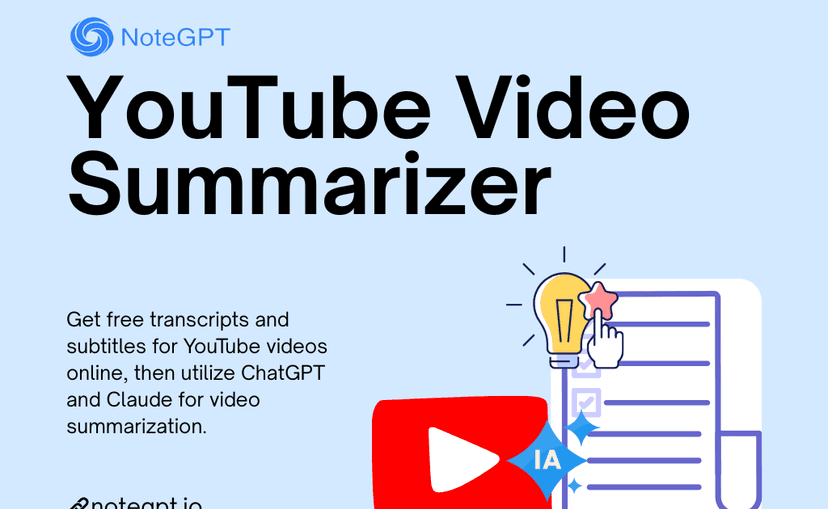
That makes it useful when speed matters more than source checks. A creator can scan competitors. A student can preview a lecture. An operator can decide whether a webinar is worth watching.
The caveat is that a quick summary still needs a source check when the claim matters. I would use NoteGPT for a first pass. If the summary gives me a claim I plan to quote, I would move the video into a cited flow. I would do the same for a claim I plan to compare or share.
3. Eightify
Eightify is strongest when you want summary plus navigation. Its public page highlights key ideas, timestamped summaries, mobile apps, and sharing. That mix fits users who still expect to move back and forth between the summary and the original YouTube video.
Use it for long videos where the main pain is finding the right moment. Product demos, interviews, talks, and news explainers can benefit from timestamped sections. The summary becomes a map of the video.
The limit is evidence depth. Timestamps help you inspect the source, but they do not automatically prove that a summary preserved every caveat. For research or decision support, use the timestamp to return to the video and check the original wording.
4. Glasp
Glasp is a good fit for people who want YouTube transcripts, key takeaways, timestamped summaries, and a browser extension. Its YouTube Summary page is for users who want the summary near the YouTube page. They may not want a separate research app.
That helps when you collect ideas from public videos and want low friction. The transcript view also matters. It lets you inspect the text behind the summary instead of relying only on generated prose.
The main caution is freshness. Extension behavior, supported model labels, and free limits can change. For one-off use, the current Glasp flow may be enough. For a team or class process, check the current product page and extension details first.
5. Mindgrasp
Mindgrasp frames its YouTube summarizer around lectures, tutorials, podcasts, interviews, webinars, news, and product reviews. That makes it a natural choice for students who want study notes instead of a generic bullet list.
Use it when the output will become class notes, study prompts, or a review aid. The best videos for this tool have clear speech, a clear structure, and concepts that survive transcript-based summaries.
The risk matches other transcript-based tools. Class videos often include diagrams, slides, equations, code, or examples that the transcript may not capture. When the visual layer carries the explanation, watch the relevant segment before saving the summary as a study note.
6. NotebookLM
NotebookLM is a strong choice when a YouTube video belongs beside other sources. Google's support docs say NotebookLM can use public YouTube videos with captions. It imports transcript text as the source. Google also lists limits for recent videos, private videos, deleted videos, videos with no captions, and videos with no speech.
That makes NotebookLM a better fit for study than broad YouTube summaries. A captioned YouTube video can sit beside PDFs and web sources in a notebook for a class topic, market, author, or research question.
NotebookLM's YouTube support is transcript-based. If the key point is on a slide, chart, screen recording, or visual demo, the notebook may miss it. The transcript has to explain that point.
7. Recall
Recall fits users who want YouTube summaries to become part of a longer-lived knowledge base. Its public YouTube summarizer article focuses on saving time, timestamps, saved cards, sorting, and chat across saved material.
That helps when you watch videos for learning or research and want summaries to stay available after the browser tab is gone. A saved summary can become a reminder or a prompt for later study.
The caveat is that saved summaries are still summaries. If you need to defend a claim, check the timestamp, source passage, or original video before using the saved card as evidence.
Which YouTube summarizer should you choose?
Choose by the job you need the summary to perform:
For quick orientation
Use NoteGPT when you want a quick answer from a pasted URL. Use Glasp when transcript access and browser summaries matter. Use Eightify when the goal is to jump back to the right moment in a long video.
This is the right tier when the decision is whether to watch, save, or skip the video. The summary helps you spend attention, but it should not become the final source for an important claim.
For study and knowledge capture
Use Mindgrasp when the source is a lecture, tutorial, webinar, or interview you need to study. Use NotebookLM when a public captioned YouTube video belongs beside other sources. Use Recall when you want video summaries saved for later.
This tier works best when the output will stay in your own learning space. Check the video clip when the summary covers diagrams, equations, screen recordings, or definitions. Captions can distort those details.
For source-grounded research
Use Atlas when the video should become a transcript-backed source you can question, cite, and verify. That is the better next step when the summary gives you a claim for a memo, report, synthesis, or literature review.
The safest habit is to split the skim from the source check. Let AI compress the video so you can decide what deserves attention. Before an important claim leaves your notes, return to the transcript, timestamp, citation, or video segment that supports it.
Conclusion
AI can summarize YouTube videos well enough for a first pass. The best tool changes with the stakes. A quick summary helps you decide whether to watch. Timestamps help you jump to the right clip. A study app helps when the video sits beside class notes or PDFs.
For research, treat every summary as a lead. Import transcript-backed videos into Atlas when you need cited answers and source checks before you reuse a claim. For broader tool choices, see the guides to summarizing YouTube videos, AI that cites sources, AI research assistants, and NotebookLM limitations.
Ask about a YouTube video in Atlas
Add a transcript-backed video, then inspect citations before reusing a claim.