

The best AI video reader depends on what you need from the video. NoteGPT and WayinVideo can give you a quick account of a YouTube video. Lynote turns a video into notes with links to key moments. ScreenApp is aimed at questions about both the sound and the picture. Knowt makes study cards from lectures.
Use Atlas when a YouTube transcript is available and you need a cited answer from it. Atlas reads the transcript, not the video frames. After you ask a question, open the citation badge and check the source text before you reuse the answer.
The nine tools in this guide cover spoken content, on-screen details, study aids, and cited research. If you need to ask questions about a PDF instead, see the chat PDF guide.

Read video transcripts with citations
Add a YouTube source, ask a focused question, and verify the cited passage.
AI video reader workflow types
The phrase covers five kinds of tool:
- Tools that read transcripts. They turn the words spoken in a video into text you can search and mark. Lynote is one example. The AI transcript summarizer guide covers the same job for talks, meetings, and interviews.
- Video chat with time links. Video Highlight and WayinVideo let you ask questions and link answers to points in a video.
- Tools that inspect the picture. ScreenApp says it can work with both the sound and the video frames. This matters when the answer appears only on a slide or chart.
- Study tools. Knowt turns lectures into notes, questions, and flashcards.
- Research tools that cite the transcript. Atlas answers from a transcript and lets you open the source text behind a cited answer. For a faster overview without that source trail, see YouTube summary AI.
Google Cloud Video Intelligence serves a different need. Developers use it to find labels, objects, places, and actions across large video sets. Most people who want to read one video will not need it.
First decide whether your answer comes from what was said or what appeared on screen. Then decide whether a quick overview is enough or whether you need a link back to the source.
AI video reader tools to compare
The table groups tools by the job they do best. A tool that reads spoken words cannot always answer a question about a slide. A tool that makes flashcards may not show the source text behind an answer. Choose the row that matches the part of the video you need to use.
| Tool | Best for | What it does | Check before you commit |
|---|---|---|---|
| Atlas | Cited follow-up questions over a transcript-backed YouTube video | Imports YouTube transcript text as a source, answers grounded questions, and returns citation badges linking to the transcript passage | Not a raw video-file or visual-frame reader. Needs a usable transcript, and visual-only details still require watching the original video |
| Lynote | An exact-match AI video reader for structured, searchable notes | Turns a video into a searchable document with semantic timestamps, structured notes, and exports | Refresh current language support, export formats, and pricing before relying on specifics |
| NoteGPT | Fast YouTube and uploaded-video summaries | Extracts transcripts, produces summaries, batch playlist summaries, and subtitle handling for study or professional use | Confirm current upload limits and subtitle-language support before a large batch job |
| ScreenApp | Visual-plus-audio video watching with Q&A | Accepts uploaded files or YouTube URLs and returns timestamped answers, transcription, and visual-plus-audio analysis | Visual-analysis claims and plan limits change quickly. Verify on the current product page |
| Video Highlight | Timestamped video research and chat | Produces timestamped transcripts, summaries, chat with video, highlights, and playlist organization | Refresh whether "chat with video" answers link to a verifiable source passage or only a timestamp |
| WayinVideo | Timestamped summaries with speaker labels and mind maps | Transcribes with speaker labels, generates timestamped summaries, mind maps, and chat-to-learn Q&A | Confirm current multilingual support and free-minute limits before relying on specifics |
| Knowt | Student flashcards from lecture videos | Turns YouTube lecture videos into summaries, practice questions, and flashcards | Built specifically for study workflows rather than general research or visual analysis |
| NotebookLM | Transcript-based YouTube exploration with citations | Uses YouTube transcript text to produce summaries, suggested questions, and citations to transcript locations | Confirm current video-length and availability limits, since coverage has changed over time |
| Google Cloud Video Intelligence | Developer video metadata at scale | Extracts labels, objects, places, and actions from stored or streaming video for media-library and moderation use cases | Requires cloud integration work. Not a consumer reading tool |
Table 1: These nine tools cover spoken words, on-screen details, study aids, and answers linked to source text.
How to choose an AI video reader
The reader label often hides the important technical split. Use the AI video analyzer comparison when you need to distinguish transcript-based answers from frame-level detection, OCR, or scene analysis.
Check these points before you choose a tool:
- Source type. Does it accept a YouTube URL, an uploaded file, or both? Some readers only work from a public link.
- Quality of the transcript. Atlas and other text-based tools need good captions or a transcript. Poor captions can change names, numbers, and even words such as "not."
- What appears on screen. Check whether the tool reads the video frames or only the spoken words. A tool may use the word "watch" even when it reads only captions.
- Links to key moments. Check whether the answer takes you back to the right point in the video.
- Chat or Q&A. Some tools support follow-up questions about the video. Atlas supports grounded questions with citations over the source you added.
- Ways to save the result. Look for the note, Markdown, or data format your next step needs.
- Languages. The languages available for captions and translation vary by tool.
- Privacy. Before you upload private footage, check who can open it, where it is stored, and when it is deleted.
- Source checks. Prefer a tool that links an important answer to the words or video moment behind it.
Best AI video reader tools
Atlas
Atlas is best for questions about what was said in a YouTube video. It adds the transcript to a project and answers from that text. Each citation badge opens the part of the transcript behind the answer.
Atlas does not read raw video files, inspect frames, or make flashcards. Watch the video when the answer depends on a slide, chart, gesture, or other detail that the speaker did not describe.
Lynote
Lynote turns a video into notes you can search. Links in the notes take you to the right moment, and you can save the result for later use. Check its product page for current languages, file types, and plan terms.
NoteGPT
NoteGPT can pull the words from a YouTube video or an uploaded file and turn them into a short account. It can also work through playlists and make study aids. Check its current file limits and caption languages before a large job.
ScreenApp
ScreenApp accepts YouTube links and uploaded files. It offers transcripts, answers tied to points in the video, and tools that work with both sound and on-screen content. Check its current claims and plan terms before you upload private footage.
Video Highlight
Video Highlight makes transcripts, short accounts, highlights, and playlists with links to moments in a video. It also supports questions across videos. Check whether an answer links to the exact words behind it or only to a rough time.
WayinVideo
WayinVideo works with YouTube links and file uploads. It can label speakers, mark key times, make mind maps, and answer study questions. Check its current languages and free use limits on the product page.
Knowt
Knowt is made for students. It turns YouTube lectures into notes, practice questions, and flashcards. Choose it for study aids rather than research across many sources or questions about the video frames.
NotebookLM
NotebookLM can use the words from a YouTube video to make a short account, suggest questions, and cite points in the transcript. The Verge reported on the feature. Google's source-import help lists the current requirements for public YouTube videos, captions, and transcript imports.
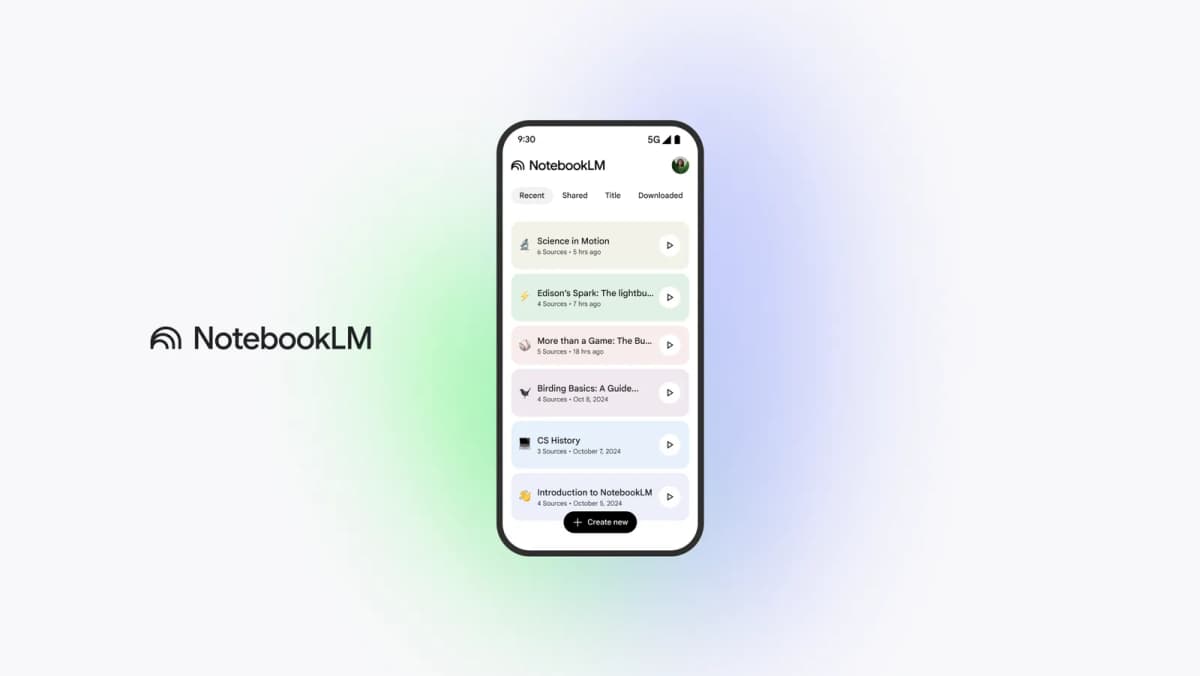
Google's official NotebookLM interface shows the bounded notebook where imported sources and questions stay together. For YouTube, Google imports transcript text, so the notebook can support cited questions about spoken content but not details visible only in the frames.
Google Cloud Video Intelligence
Google Cloud Video Intelligence finds objects, places, actions, and other labels in saved or live video. It is a service for developers who manage large video sets, not a ready-made tool for reading one video. Its pricing page separates stored-video and streaming-video annotation costs.
Ask cited questions about a video
Use this workflow when the spoken words in a video need to support a research note:
- Add a YouTube video, or another transcript-backed video source, to an Atlas project.
- Wait while Atlas turns the spoken words into text. Poor or missing captions give Atlas less useful text to read.
- Skim the source overview. Make sure the transcript includes the part you care about, not only the opening or a sponsor message.
- Ask one narrow question, such as "What test does the speaker cite for search accuracy?" A narrow question is easier to check than "sum up this video."
- Find the citation badge on each claim that matters.
- Open the badge and compare the answer with the source text before you save the claim in a note or report.
This workflow checks what the speaker said. It cannot check what appeared only on screen. Watch the video or use a tool that reads frames when the answer depends on a visual detail.
Limits to check before trusting video-reader output
Many errors start with bad captions or with a short account that leaves out context. Check the source before you rely on any answer.
Transcript and caption problems
- Missing or poor transcripts. Atlas and other text-based tools need usable source text. Automatic captions can get names, terms, and words such as "not" wrong. Any of those errors can change the claim.
- Rough time links. Some tools link to a broad part of the video instead of the exact moment when the speaker made the claim.
Visual and detection problems
- Details shown but not spoken. A transcript will miss a slide, chart, or gesture that the speaker does not describe. WIRED found that Gemini could sum up spoken content, but visual details still called for watching the video.
- Claims about reading frames. Check the tool's current product page before you depend on a claim that it can find a given object, action, or detail on screen.
Trust and account problems
- Answers that sound too sure. Use any AI account, including Atlas's, to choose what to watch or read next. The Verge's report on NotebookLM shows why a cited answer still depends on the transcript being right.
- Private footage. Before you upload a class, meeting, or interview, check where the file is stored, who can open it, and when it is deleted.
- Old plan details. Free minutes, file limits, and language support change often. Check the current product page for exact terms.
A citation badge is a route to the source, not proof that the answer is right. Open the source text and check the claim yourself.
Choose the right AI video reader workflow
Match the tool to the job:
- A quick view of one YouTube video: use NoteGPT or WayinVideo.
- Notes you can search, save, and link to video moments: use Lynote.
- Questions about both sound and the picture: use ScreenApp, after checking its current claims.
- Study cards from a lecture: use Knowt.
- Questions across many videos: use Video Highlight.
- Labels for a large video set: use Google Cloud Video Intelligence.
- Cited answers from a YouTube transcript: use Atlas.
If the speaker never says the answer out loud, a transcript tool cannot find it. Use a tool that reads frames and watch the key part yourself. Use Atlas when the spoken words are the source you need to question and cite.
For PDFs and reports, see AI document summarizer and AI that cites sources.
Conclusion
Choose a tool that reads the part of the video where your answer lives. A transcript tool covers spoken words. A tool that reads frames is needed for slides, charts, gestures, and other details shown on screen.
Choose Atlas when you need to ask a question about a YouTube transcript and keep a link to the source text. Open the citation badge and check the words behind the answer before you use the claim.
Read video transcripts with citations
Add a YouTube source, ask a focused question, and verify the cited passage.