

The best YouTube summary AI tool depends on the job:
-
Use Atlas when the video should become a source you can ask about, cite, and check against the transcript.
-
Use NoteGPT for a fast paste-a-link summary.
-
Use Mindgrasp for lecture or study material.
-
Use Eightify when timestamp navigation matters.
-
Use Monica when you already want an assistant in the browser.
-
Use Noiz when you want a light extension-style summary. For most searchers, the deciding factor is the source text. YouTube summary AI usually works from transcript or caption text. If that text is missing, noisy, or auto-translated, the answer can skip the part you needed. The same risk applies when the key point only appears on screen.
That is why I would split the category into two workflows:
- Fast summary tools help you decide whether a video is worth watching.
- Checkable source workflows help you reuse a video claim in notes, research, briefs, or decisions.
If you want the adjacent transcript workflow, start with AI transcript summarizers. For a tool-choice view of how to summarize YouTube videos by speed, timestamps, saved notes, and source checks, use the dedicated YouTube summarizer guide. If the source could be a YouTube link, uploaded file, transcript, meeting recording, or cited video research workflow, use the broader AI video summarizer guide.

Ask cited questions about YouTube videos
Add a YouTube video, ask a cited question, and inspect the transcript passage.
Video note tool criteria
Before comparing tools, check the source material. A rough summary you can verify is more useful than a polished one you cannot check, so start with these source checks before you rank tools.
| Check | Why it matters | What to do before trusting the summary |
|---|---|---|
| Transcript present | Most YouTube summary AI starts from text rather than visual analysis | Confirm the tool can access the transcript or captions |
| Captions readable | Auto-captions can miss names, terms, numbers, and negations | Spot-check technical terms and important claims |
| Timestamps available | A summary is easier to verify when it can take you back to the video | Prefer tools that preserve timestamps for long videos |
| Visual-only claims scoped out | Slides, charts, demos, and screen actions may not appear in the transcript | Watch the relevant segment when the claim depends on visuals |
| Follow-up questions supported | The first summary often hides caveats or examples | Ask narrower questions about the claim, limitation, or method |
| Notes are labeled as summary | A saved summary is not the same as evidence | Keep the summary separate from checked transcript passages |
Table 1: This checklist separates fast summary convenience from transcript evidence you can inspect before saving a claim.
Comparison table for video notes
This table keeps the comparison narrow. It does not repeat the broader YouTube pages. The job here is clear: choose a summary surface and know when to check the transcript. The tool notes below use official product pages reviewed in July 2026.
| Tool | Best fit | What to check | Verification limit |
|---|---|---|---|
| Atlas | Turning a transcript-backed YouTube video into cited questions and reusable source notes | Add the YouTube URL, wait for transcript processing, ask a grounded question, and open citation badges | Atlas works from imported transcript text, so missing captions, poor captions, and visual-only content still need manual checking |
| NoteGPT | Quick paste-a-link summaries, transcripts, and batch-friendly YouTube summary workflows | Whether the transcript is present, whether the summary length fits the job, and whether long or multiple-video claims match your current plan | Strong for fast triage. Important claims still need transcript or video checks |
| Mindgrasp | Students summarizing lectures, tutorials, podcasts, interviews, webinars, news, and reviews | Whether the summary captures definitions, examples, and caveats you need for study | Educational framing does not remove caption-quality or visual-context limits |
| Eightify | Timestamped YouTube navigation across extension, web, and mobile workflows | Whether the key ideas and timestamps take you back to the right video segment | Useful for navigation. Check the source segment when the claim matters |
| Monica | People who want YouTube summaries inside a broader AI assistant and browser workflow | Whether the assistant workflow fits how you browse, save, and ask follow-up questions | Use it as an assistant surface. Choose a dedicated evidence workspace when source checking matters |
| Noiz | Lightweight extension-style summaries and quick key-idea extraction | Whether the summary includes enough detail and timestamps for your use case | Good for scanning. Deeper research still needs source inspection |
Table 2: The table compares each tool by the reader's next action. I avoided accuracy scores and temporary pricing limits because the cited product pages do not support stable numbers.
Atlas verification decision
Atlas fits after the video stops being disposable. If a YouTube talk will support a note or report, the summary needs an inspection path. The same is true for a lecture, interview, tutorial, or team decision.
A practical Atlas workflow looks like this:
- Add the YouTube URL as a source in the relevant project.
- Wait for transcript processing to finish.
- Open the source and skim the transcript so you know whether the text is usable.
- Ask a specific grounded question, such as "What evidence does the speaker give for the claim about retrieval quality?"
- Open the citation badges behind the answer.
- Read the transcript passage before saving the claim as a note.
That workflow is slower than pressing a one-click summary button. It changes the status of the output. A quick summary tells you what the video seems to cover. A cited answer gives you a path back to the transcript passage that supports, weakens, or qualifies the answer.
Use Atlas for YouTube summary AI when the next step is source work. You may need to compare claims, collect support, or ask follow-up questions. You may also need notes that still point back to the transcript. For the exact transcript extraction and cited-summary workflow, use the YouTube transcript AI guide. For the exact head-term tool comparison, use the YouTube video summary AI guide. For the broader category that includes generators, editors, summarizers, and transcript Q&A, compare videos AI. For adjacent source workflows, compare AI transcript summarizers, research paper AI, AI citation checkers, and AI document readers.
Best AI tools for video notes
1. Atlas
Atlas is the best fit when a YouTube video should become a source rather than a throwaway summary. It can work with YouTube transcript text after the source is added and processed. Then it can answer grounded questions with citations back to source passages.
Choose Atlas when you need to reuse the video in a research or analysis workflow. A student might add a lecture and ask for the speaker's definition of a method. Then they can open the cited transcript passage and save the checked answer. An analyst might add a webinar, ask which claims depend on customer data, and compare those claims with other project sources.
Check the transcript before relying on the result. If the video has no public transcript or poor auto-captions, Atlas has less text to work with. If key points only appear on slides, the video itself remains part of the check. For a same-cluster example of source-grounded answers, see research paper AI. For claim review or broader source work, compare AI citation checkers and AI document readers.
2. NoteGPT
NoteGPT is a strong choice when you want a fast YouTube summary AI surface built around pasted links, transcripts, and summary generation. The NoteGPT YouTube summarizer page describes video and playlist summaries, transcript fetching, long-video workflows, and student or researcher use cases.
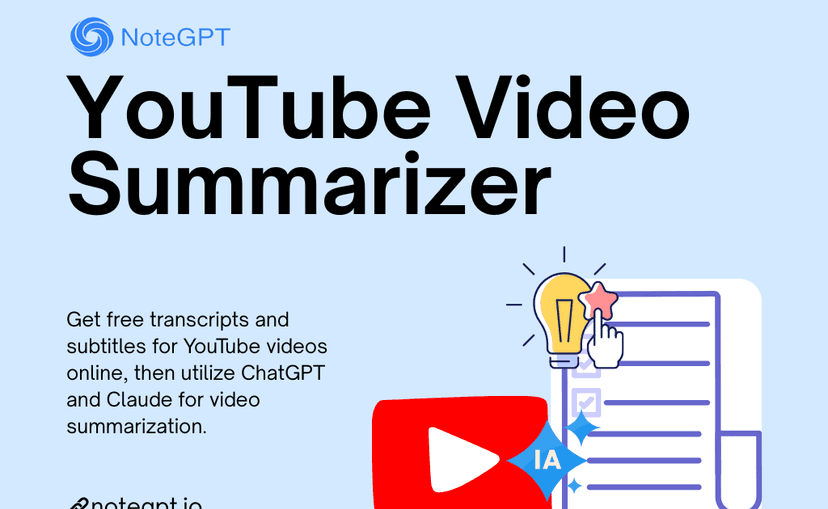
NoteGPT's product graphic makes the sequence explicit: obtain the transcript and subtitles, then summarize that text with an AI model. It does not show whether a summary links each claim back to a time mark.
Use it when you need quick triage. It can help you decide whether a video is worth watching, pull out the main points, or start a study note. Before you reuse the output, check whether the transcript is complete. Then check whether the summary kept the caveats, examples, and numbers that matter.
Choose a different workflow when the summary has to support a claim you will cite or defend. In that case, bring the transcript back into a source-checking process instead of treating the summary as final evidence.
3. Mindgrasp
Mindgrasp fits students and learners who summarize class videos, tutorials, podcasts, interviews, webinars, news, and reviews. The Mindgrasp YouTube summarizer is close to study support: get the main points quickly, then decide what deserves more attention.
That makes it useful for course videos and training clips. It also fits review sessions where the first job is grasping the point. Check exact terms, formulas, dates, and advice before adding them to notes. A lecture summary can miss the example that explains the idea. That risk grows when the speaker relies on slides or a board.
Choose Mindgrasp when the study workflow matters more than deep citation management. Choose Atlas when the video needs cited follow-up questions and source-backed notes.
4. Eightify
Eightify is best when you need timestamps and YouTube navigation. Its official page describes short video summaries, browser or mobile access, comments, sharing, and quick access to key points.
Use Eightify when you are deciding where to jump in a long video. Timestamps help with podcasts, interviews, talks, and long tutorials. They let you find the right segment before watching.
The limit is evidence. A timestamp can take you back to the video, but you still need to inspect the segment when the claim matters. Treat the summary as a map back to the source.
5. Monica
Monica is a better fit for people who want YouTube summary AI inside a broader assistant workflow. The Monica YouTube summary page sits inside a larger product with browser, desktop, mobile, writing, PDF, and model surfaces.
Use Monica if your work already happens in a browser assistant and you want summaries near the YouTube page. That can be convenient for casual research, content review, and quick follow-up questions.
The tradeoff is focus. Monica is a broad assistant. Check whether its workflow helps you save and reuse the output where the final work happens.
6. Noiz
Noiz fits the lightweight end of YouTube summary AI. Its page highlights key ideas, smart summaries, video-to-text behavior, timestamps, extension use, and quick summaries from the YouTube page.
Use Noiz when the job is fast scanning. It can help you get the gist, pull key ideas, or decide whether to watch the full video. It is a reasonable category example for readers who do not need a full research workspace.
For claims that will leave the summary and enter notes, writing, or decisions, add a check. Read the transcript, jump to the timestamp, or move the source into a workflow that keeps citations.
YouTube summary AI limitations to check
Most failures start with the source material. Watch for these limits before treating the output as reliable:
Caption and transcript problems
- Missing captions: the tool may have little or no text to summarize.
- Noisy captions: names, jargon, numbers, and "not" phrases are easy to distort.
- Weak speaker labels: interviews and panels can blur who made which claim.
- Translation drift: translated captions can flatten terms or nuance.
Video context problems
- Visual-only content: slides, charts, code, demos, and body language may not be present in the transcript.
- Timestamp mismatch: a useful summary still needs links back to the right moment.
- Lost caveats: summaries can drop the condition that made the claim true.
- Source handoff: saved notes should still name the video, transcript passage, or timestamp you checked.
For casual viewing, those limits may be fine. For research, study, legal, medical, finance, or team work, inspect the source before using the answer.
When to choose Atlas
Choose by the next action because a long feature list matters less than the job you need the tool to finish.
| If your next action is... | Choose... | Reason |
|---|---|---|
| Reuse a claim in notes, research, or decisions | Atlas | The transcript-backed answer can be checked through citations |
| Decide whether a video is worth watching | NoteGPT or Noiz | Fast summaries are enough for triage |
| Jump through a long video | Eightify | Timestamp navigation is the main value |
| Study a lecture or tutorial | Mindgrasp | The workflow is closer to learner notes |
| Keep summaries inside a browser assistant | Monica | The assistant surface matters more than a standalone tool |
Table 3: My default workflow is to summarize first, then check. Use a fast YouTube summary AI tool to find the key parts of the video. Switch to a source-checking workflow when the claim needs to survive outside the video page.
Conclusion
YouTube summary AI is most useful when you treat it as triage. It can help you skim long videos, find useful segments, and decide what to watch closely. It becomes risky when a short summary turns into evidence without a transcript check.
Use NoteGPT, Mindgrasp, Eightify, Monica, or Noiz when speed is the job. Use Atlas when the YouTube video needs to become a source. That means you can ask questions about the YouTube video, cite the answer, and check the transcript before the claim goes into your notes or decisions.
Ask cited questions about YouTube videos
Add a YouTube video, ask a cited question, and inspect the transcript passage.