


If you are choosing between Heptabase and Obsidian, start with the way you work. Feature lists hide the real split.
Use Heptabase when your notes need to stay visible as cards, boards, PDF highlights, and themes. Use Obsidian when you want a local Markdown vault for links, Canvas, plugins, and writing.
After that choice, use Atlas only when the source set becomes the hard part: cited answers across PDFs, web pages, papers, or Markdown notes, with passages you can inspect.
Those are three jobs. A visual note app, a Markdown vault, and a cited source workspace each solve a different part of research.

Compare sources in Atlas
Compare evidence across your PDFs, websites, papers, and notes with citations.
Quick Verdict: Heptabase or Obsidian?
Pick Heptabase if folders make your research feel buried. Heptabase presents itself as a visual knowledge base for students, researchers, and lifelong learners.
Its core surfaces are whiteboards, cards, highlights, and AI-assisted research. That makes it a good fit while you are still mapping a topic.
Pick Obsidian if the vault matters most. Obsidian is free to use without limits. It stores notes as local Markdown files and adds backlinks, graph views, Canvas, themes, and plugins. You do more setup, but you keep more control.
If neither tool solves the source-checking step, use a companion source workspace after the note-app decision. Atlas is one option for cited synthesis across PDFs, web pages, papers, and Markdown notes. Heptabase and Obsidian still carry the daily note system.
How to Compare Heptabase and Obsidian
Compare the tools by the job each one must carry. A feature can look similar in both apps and still serve a different purpose.
Visual space is the first test. Heptabase puts spatial thinking at the center. Obsidian Canvas gives you an infinite space for notes, media, PDFs, videos, and web pages.
Even with Canvas, Obsidian still starts from a Markdown vault.
File ownership is the second test. Obsidian is strongest when you want plain-text notes that can outlive the app. Heptabase is stronger when you want a managed visual space where cards, boards, PDFs, and themes stay linked.
Source checks are the third test. Heptabase and Obsidian can both hold research notes.
A large source set still needs a way to check which source supports each claim. If the output becomes a literature review, briefing note, or argument, test the citation step on its own.
Heptabase vs Obsidian Compared
This table separates the jobs each tool should win. Pricing and plan details were checked on official pages on July 5, 2026. Check those pages again before buying because plans can change.
| Criterion | Heptabase | Obsidian |
|---|---|---|
| Best-fit job | Visual research, learning hard topics, and keeping cards, PDFs, highlights, and themes visible. | Local Markdown notes, plugin-shaped workflows, backlinks, Canvas, and writing. |
| Visual workspace | The whiteboard and card model sit at the center. | Canvas adds an infinite space for research, diagrams, notes, media, PDFs, and web pages. |
| Note ownership | Best inside the Heptabase workspace. | Notes live as local Markdown files, which helps export and long-term ownership. |
| Research sources | Strong for visual research with PDFs and highlights. | Strong when you choose the right plugins and habits for citations, Zotero, PDFs, or AI. |
| AI and citations | AI chat can use cards, boards, PDFs, videos, journals, and other workspace content. | AI and citation flows usually depend on plugins, local setup, or third-party tools. |
| Setup cost | Lower if you like the visual model. Higher if you want a file-first PKM system. | Lower if you already think in Markdown. Higher if you keep adding plugins before the workflow is stable. |
| Pricing model | The official pricing page shows paid Pro access, with a 7-day trial and current paid plan details on support pages. | The core app is free without limits. Sync, Publish, Catalyst, and optional support are paid add-ons. |
Table 1: The visual difference is easiest to see in 2 parts:
- Heptabase keeps source cards, grouped themes, connector lines, and a reading panel on the same whiteboard.
- Obsidian Canvas can map ideas, but the Markdown vault remains the main system of record.
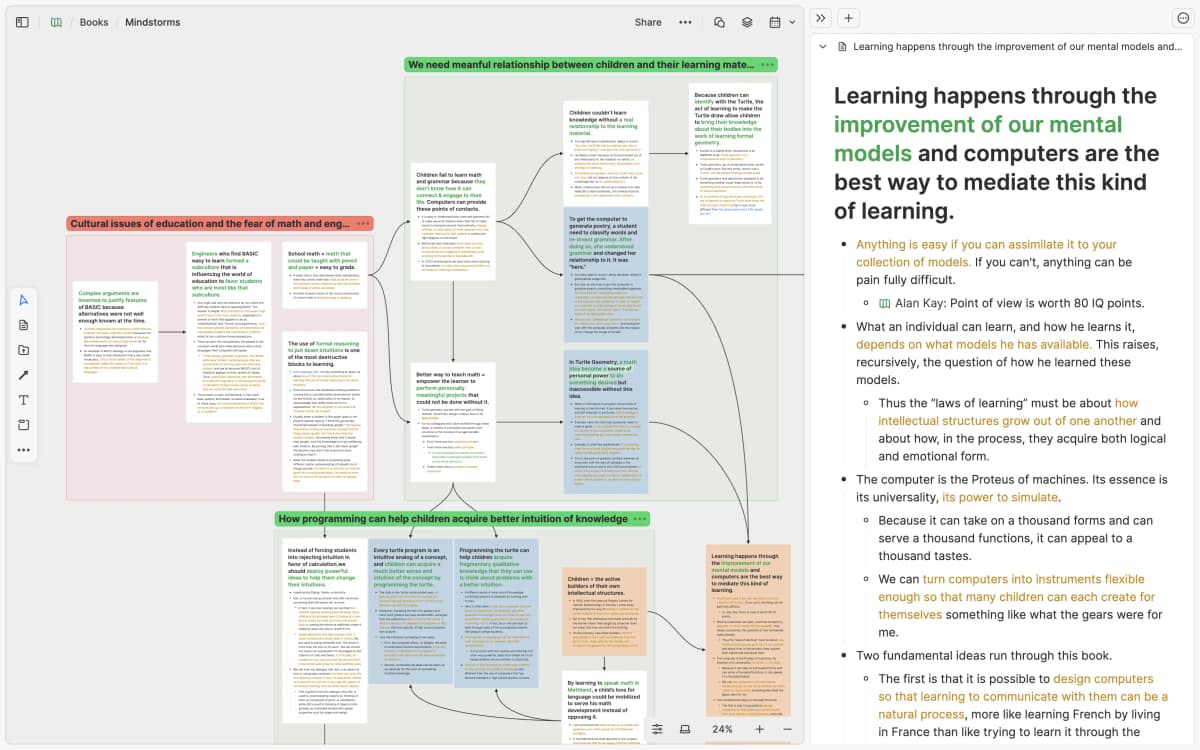
The screenshot shows grouped cards on a whiteboard, connector lines between ideas, and a reading panel beside the map. This supports the comparison because Heptabase makes the visual research board the working surface, while Obsidian keeps the Markdown vault as the durable record and uses Canvas as one view inside it.
Atlas is not the third note-app choice in this comparison. Add a source-checking workspace only after choosing Heptabase or Obsidian, and only when the project needs grounded questions, cited synthesis, or source checks across imported material.
When Heptabase Is the Better Fit
Heptabase is the better choice when visual layout is how you think. You may be reading papers, pulling highlights into cards, and asking how themes connect. A whiteboard-first app keeps that thinking in view.
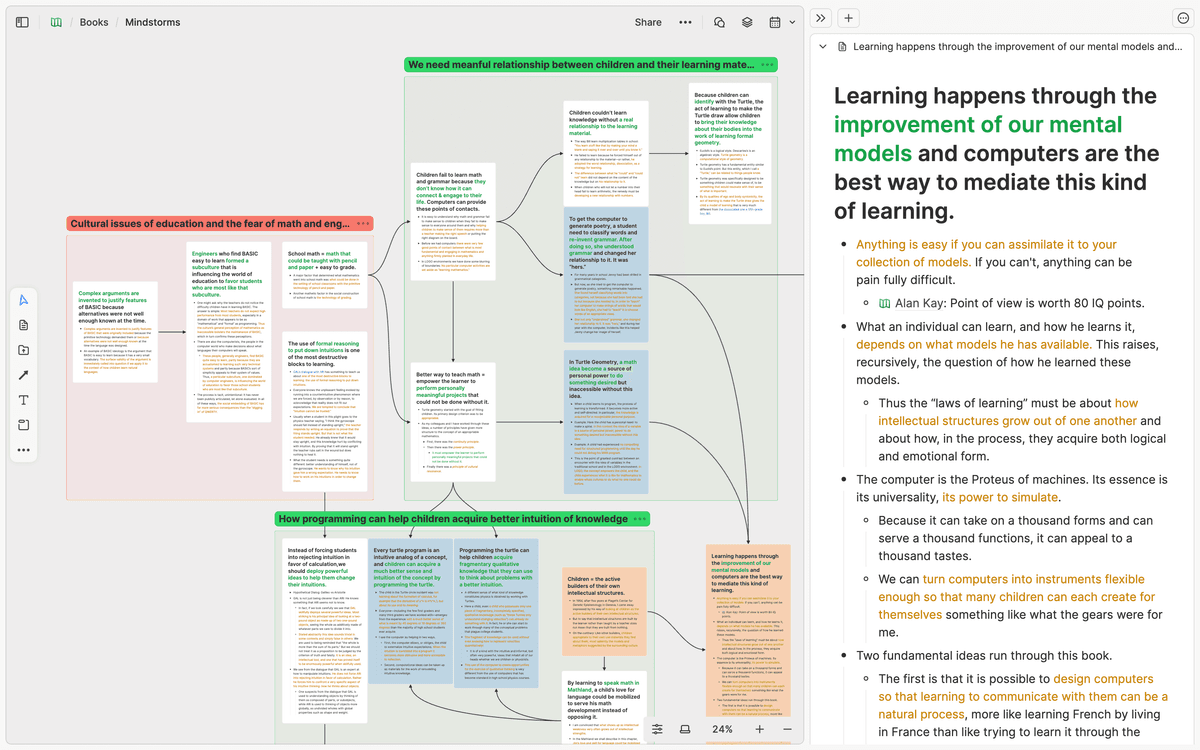
Its best use case is early understanding. You can keep a topic open as a board. You can add cards as claims or notes. You can move ideas until the shape becomes visible. The board becomes part of the analysis.
Heptabase also fits people who do not want to build a PKM system from scratch. Obsidian can become many things, and that freedom can turn into setup work. If your real job is study, thesis planning, or learning a field, Heptabase's structure may help.
The tradeoff is file control. Heptabase will feel less flexible if you need every note in local Markdown.
It will also feel less flexible if your work depends on a specific Obsidian plugin or a custom writing system. If your shortlist includes another structured note app, Tana vs Obsidian covers the outliner-versus-Markdown version of this decision.
When Obsidian Is the Better Fit
Obsidian is the better choice when the note file is the asset. A local Markdown vault is easy to back up, inspect, sync, and move later. That matters when you want the archive to survive product changes.
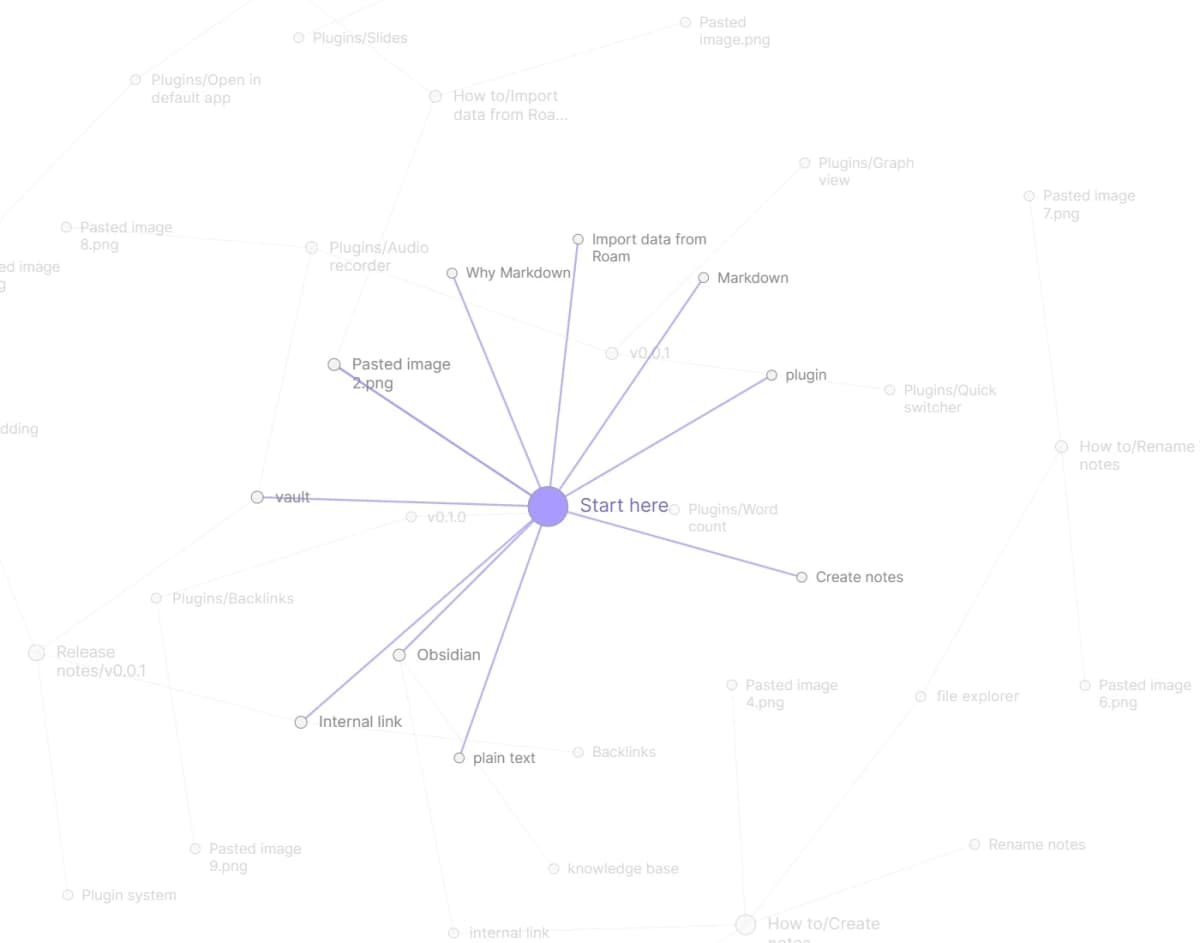
Obsidian is also stronger for people who enjoy configuring their own system. Backlinks and graph views connect notes. Canvas adds spatial work inside the vault.
Plugins can add citation flows, tasks, AI help, review cards, tables, dashboards, and publishing. Check the Obsidian pricing page before assuming sync, publish, or commercial-use terms.
That same freedom is the main risk. A plugin-heavy vault can become harder to maintain than the research project. Before you choose Obsidian for its range, name the parts you will use: Markdown notes, Canvas, backlinks, writing, citations, or a few stable plugins.
Obsidian is weaker when the visual board must be the main object from day one. Canvas helps, but the vault remains the center. If your reading process depends on moving cards and highlights until a structure appears, Heptabase will usually feel more direct.
Source Checks After the Tool Choice
This step comes after the Heptabase and Obsidian choice. Use it when the research sources matter more than the note app. For a source-heavy project, I would use this flow:
- Keep day-to-day notes where they belong: Heptabase for visual boards, or Obsidian for Markdown notes and writing.
- Add the source set to Atlas: PDFs, websites, papers, YouTube transcripts, or imported Markdown notes.
- Ask a grounded comparison question, such as "Where do these sources disagree about the mechanism?" or "Which paper gives the strongest evidence for this claim?"
- Open the citation badges for important claims and inspect the source passage before saving the finding.
- Save the verified synthesis back into the note system you use every day.
Atlas is useful here because cited synthesis is a separate job from note storage. A Heptabase board can show how ideas relate, and the Heptabase public wiki is useful for checking current workspace concepts. An Obsidian vault can hold long-term notes. Atlas can test whether an answer still points back to the source passage when it compares several papers or documents.
Migration, Hybrid Workflows, and Lock-In Checks
Choose a hybrid workflow only when each app has a narrow role. Choose one main note home first. Add the other tools only for work they handle better.
Use this split:
-
Choose Heptabase for active visual synthesis, where you map a question, group highlights, and decide which ideas belong together.
-
Use Atlas when you need citations across a defined source set.
-
Use Obsidian for Markdown notes, drafts, source notes, meeting notes, and the writing system you want to own. The migration cost is translation. Markdown prose can move, but board layouts usually cannot. Obsidian links, Dataview queries, and Canvas layouts may need rebuilding outside Obsidian. Heptabase board structure, visual groups, and card placement may not carry over as a working system in a Markdown vault.
Before committing, run a one-week test with the same material:
- Put 3 research sources into Heptabase and build a board from highlights.
- Put the same notes into Obsidian and write a short argument from the Markdown files.
- Put the source set into Atlas and ask one comparison question that requires citations from more than one source.
- Compare the outputs. Which tool helped you make a better judgment with less cleanup?
That test catches the difference between liking an app and trusting it with your research process.
Which Should You Choose?
Choose Heptabase if you need a visual research board more than a local file system. It is strongest when boards, PDF highlights, cards, themes, and learning hard topics are the core job.
If you are comparing adjacent visual tools, see Heptabase alternatives.
Choose Obsidian if you need file control, Markdown, writing, backlinks, Canvas, and plugins. It is strongest when the note archive is a long-term asset and you are willing to maintain the system.
Choose Atlas when the source set becomes the main task. Use it to compare papers, check claims, follow citations, or turn several documents into a verified synthesis. Then move the result back into Heptabase or Obsidian.
Compare sources in Atlas
Compare evidence across your PDFs, websites, papers, and notes with citations.