

If you are looking for Heptabase alternatives, start with the part you need to replace. Some people want the same card-and-board feel with different pricing or offline use. Others want local markdown files, open code, team features, or source links they can check later.
Heptabase sets a high bar for visual knowledge work. Its public wiki describes cards as the core note container. Cards can use rich blocks, mentions, block-level backlinks, and placement on many boards. That is a different job from choosing a notes app. A good option has to show where ideas live, how board context survives, and how source proof follows the move.
For most readers, the shortlist is:
-
Choose Obsidian Canvas if local files, markdown, and plugin control matter most.
-
Choose Scrintal or Noteey if you want a closer canvas for cards, PDFs, media, and visual thinking.
-
Choose AFFiNE if you want docs, boards, tables, and open local-first positioning in one broad workspace.
-
Choose Atlas if you need to compare source material, ask grounded questions, check source links, and save verified findings.
-
Choose Logseq if your real preference is outliner-first PKM with local plain-text files and whiteboards as a supporting surface.

Compare sources in Atlas
Check imported sources before saving cited findings to your visual workspace.
Best Heptabase Alternatives: Short Answer
The best Heptabase alternative depends on what you need to replace. Use Obsidian for local markdown and plugins. Use Scrintal or Noteey for visual notes. Use AFFiNE for open docs plus boards. Use Logseq for outliner-first PKM. Use Atlas when you need to check claims across sources.
If you want a closer card-and-canvas feel, start with Scrintal or Noteey. If you need proof across papers, PDFs, or web sources, use Atlas beside your visual PKM tool.
What Are You Replacing in Heptabase?
Heptabase combines jobs that many tools split apart.
First, it is a visual thinking space. Cards can sit on boards, move between topics, and keep context through card mentions and backlinks. If this is the part you rely on, start with Scrintal, Noteey, Obsidian Canvas, or AFFiNE.
Second, it is a personal knowledge base. Notes, highlights, sources, daily journals, and connected cards live together. If you want more control over the files, look harder at Obsidian and Logseq.
Third, it is also a research workspace. Heptabase's homepage now presents AI research with PDFs, YouTube, notes, journals, source links, boards, PDF markup, web clipping, and Zotero. If you need source checking, the question changes. You still need to lay out cards. You also need to prove where a claim came from after it moves into a note, draft, or literature review.
That split matters. A tool can be strong for visual thinking and still weak at source-grounded answers. Atlas can compare proof across imported sources, but it is not a clone of Heptabase's free-form boards.
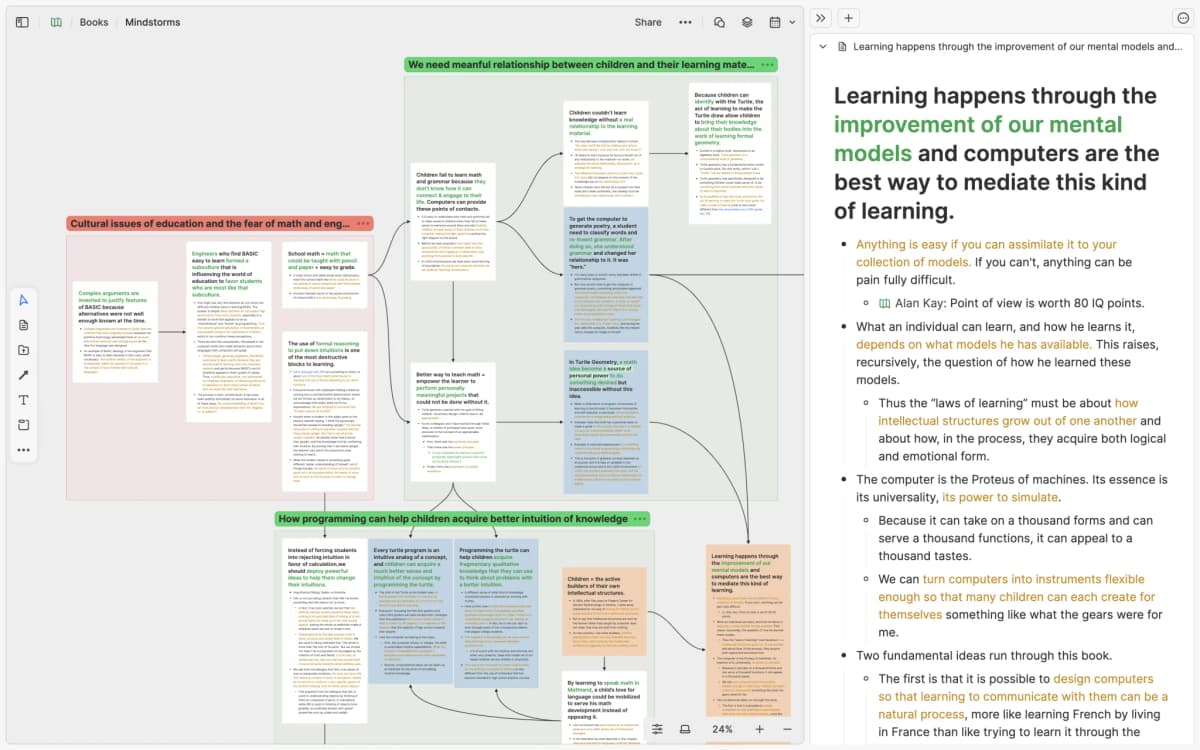
This Heptabase homepage screenshot supports the comparison by showing the specific Heptabase setup discussed here: research cards, grouped board areas, arrows between ideas, and a source note beside the board.
A close replacement should preserve card layout, board context, and source-note movement. A source-grounded research replacement should also keep the final claim tied to the passage or document that supports it.
How to Compare Heptabase Alternatives
Use these criteria before you migrate a serious knowledge base:
- Canvas depth: Can the tool handle cards, media, mind maps, and large boards without turning every research question into hand layout work?
- Note model: Does it store ideas as cards, markdown files, outliner blocks, docs, databases, or source-backed notes?
- Local control: Can you keep files locally, inspect the format, back up projects, or self-host the workspace?
- Source handling: Can PDFs, sites, videos, notes, and paper data become real source material rather than loose files?
- Source checks: When an AI answer makes a claim, can you open the source passage and decide whether the claim holds?
- AI comparison: Can the tool compare many sources, keep proof tied to each source, and show conflict or caveats?
- Team review and export: Can another person review the same board or source trail? Can your work leave the app in a usable format?
- Move effort: Will your cards, boards, backlinks, PDFs, highlights, and source links survive as useful objects? Or will they become a folder of exported text?
For a casual visual board, canvas feel may decide the choice. For research, check the source trail before the screen design. A polished board can still leave you with a weak final note. The test is whether someone can trace a claim back to the paper, page, or passage.
If the mind-map portion is the real switching job, compare dedicated Coggle alternatives before treating a broader visual PKM tool as the answer.
Comparison Matrix
This table separates visual PKM fit from source work. It uses official product pages and public docs for current product claims. It avoids exact pricing because prices and plan limits change quickly.
| Tool | Best fit | Canvas and note model | Local or file control | Source handling | Source-check fit | Main tradeoff |
|---|---|---|---|---|---|---|
| Atlas | Source-grounded research across imported material | Project workspace for sources, notes, chats, maps, summaries, and source links rather than a free-form card canvas | Cloud workspace for processed research sources | Supports PDFs, websites, YouTube, academic paper search results, markdown or text notes, and attachments with source-type limits | Strong fit for grounded questions, source checks, and cross-source comparison | Not a direct Heptabase board, card library, or offline PKM replacement |
| Heptabase | Visual PKM baseline for cards, boards, and learning workflows | Cards live in a card library and can appear on many boards | Cloud-first product with exports available through product workflows | Supports PDFs, video, audio, images, notes, highlights, web clipping, and Zotero-linked source work | AI research and source links are part of the product direction | Strong baseline if you like its model. Less useful as an option if the issue is local control or different canvas behavior |
| Obsidian Canvas | Local-first markdown users who want visual boards around a vault | Infinite canvas that embeds notes, media, PDFs, web pages, and nested canvases | Canvas files are stored locally in the open JSON Canvas format | Strong when source files already live in the vault. Setup depends on your vault and plugins | Depends on user conventions and plugins rather than a built-in cited synthesis workflow | More control, more configuration, and less out-of-the-box visual research structure |
| Scrintal | Visual learners, students, and researchers who want a close canvas-first note workflow | Infinite canvas for notes, PDFs, images, docs, videos, links, arrows, and bidirectional links | Product-managed workspace. Check current support docs before assuming export depth | Official copy describes collecting PDFs, images, notes, and docs in one place | AI assistant and collaboration are positioned as product features | Good visual fit. Verify export, offline, and evidence-trace needs before migrating |
| Noteey | Offline visual note-taking with rich canvas media | Infinite canvas with text, images, sticky notes, weblinks, PDFs, mind maps, videos, sketching, and cards | Official site says data is stored on device and can be used offline | Strong fit for visual review of PDFs, cards, videos, and audio | AI tools exist, but test them before relying on them for source-heavy research | Closer to visual canvas replacement than source-check system |
| AFFiNE | Open docs plus boards and tables | Combines docs, boards, tables, templates, and AI | Positions itself as privacy-focused and local-first | Useful when your project mixes documents, planning, boards, and team knowledge | Better framed as a broad workspace than a source-first research tool | May feel less like Heptabase's card library and more like a Notion-plus-Miro option |
| Logseq | Outliner-first PKM with local plain-text files | Blocks, pages, backlinks, graph, references, queries, and boards | Local, open-source knowledge base on Markdown and Org-mode files | Works well when research notes start as outlines and references | Zotero and queries help research organization, but source comparison is a different job | Strong for block-based thinkers. Weaker if your main need is a polished visual canvas |
Table 1: The strongest option depends on whether you need a close visual PKM replacement, local file control, collaborative boards, or verifiable source synthesis.
If the comparison table shows that source verification is the missing piece, run the same project through Atlas before rebuilding every board. Add sources, ask the comparison question, inspect citation badges, and save only the findings whose source passages hold up.
Best Heptabase Alternatives by Use Case
Obsidian: best for local markdown
Source-native product or study evidence for the specific article discussion.
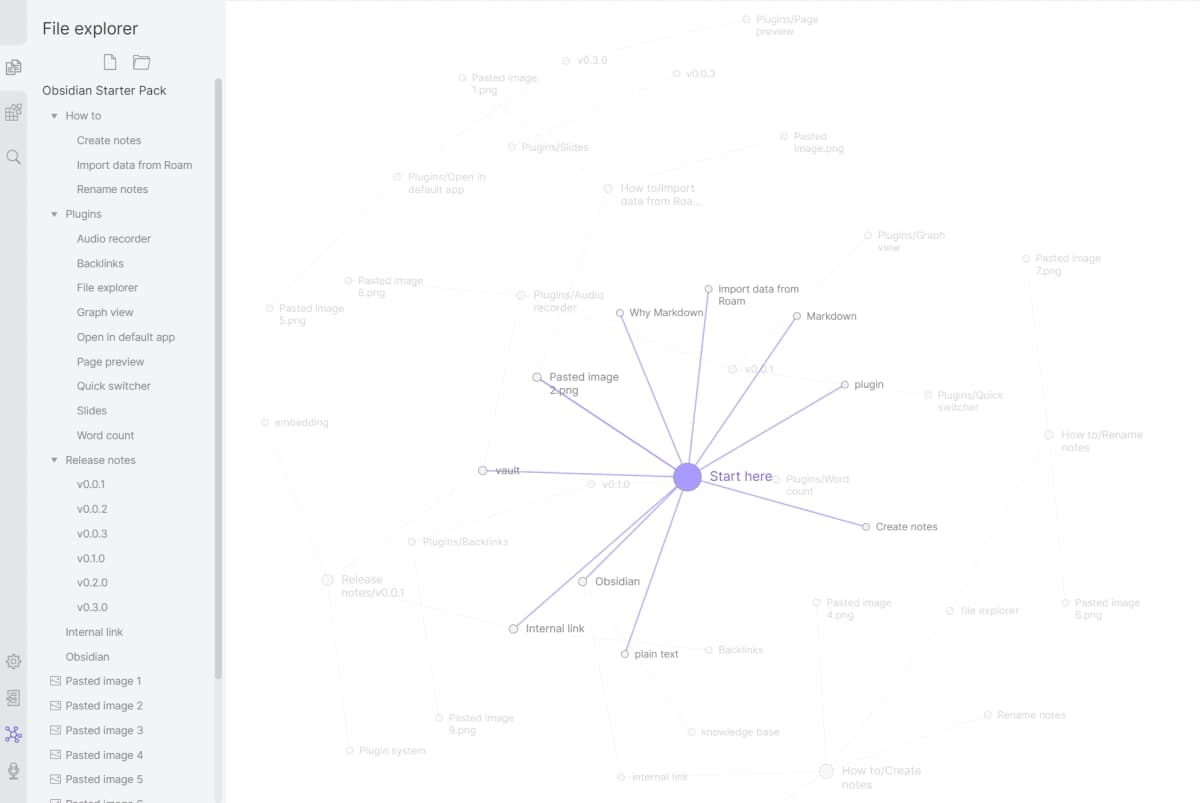
Obsidian is the strongest option when the switching reason is file control. Obsidian Canvas gives you an open visual space. It can embed notes and files. It stores canvas files on your device in an open JSON Canvas format. That helps if you do not want your knowledge base locked inside one app.
The tradeoff is setup. Obsidian can become a research system. Much of that system comes from your vault, plugins, names, and habits. If you want a close Heptabase-like visual workflow on day one, Obsidian may feel more modular and less guided.
Use Obsidian when you care about local markdown, plugin control, and long-lived files. Pair it with Atlas when a PDF folder needs cited answers before findings move into your vault.
Scrintal: best for close visual note-taking
Scrintal is one of the closer options if you need visual notes for study or research. Its product page describes collecting PDFs, images, notes, and docs in one place. It also presents reading, notes on an infinite canvas, AI help, and real-time teamwork.
That makes Scrintal a better fit than Obsidian for readers who want a guided visual workflow. It also makes it a natural pick for students and researchers who think with boards.
The tradeoff is the same one that applies to most canvas-first tools. Before moving a real project, check export behavior and offline needs. Then test whether research claims still stay tied to evidence.
Noteey: best for offline visual canvas work
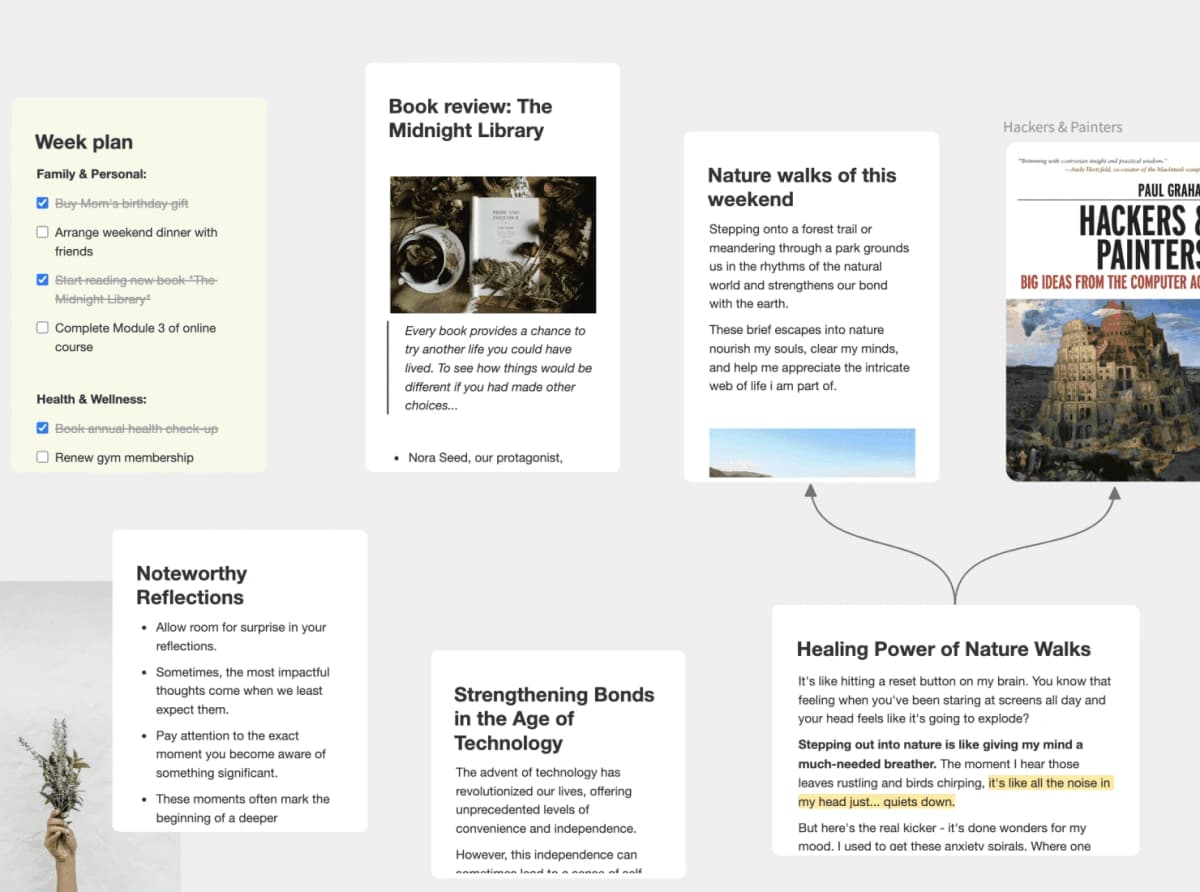
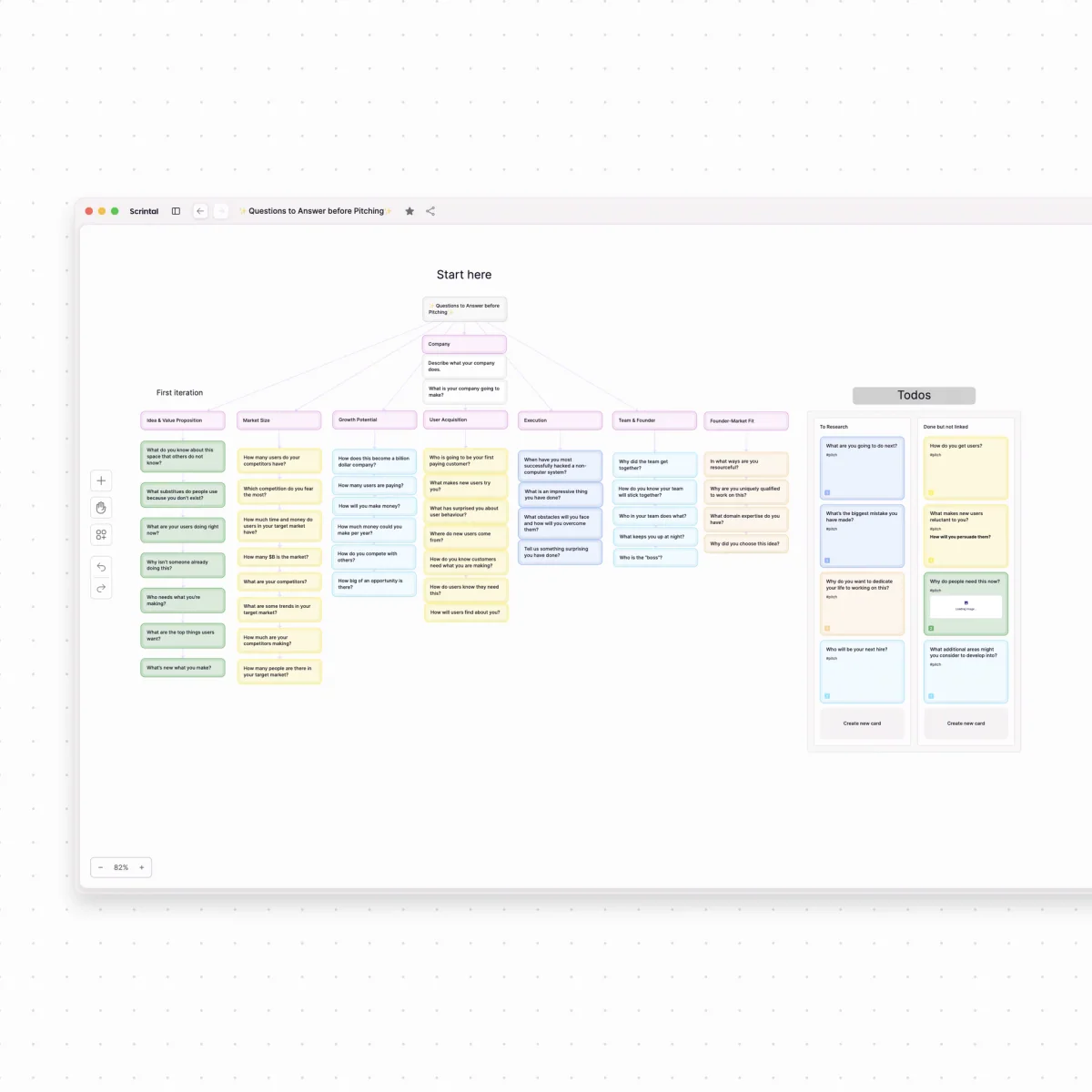
Noteey is compelling when the replacement job is an offline visual workspace. Its official site describes an infinite canvas for text, images, sticky notes, weblinks, PDFs, mind maps, videos, sketching, and cards. It also says Noteey stores data on your device for offline access, with local backup and sharing.
That mix helps people who want more device-level control or a canvas with broader file handling. Noteey is also a strong pick when PDFs, videos, notes, and visual cards need to sit on the same board.
The caution is source checks. Treat Noteey as a visual canvas contender first. If your research output depends on claims you can defend, test the source workflow directly. Do not assume a visual board solves it.
AFFiNE: best for docs, boards, and tables
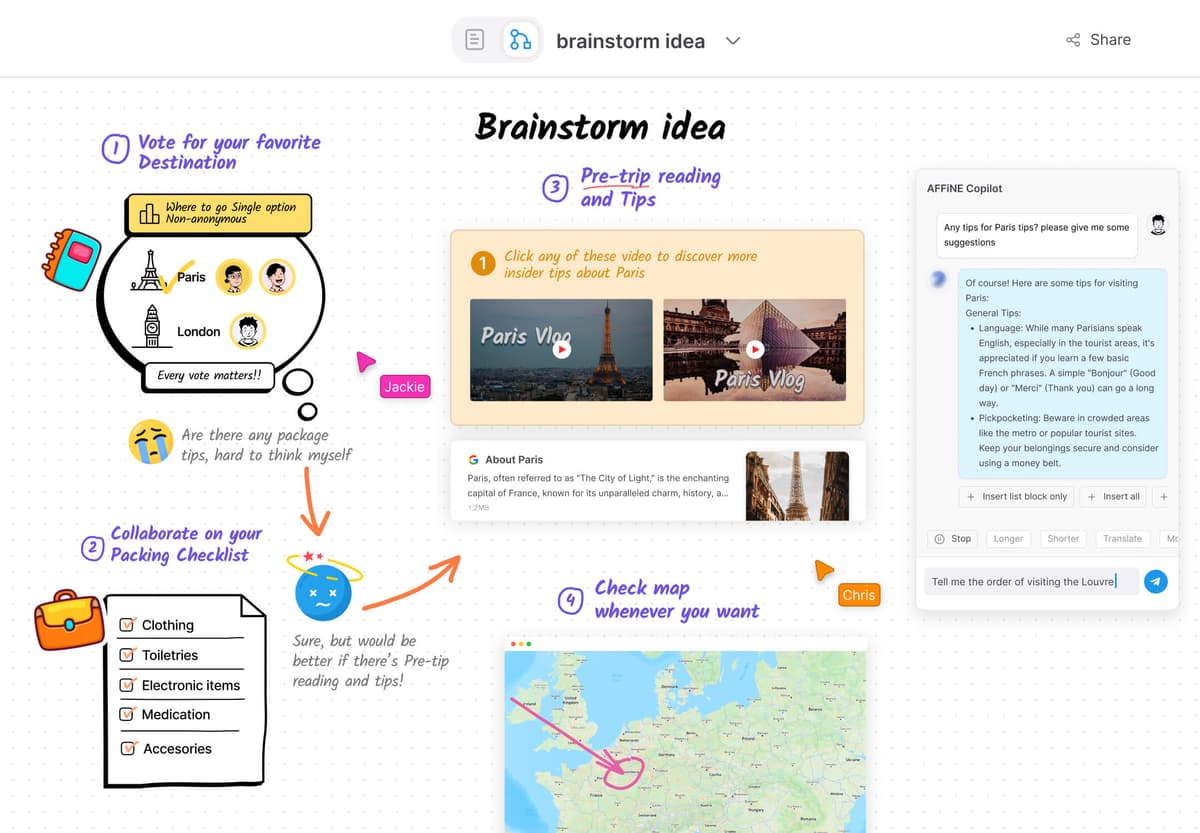
AFFiNE fits readers who want a broader open workspace. Its site presents a privacy-focused, local-first platform with docs, boards, tables, and AI. That puts it closer to a Notion-plus-board option than to a pure visual card library.
Choose AFFiNE when you want writing, drawing, planning, and structured knowledge together. It can be attractive if you want open-source direction and one place for docs, boards, and tables.
The tradeoff is fit. If you love Heptabase for its card library and board model, AFFiNE may feel broader but less specific. Test it with one real board and one real doc set before moving everything.
Atlas: best for source-grounded research synthesis
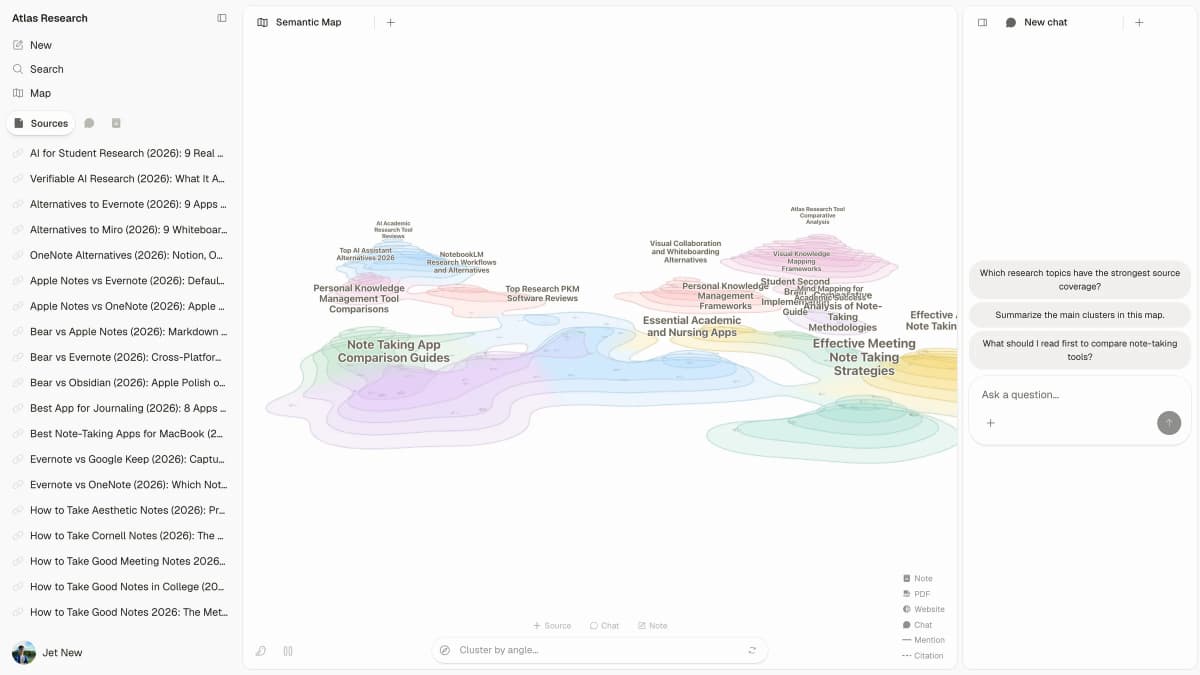
Atlas belongs on this list for a narrower reason than the other tools. It is not trying to replace Heptabase's cards and free-form boards. It helps when your project contains sources that need to become findings you can check. That includes PDFs, web pages, papers, markdown notes, or other source files.
In Atlas, the continuation workflow is source-first:
- Add the same research sources to a project.
- Ask a grounded comparison question, such as "Which sources disagree about the main cause of this outcome?"
- Inspect the citation badges on important claims.
- Open cited passages and read the surrounding context.
- Ask for a table that separates claims, proof, limits, and source links.
- Save the verified finding as a note before it moves into a draft, literature review, or visual PKM system.
Atlas differs from visual note tools at the checking step. The value is not a nicer board. The value is being able to check whether a claim is backed by the source text.
Logseq: best for outliner-first PKM
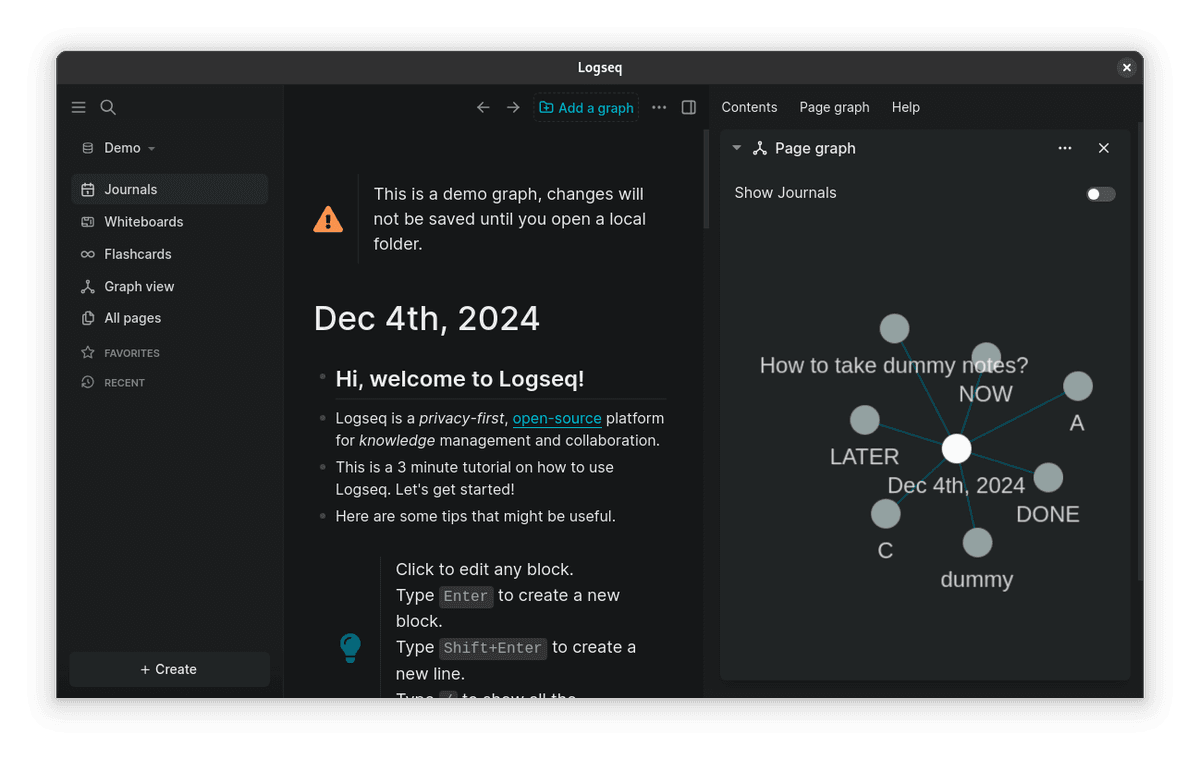
The Logseq example pairs a daily journal and nested blocks with a graph of linked example pages.
Logseq is the right option when your thinking starts from blocks, references, and outlines. Its App Store listing describes a local, open-source outliner on Markdown and Org-mode files. It includes backlinks, a graph, page and block references, queries, Zotero, and boards.
That is a strong match if you like Roam-style blocks or want plain-text files under your PKM system. It is less of a match if the board is your main screen all day.
Use Logseq when outlines and local files matter more than polished spatial layout. If you later need cited comparisons across PDFs or websites, move that source check into Atlas. The outliner can stay focused on notes.
Other SERP Alternatives Worth Checking
Several Heptabase alternatives pages also mention broader workspace, whiteboard, or visual-research tools. They are worth checking if your replacement job is not the close visual-PKM pattern covered above.
Notion
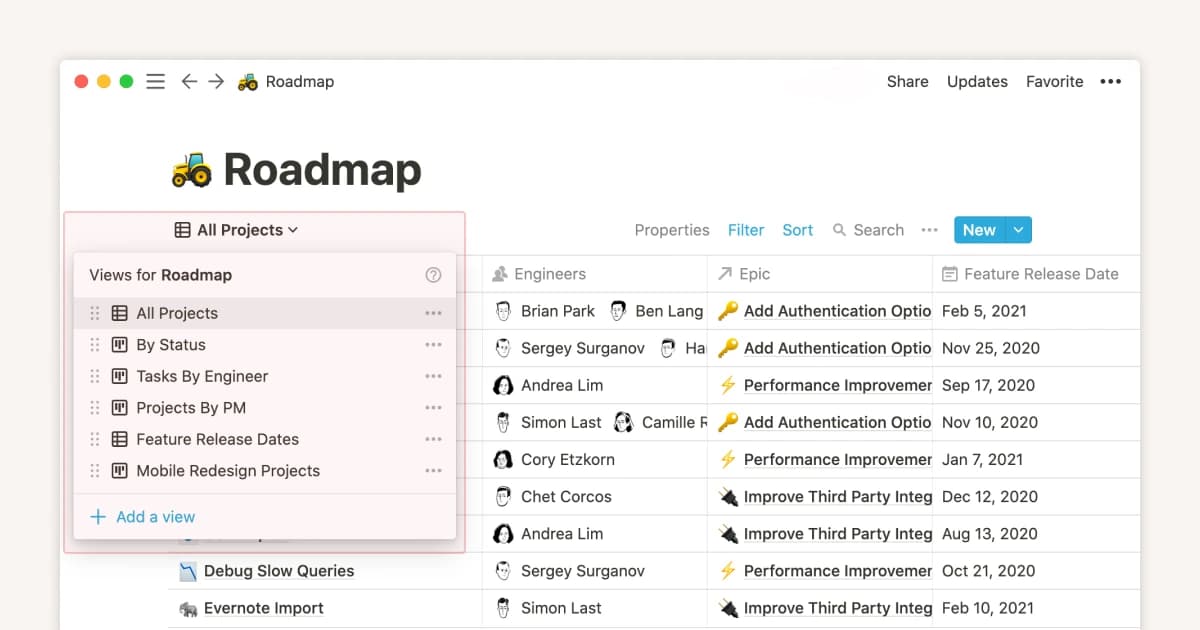
Notion is a better candidate when you need team docs, databases, projects, and lightweight wiki work. It is not a close Heptabase canvas replacement. It often appears in alternatives lists because many people use it as the system of record around visual notes.
Muse
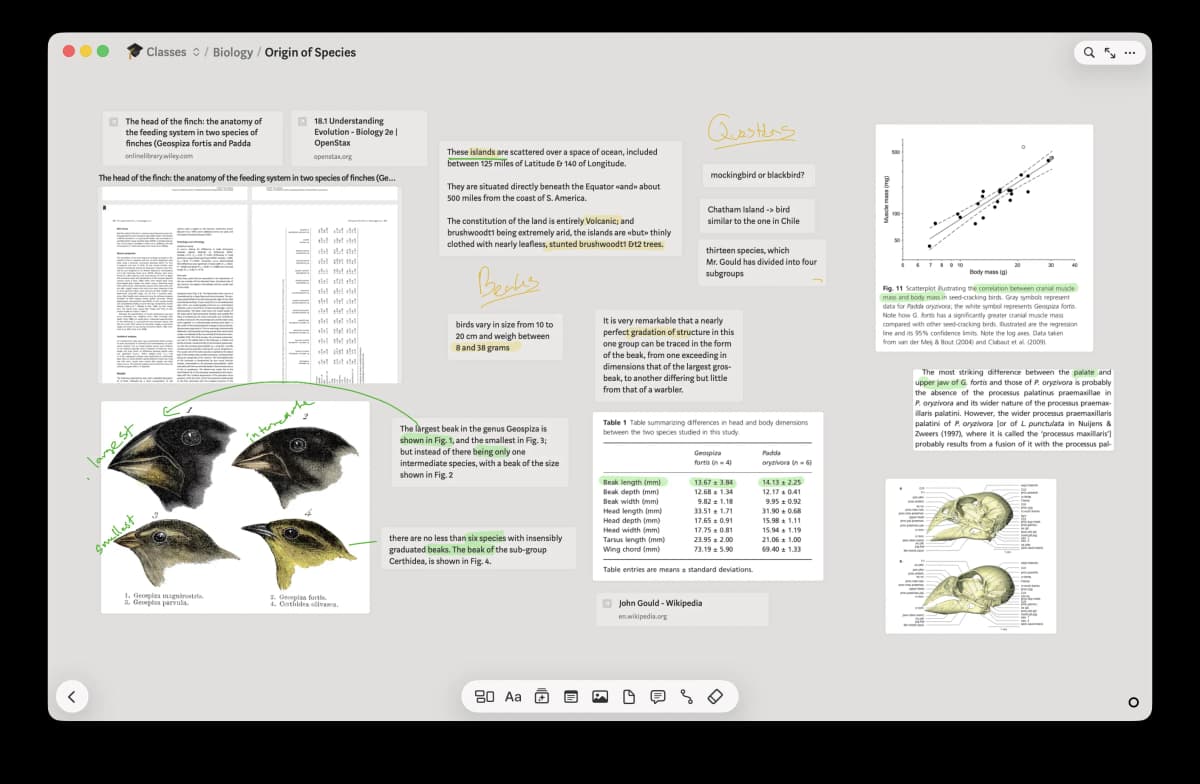
Muse fits readers who want a visual thinking surface for loose notes, images, sketches, and spatial planning. Treat it as a creative canvas option, then test export and source-tracking needs before moving research claims into it.
Miro
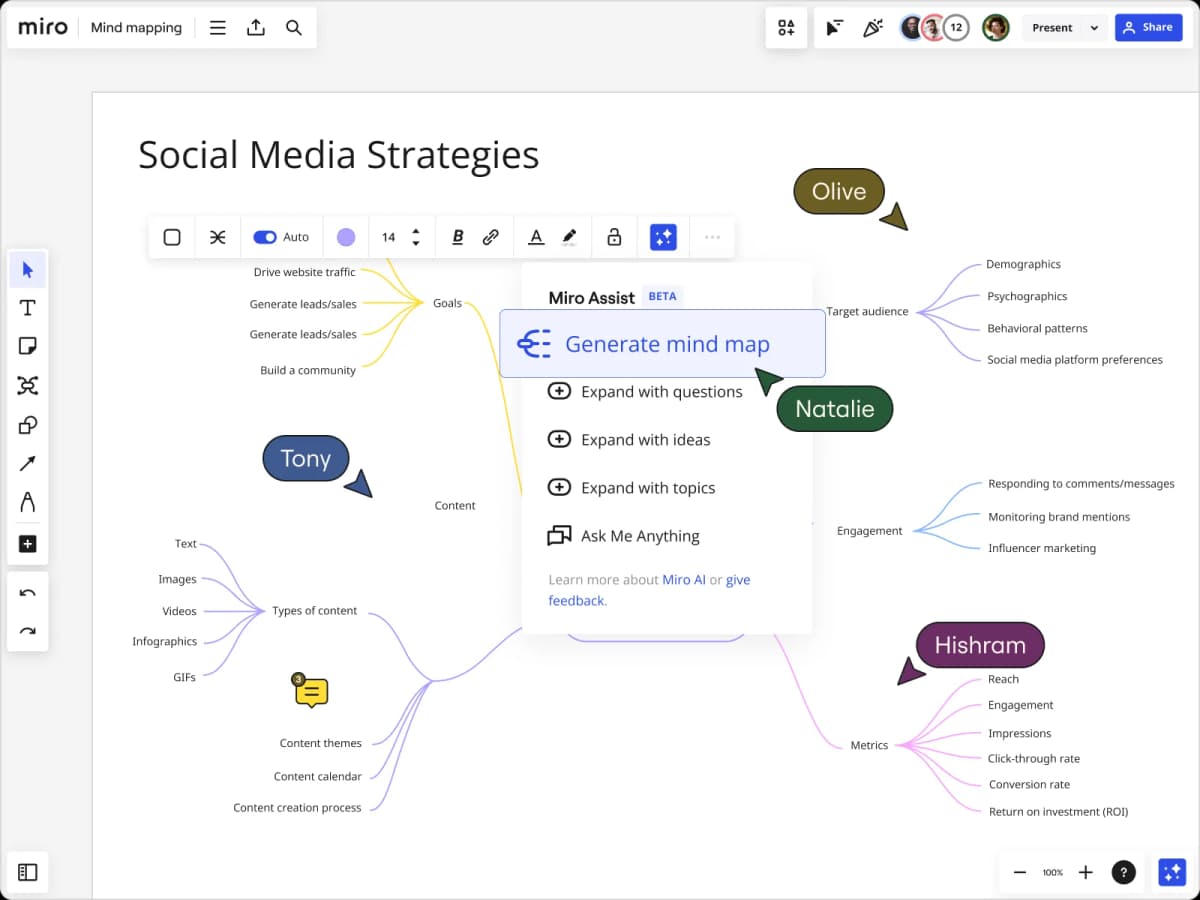
Miro is strongest when you need collaborative whiteboarding. It can be useful for workshops, diagrams, and team planning, but it is usually a different category from a personal card-based knowledge base.
Kosmik
Kosmik is relevant when your research process starts with collecting web material, images, references, and notes on a visual canvas. Test it with the same source set you would put in Heptabase, especially if your final output needs citations rather than moodboard context.
Tana
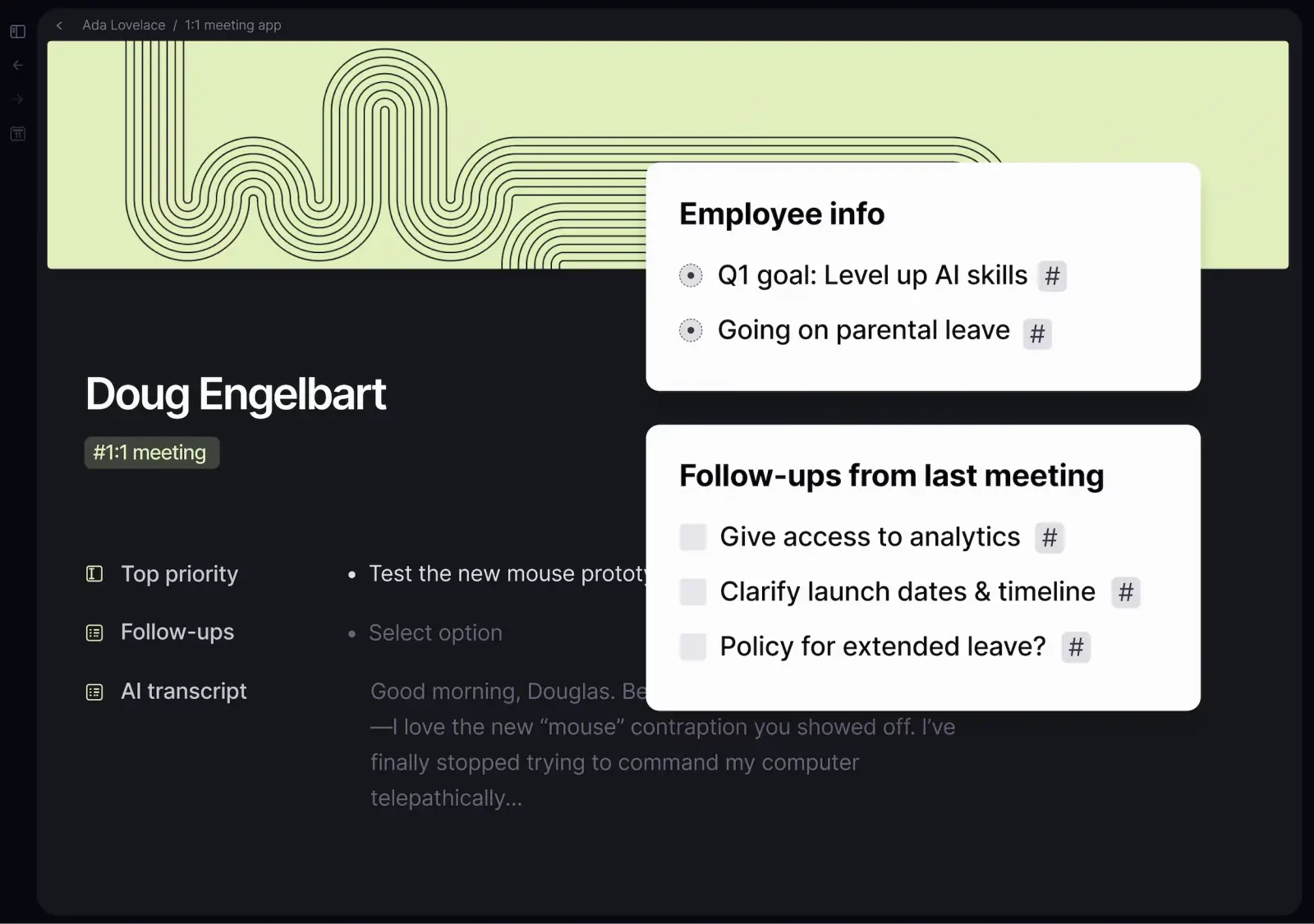
Tana belongs in the shortlist when structured notes, tags, fields, and AI-assisted knowledge work matter more than a free-form canvas. It can be a strong PKM candidate, but the migration question is whether your Heptabase boards can become useful structured notes.
RabbitHoles AI
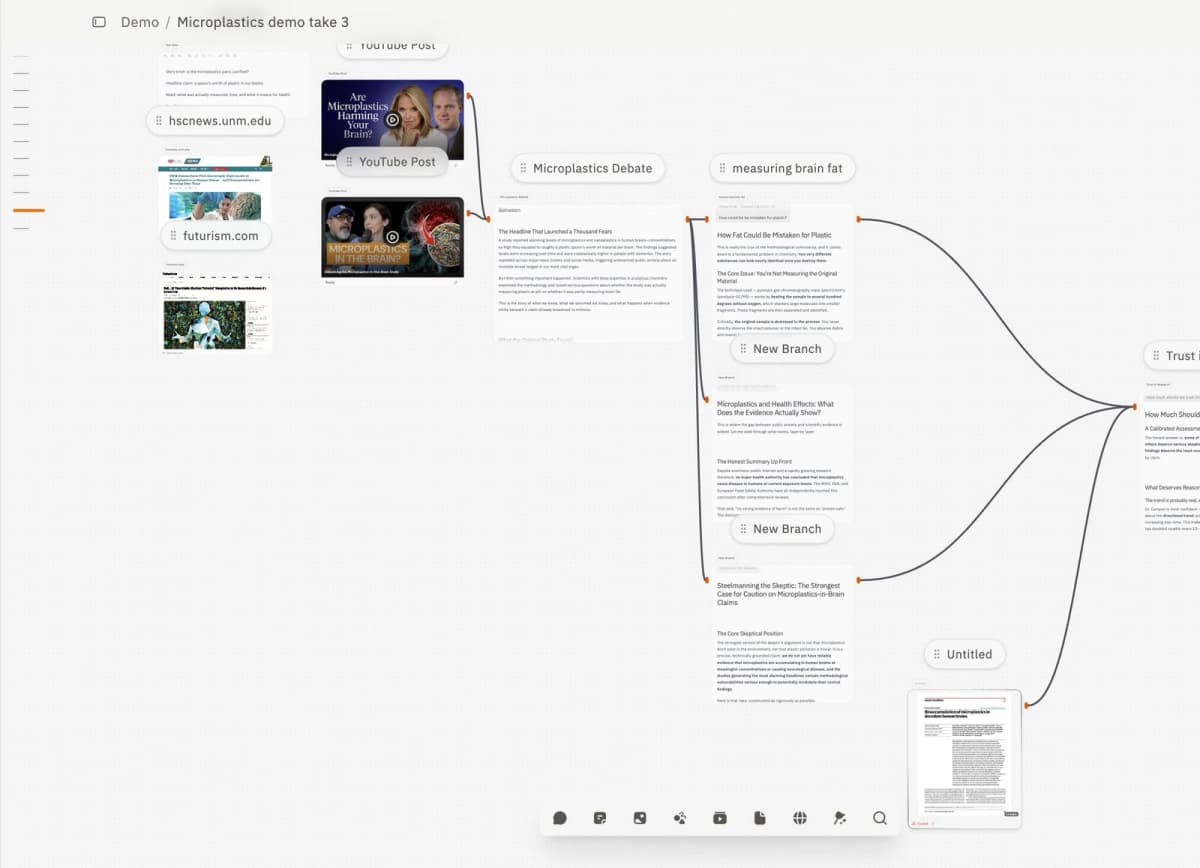
RabbitHoles AI appears in the AI-first visual research lane. Check it if your Heptabase alternative search is really about AI canvas exploration and deep-research conversations rather than a mature card library, offline PKM setup, or source archive you control over time.
Capacities
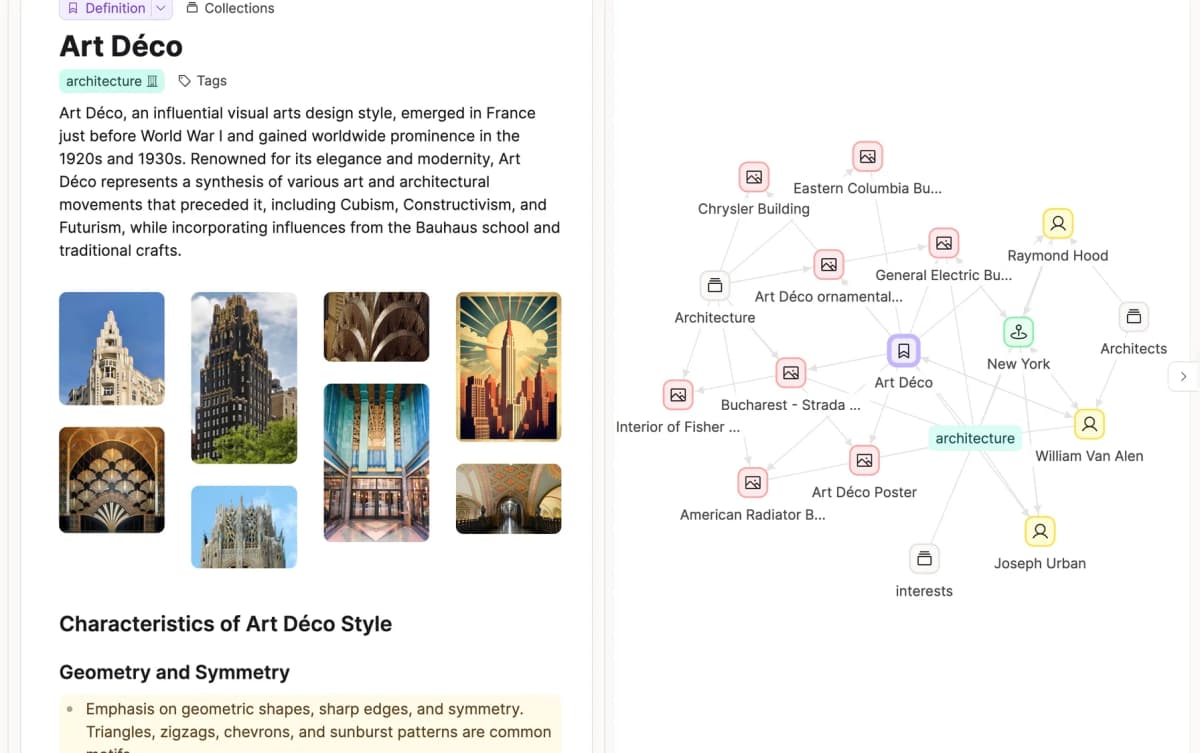
This Art Deco example links a definition to related images, places, people, and architecture objects, showing how typed notes connect.
Capacities is relevant when object-based notes, daily notes, backlinks, and connected personal knowledge matter more than whiteboard layout. Its product page frames notes as connected objects instead of files and folders, so test it when your switching job is structured PKM rather than Heptabase-style spatial boards.
Where Atlas Fits in Replacement Workflow
Atlas fits best as part of a mixed workflow. Keep a visual PKM tool for spatial thinking. Put source checks in Atlas when copied notes or memory would be too loose.
Imagine you are comparing a small paper set for a literature review. In a visual canvas, you can arrange cards by theme, method, author, or argument. That helps you think. But when you write the final claim, the board still has to answer harder questions:
- Which source supports this claim?
- Does the cited passage actually say what the card says?
- Are the sources using the same term differently?
- Which caveat should stay attached to the finding?
- What conflict should be visible before the finding becomes a paragraph?
In that workflow, Atlas handles the source-checking step. It can ingest supported source types. It can answer against processed project sources and return source links. It can also compare several sources when the prompt names a specific angle. For important work, the user still needs to open the passage and inspect it. Source links make the answer checkable. They do not remove the reader's judgment.
Atlas is a fit when the research job has these traits:
- The source set is more important than the board layout.
- The answer needs citations you can open.
- The final output is a note, proof table, lit review, memo, or decision.
- You want an answer that names agreement, conflict, limits, and source support.
- You are willing to verify important claims before saving or publishing them.
Do not treat Atlas as the only Heptabase replacement if your main job is free-form visual thinking. The same is true if you need offline boards or a card library you arrange by hand every day. It belongs in the stack when the proof behind those cards needs a source trail.
Migration Checks Before You Switch
Before moving a serious Heptabase workspace, run a small migration test with one real project. Do not test with an empty board or a toy note. Use a project that has cards, whiteboards, PDFs, links, highlights, and at least one claim you might reuse in writing.
What to test in a trial migration
Check these points before you trust the new workspace:
- Export shape: Does the export preserve cards, whiteboard context, file attachments, links, and backlinks in a usable form?
- Canvas survival: Do cards remain spatial objects, or do they become flat markdown notes that need to be rebuilt?
- Source survival: Do PDFs, web clips, videos, and highlights stay connected to the notes that depend on them?
- Source-link survival: If a card contains a research claim, can you still find the exact paper, page, passage, or source after the move?
- Local backup: Can you keep a copy that remains readable if you leave the new tool later?
- Collaboration: If another person reviews the work, can they inspect the same source trail or only see your summary?
- AI boundary: Does the tool cite, summarize, synthesize, or merely help draft? Those are different levels of research support.
When to move the whole workspace
The safest migration plan is usually staged. Keep the original Heptabase workspace intact. Move one active project into the candidate tool, then finish a real deliverable there. The first deliverable will show whether the alternative preserves the part of Heptabase you relied on.
If that trial shows the hard part is evidence verification, run the Atlas workflow next. Add the source set. Ask a grounded comparison question. Inspect the citation badges. Save only the findings whose passages support the claim. Atlas earns a place beside a visual PKM tool when the board needs a stronger source trail.
Which Heptabase Alternative Should You Pick?
Pick the tool by the job you need to finish:
-
Obsidian: choose it for local markdown, durable files, and plugin control. It is the strongest long-term ownership choice, but you will design more of the system yourself.
-
Scrintal: choose it for visual study boards, PDFs, media, AI assistance, and collaboration. It is a natural candidate when canvas feel matters more than local file ownership.
-
Noteey: choose it for offline access, local device storage, and rich visual media. Test it when you want PDFs, videos, mind maps, annotations, and cards on one canvas.
-
AFFiNE: choose it for an open-source workspace with documents, whiteboards, databases, and AI. It is a broader knowledge-work platform rather than a one-to-one Heptabase clone.
-
Atlas: choose it for source-grounded research. Use it when you need to import sources, ask grounded questions, compare proof, inspect source links, and save verified findings. Keep a visual canvas beside it if visual thinking is still part of how you work.
-
Logseq: choose it for outlines, blocks, references, and local plain-text files. It fits outliner PKM better than polished visual card work. For a deeper direct comparison, read Atlas vs Heptabase. If your shortlist is local-first PKM versus cited research synthesis, Atlas vs Obsidian is the more relevant next step.
Compare sources in Atlas
Check imported sources before saving cited findings to your visual workspace.