


Zotero is the safer default for most people choosing between Mendeley and Zotero. It is open source, works with Google Docs, captures web sources well, and supports plugins. Its files are also easier to move later.
Pick Mendeley if you write mainly in Microsoft Word or value its 2 GB of free cloud space, Elsevier support, and built-in AI tools.
Both apps collect sources, store PDFs, add citations, and format a source list. You still need to read and compare the papers. Keep one app as the main home for your references, then use Atlas when you need to compare what the papers say.

Compare your papers with cited answers in Atlas
Compare selected PDFs and inspect cited passages after organizing your library.
Quick Verdict
When Zotero Wins
Choose Zotero if you want flexible control over your references. Zotero's guide explains its local files and sync.
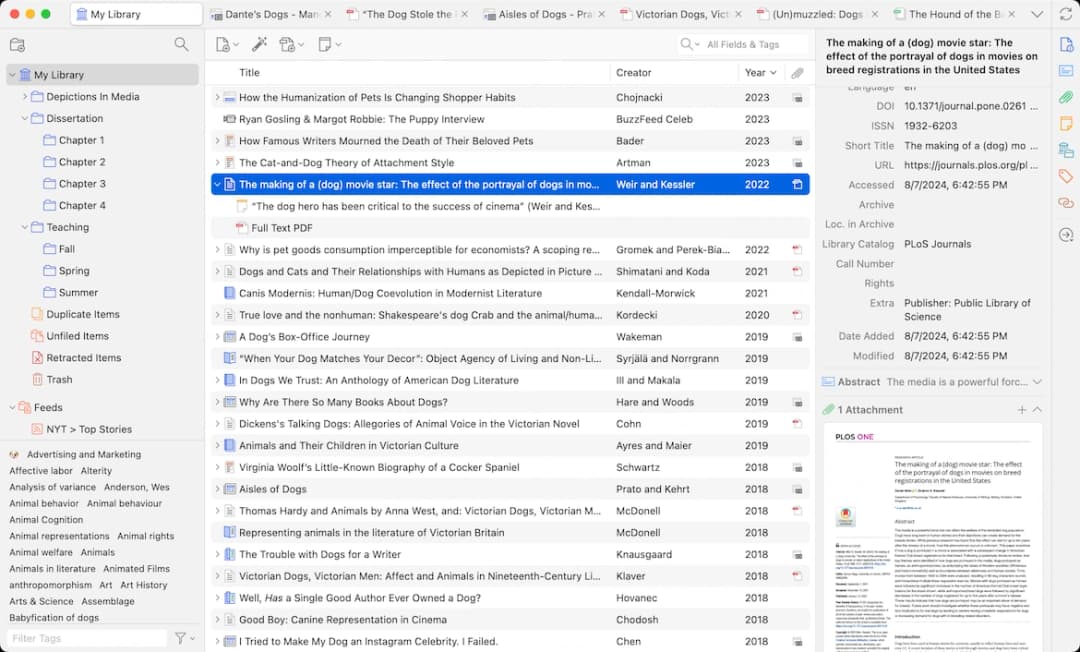
Zotero has writing plugins for Word, LibreOffice, and Google Docs. Its PDF reader can turn marked text into notes that link back to the PDF.
When Mendeley Wins
Choose Mendeley if you want an all-in-one app owned by Elsevier. It gives more free space for files and is built around Word. Mendeley's pages cover PDF and web imports, watched folders, groups, PDF notes, and 2 GB of free storage. They also explain Mendeley Cite for Word and paid AI tools on the pricing page.
Neither app runs a full literature review. Use it to keep references, PDFs, and source lists in order. Use Atlas when you need an answer across several papers, then open the quoted text before adding the finding to your notes.
Mendeley Vs Zotero Decision Criteria
Start with the choice that would be hardest to change later.
Writing And Storage
- Where you write: Zotero supports Google Docs, Word, and LibreOffice. Mendeley Cite is mainly a Word add-in.
- File space: Mendeley lists 2 GB free. Zotero gives free sync for item details but starts file storage at 300 MB. Paid Zotero plans add more space.
- Reading PDFs: Both apps can import, read, and mark up PDFs. Zotero can turn marked text into linked notes. Mendeley offers watched folders and keeps PDF work in one app.
- Team work: Both support shared groups. In Zotero, shared files count against the group owner's plan.
- Control: Zotero is open source, supports community plugins, and makes exports easy. Mendeley is owned by Elsevier, which may offer useful support but can raise lock-in concerns.
AI And Evidence Checks
- AI: Mendeley includes AI tools in some plans. Zotero users often add plugins or use a second app. In either case, read the source text before using an AI finding in your review.
Choose the app that makes citations and source lists easy in your writing tool. Add Atlas only when you need to build an argument across papers.
If you are still choosing among more than these two products, start with the broader citation tool for research guide. If your shortlist is really a browser-first Google Docs workflow against an open local library, use the Paperpile vs Zotero comparison instead. Return here once Zotero and Mendeley are the finalists.
Mendeley Vs Zotero Feature Comparison
The table uses Zotero and Mendeley's own pages. Zotero's storage page lists 300 MB of free file space and paid plans.
Mendeley's pricing page lists free and paid storage plus AI plans. Check live prices before moving a lab.
Mendeley puts the source table, folders, PDF reader, notes, and groups in one app. It suits people who write in Word and want storage, team spaces, PDF tools, and AI in one account.
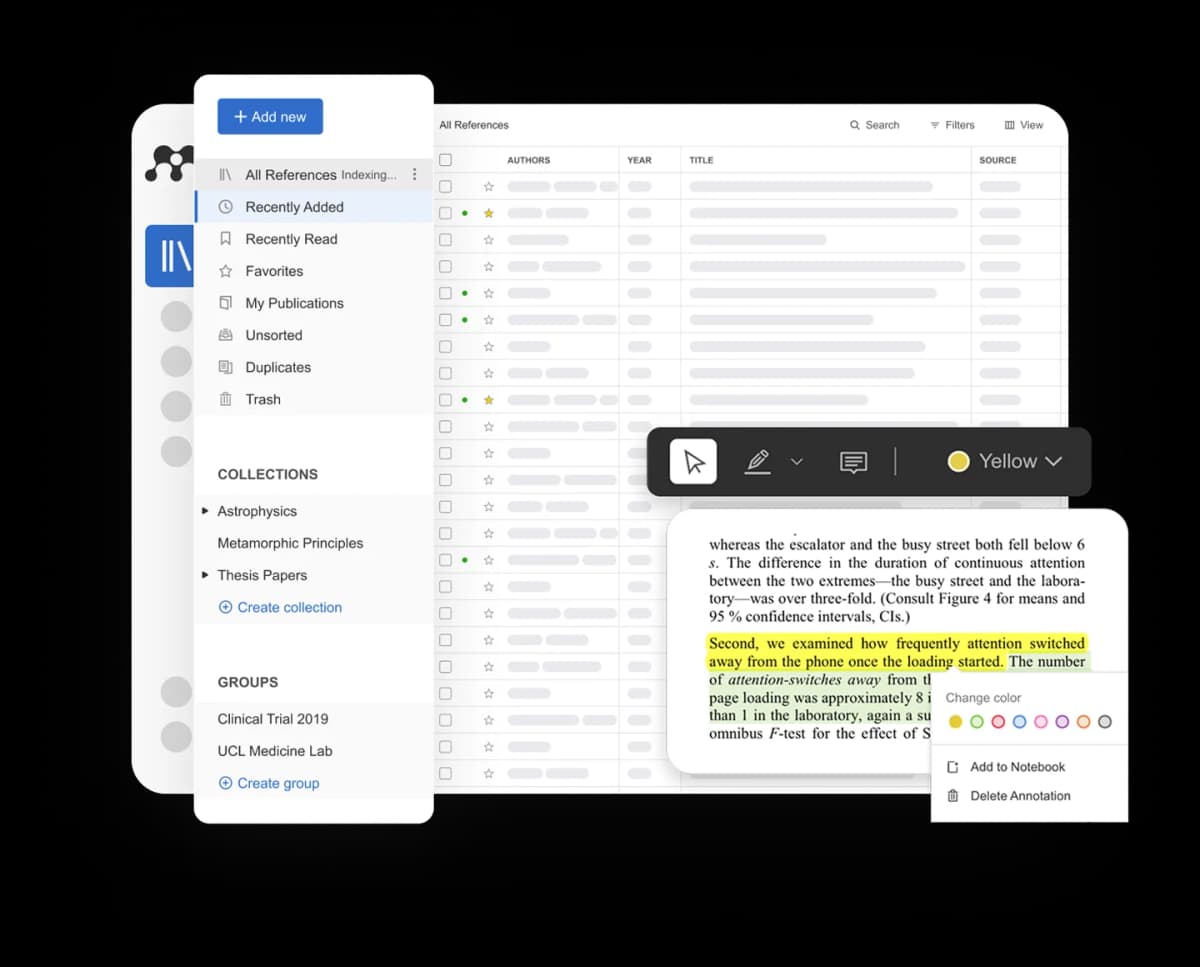
The image shows Mendeley's all-in-one design. The source table, folders, group space, and PDF tools sit in the same view.
Zotero's desktop app keeps local folders, item details, tags, files, and open PDFs in one view. It suits people who value open control, web capture, Google Docs and Word plugins, and the freedom to move a growing source set.
| Criterion | Zotero | Mendeley | Better default |
|---|---|---|---|
| Best overall fit | Open-source, local-first reference management with strong capture, plugins, and writing-app flexibility | Elsevier-owned reference manager with a polished PDF, Word, groups, storage, and AI bundle | Zotero for control. Mendeley for a bundled Word-centered setup |
| Word citations | Official word processor plugins include Microsoft Word | Mendeley Cite inserts citations and bibliographies in Microsoft Word | Tie for Word-first writers, with a test document before long manuscripts |
| Google Docs citations | Official Zotero plugin support includes Google Docs | Official Mendeley Cite page is Word-focused | Zotero |
| Free storage | Free unlimited data sync for metadata. 300 MB free Zotero file storage for attachments | Current Mendeley pages state 2 GB free storage | Mendeley for free attachment storage |
| Paid storage | Current Zotero Storage tiers list 2 GB, 6 GB, and unlimited plans | Current Mendeley Premium tiers list larger storage and AI features | Depends on whether you want storage only or storage plus AI |
| PDF reading and annotations | Built-in PDF reader. Annotations can become notes with links and citations back to the PDF | PDF import, reading, annotation, and watched folders are first-class feature-page claims | Tie, with Zotero stronger for citation-aware note control |
| Collaboration | Group libraries are supported. Group file storage uses the owner's storage | Groups support shared libraries where collaborators can add references and annotate PDFs | Mendeley for a bundled group pitch. Zotero for open control |
| Openness and ownership | Zotero is a Digital Scholar nonprofit project with open-source roots and a community plugin ecosystem | Mendeley is an Elsevier product | Zotero |
| Built-in AI | The official Zotero docs reviewed here do not position Zotero as a built-in AI product. Users often rely on plugins or separate tools | Current pricing page includes Reading Assistant, Ask My Library, and Compare Experiments | Mendeley if you want AI inside the reference-manager account |
| Best next step for synthesis | Export or locate the key PDFs, then use a cited synthesis workspace for cross-paper questions | Add selected PDFs from the Mendeley library to a cited synthesis workspace | Atlas after either tool when the work shifts from managing references to comparing evidence |
Table 1: The table compares writing tools, storage, PDF work, teams, AI, ownership, and what happens when you need to compare papers.
Storage Caveat
In Zotero, sync and file storage are two different things. You can sync item details without syncing PDFs. Zotero's sync guide warns that putting its data folder inside a cloud folder can damage the data. Decide where your PDFs will live before the source set grows.
AI Caveat
Mendeley's AI tools depend on the plan. Its pricing page lists Reading Assistant, Ask My Library, and Compare Experiments. Check current limits and prices before a lab adopts them.
Where EndNote Fits
EndNote is a third option when a school, lab, or adviser already has a license. Test it on its own instead of using it to break a tie between Mendeley and Zotero.
Start with EndNote's product page and UCSF's guide if you need to assess its desktop and web apps.
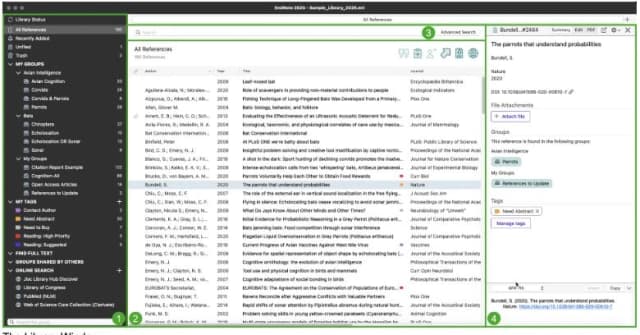
Choose EndNote only if your institution, manuscript workflow, or collaborator network already points there.
If the final choice is Mendeley or Zotero, focus on control, storage, writing apps, PDF work, groups, and AI.
Workflow Fit By Researcher Type
Use these defaults to narrow the choice. Then test each citation plugin in the app where you will write.
Writing Setup
- Google Docs writer: Choose Zotero first. Zotero supports Google Docs, while Mendeley Cite centers on Word.
- Microsoft Word writer: Test both. Mendeley has its own Word panel. Zotero's Word plugin can also update citations and source lists.
- Open research: Choose Zotero unless your school has a clear reason to use Mendeley. Zotero gives you more community control and makes it easier to move your data later.
- Lab or team: Check who owns the storage, who can edit, and what your school allows. Zotero group files count against the owner's storage plan.
Research Stack
- Student short on storage: Mendeley's free plan lists 2 GB. Zotero can still work if you keep PDFs on your device, but that takes more setup.
- Built-in AI: Mendeley has the clearer offer. Choose it if you accept the current plan terms. Choose Zotero plus Atlas if you want to keep the reference app open and easy to move.
- Large source set: Zotero is often safer over time. Control, plugins, exports, and local files matter more as the set grows. Mendeley still fits teams settled in its storage and Word flow.
- Literature review: Use Zotero or Mendeley for citations. Add the best PDFs to Atlas when you need to find agreement, conflicts, or limits across papers.
Once you have a focused PDF set, add it to Atlas and ask a question across the papers. Read the quoted text before reusing the result. Keep source-list work in Zotero or Mendeley.
Source Synthesis After Mendeley Or Zotero
After choosing the reference app, decide how you will compare the papers. That later step should not drive the Mendeley versus Zotero choice.
Use Mendeley or Zotero as the main home for source details, folders, PDFs, and citation styles. Use Atlas when you need to ask: "What do these papers show side by side?"
Then follow these steps:
- Choose Mendeley or Zotero to capture and store sources and build your source list.
- Pick the PDFs that matter for your question. Leave the rest in the reference app.
- Add those PDFs or papers to one Atlas project so Atlas can compare them.
- Ask a clear question. For example: "Compare how these 5 papers measure retrieval quality. Cite each paper."
- Open the source badges and read the text around each quote. A citation points to source text tied to the answer, so check that it supports the claim.
- Save only the checked result to your notes or draft.
Keep source-list formatting and writing-app citations in Mendeley or Zotero. Add Atlas when the question changes from "How do I cite this?" to "What do these papers support?"
Final Recommendation
For most people starting fresh, choose Zotero. It is open, works well with Google Docs and Word, captures sources well, and gives you more control as the source set grows.
Choose Mendeley for more free file space, a Word-first flow, Elsevier support, groups, and built-in AI. It suits students and teams that want those tools in one app.
Use Zotero or Mendeley to manage references. Use Atlas to compare chosen papers, read cited text, and build findings you can support.
You can also compare Zotero alternatives, Atlas vs Zotero, and Atlas vs Mendeley.
Compare your papers with cited answers in Atlas
Compare selected PDFs and inspect cited passages after organizing your library.