


Perplexity Research and Gemini Deep Research both search many sources and produce reports with links. Perplexity is a better fit for a quick search of the current web. Gemini is a better fit for a longer report that may also use sources from Google apps.

Verify selected sources in Atlas
Compare selected sources, find conflicts, and inspect citations.
Quick verdict
Choose Perplexity when you need current sources and want to inspect leads quickly. Choose Gemini when you need a longer report or want to add sources from Google services.
Either report can miss an important source or hide a dispute. A citation may also point to text that only partly supports the claim. Use the report to find sources, then read the cited passages.
Use Atlas after the search when you need to compare a chosen set of papers, PDFs, pages, or reports.
Compare workflow fit
Perplexity's Research mode runs many searches, reads many sources, and writes a report. Its prompt guide advises users to ask a clear question and add useful context.
Google says Gemini Deep Research writes reports from several sources. Gemini Apps Help says Google Search is on by default and that you can add other sources. These official pages describe what the tools can use. They do not prove which tool will be more accurate for your topic.
Use this matrix before you compare outputs:
| Research job | Better starting point | Why it matters |
|---|---|---|
| Compare sources you chose | Atlas | It answers across the set you add. |
| Find current source leads fast | Perplexity | The workflow is closer to iterative web discovery. |
| Write a longer report draft | Gemini Deep Research | It is built around reports from several sources. |
| Add sources from Google apps | Gemini Deep Research | It can use supported Google sources in the same task. |
| Check a short list of source leads | Perplexity | Its web-first flow makes quick follow-up easy. |
Table 1: The tools are strongest at different jobs. Match the tool to the next task instead of looking for one winner.
Perplexity vs Gemini Deep Research compared
Pricing, limits, models, and app support change often. Check the vendor pages before you pay for a plan.
If you are comparing the broader assistants rather than report mode, use the separate Perplexity vs Gemini comparison.
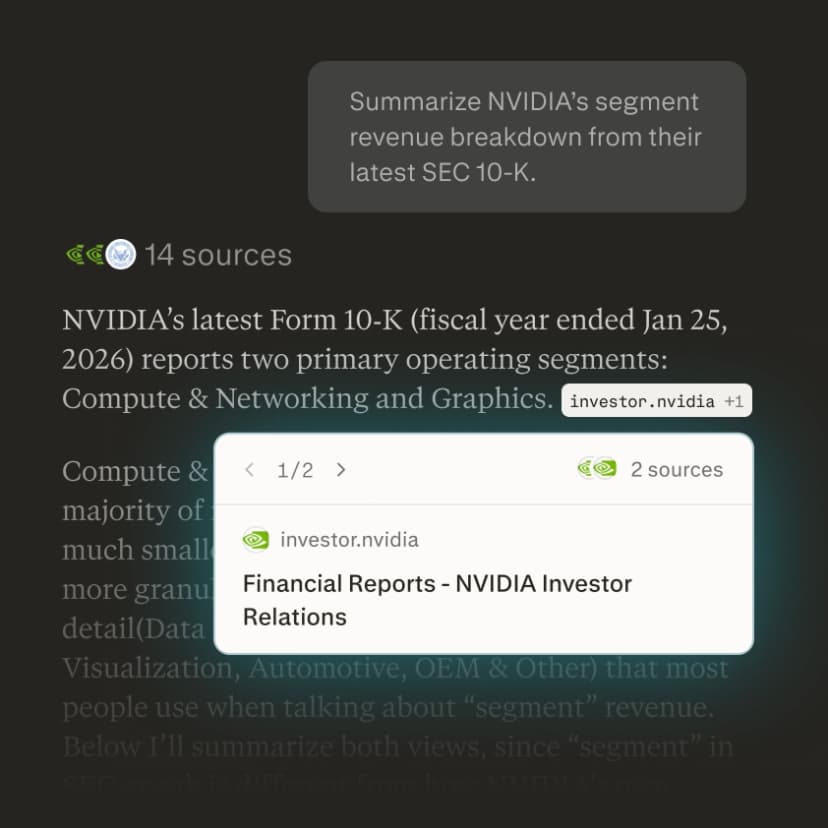
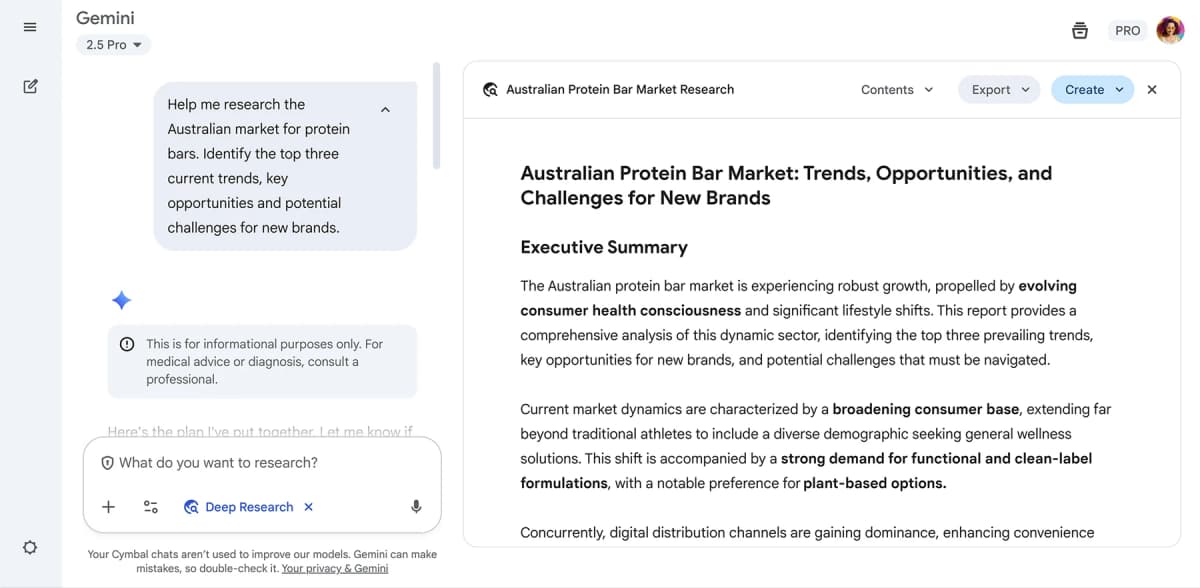
| Decision point | Perplexity Deep Research | Gemini Deep Research | Verification step |
|---|---|---|---|
| First web search | Good for finding source leads | Useful, but geared toward a report | Open the original source |
| Report length | Often more concise | Better fit for a longer report | Check for missing views |
| Google sources | Not its main advantage | Can use supported Google sources | Save the source links |
| Follow-up questions | Good for quick changes of direction | Good for revising the report | Check the new claim wording |
| Academic use | Good for starting points | Useful for structured study reports | Follow school AI policy |
| Business use | Good for market scan inputs | Good for strategic background reports | Verify against primary sources |
| Compare a fixed source set | May run another search | May bring in other chosen sources | Add the final set to Atlas |
Table 2: Perplexity is the better fit for a quick search. Gemini is the better fit when you want a fuller report. Neither choice guarantees good citations. Open the source and read the text around the cited passage before you reuse a claim.
Where Atlas fits after deep research
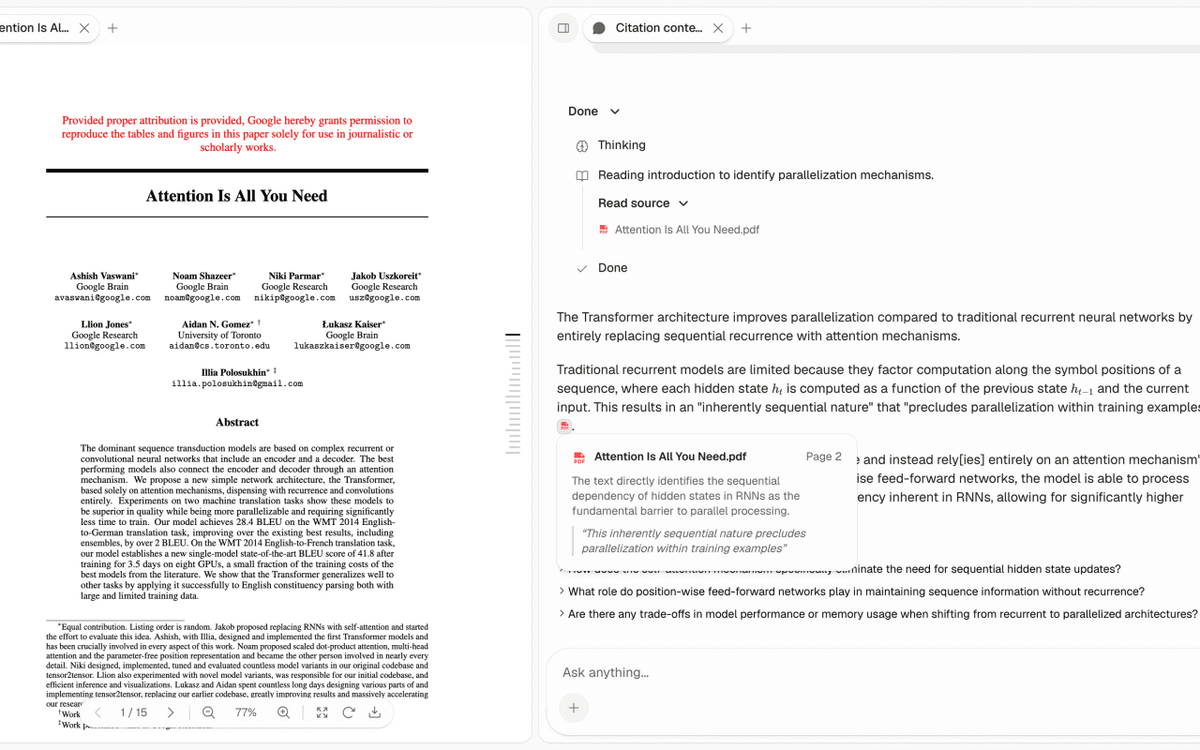
Deep-research tools help you decide what to read. Atlas helps you compare the sources you decide to keep.
For the adjacent OpenAI comparison, see Perplexity vs ChatGPT Deep Research. For Google report workflow details, compare ChatGPT Deep Research vs Gemini Deep Research, or use the broader ChatGPT alternatives page when the question is not specific to Deep Research.
Use this handoff:
- Run the deep-research query in Perplexity or Gemini.
- Save the strongest primary sources and reports.
- Add those sources to an Atlas project.
- Ask where the sources agree and disagree.
- Ask for a table with the claim, source, evidence, limit, and citation.
- Inspect citation badges for the claims you plan to use.
For example, after a market scan, add the vendor pages, analyst reports, and interview notes you trust. Ask Atlas to compare only those sources on buying barriers, price concerns, and the strength of the evidence. Open the citation behind each table row before you use it in a memo.
This separate check matters because a clear report can still contain claims that its sources do not support.
Which should you choose?
Choose Perplexity when you need a quick search of the current web. Choose Gemini when you need a longer report or want to add Google sources.
Choose Atlas when you need to compare a final set of sources and inspect the citations. See also Perplexity vs Gemini, Gemini alternatives, and AI tools for academic research.
Verify selected sources in Atlas
Compare selected sources, find conflicts, and inspect citations.