


Obsidian alternatives solve different problems. Some add easy team sharing. Some keep notes in local files. Others focus on visual boards, private storage, or research across source files. Start by asking which part of Obsidian no longer works for you. The answer may be team access, setup time, file ownership, visual work, or source checks.

Compare your sources with cited answers in Atlas
Add source files, compare their claims, and inspect the cited passages.
Quick verdict
Choose Notion if your team needs shared pages and tables that are easy to learn. Choose Logseq if you want open-source linked notes with a graph. Choose Anytype if private local storage matters more than a large plugin library.
Choose Capacities if you like notes grouped as people, books, ideas, and projects. Choose Heptabase for cards and whiteboards. Choose Joplin for a simpler open-source notes app with encryption. Choose Tana for outlines, fields, and AI help.
Atlas does a later job. It does not replace a Markdown vault or daily notes app. Use it when notes, PDFs, pages, or papers become sources you need to compare. Each answer links back to the text it used.
How to compare Obsidian competitors
Start with the problem that made you look elsewhere. Obsidian is strong for local Markdown files, backlinks, a graph, Canvas, and plugins. Switch only when another tool solves your main problem better.
Use these criteria:
- Where files live: local files, private synced storage, or a hosted workspace.
- Team access: how easily people can edit, comment, and join the work.
- How notes connect: backlinks, outlines, objects, or a visual map.
- Visual work: support for cards, boards, canvases, and research maps.
- AI source links: whether an AI answer points to text you can check.
- Setup time: whether the app works at once or needs plugins and rules.
- Moving out: whether you can export your work in a useful form.
If Obsidian takes too much work to maintain, choose a simpler notes app. If your sources are spread across many places, keep your notes app and add a tool that can compare those sources.
Obsidian's graph view shows its main strength. Notes appear as dots and links appear as lines. You shape this map by linking files in the vault. Compare other tools with that model in mind.
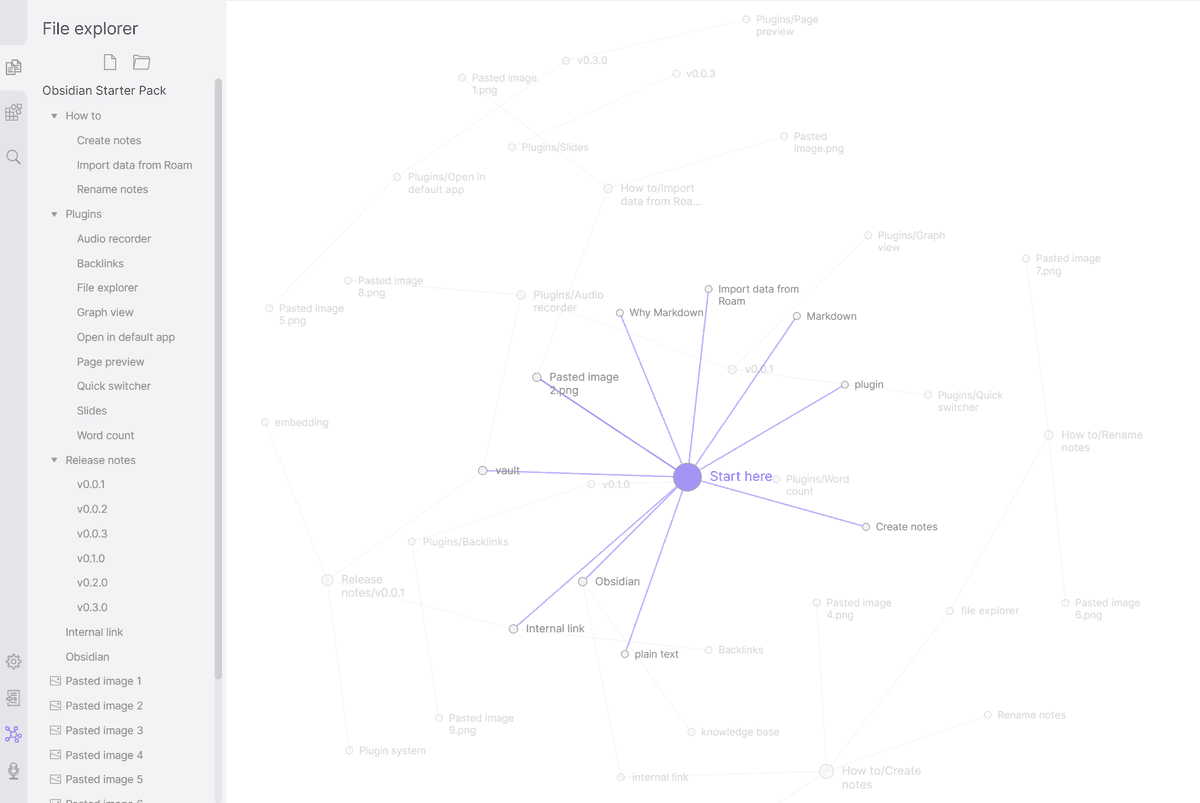
The graph helps you see links that already exist in the vault. If this view is central to your work, judge each option on local files, backlinks, and setup time before its AI features.
Obsidian competitors compared
Use this table as a workflow map. It is not a universal ranking.
| Tool | Best fit | Stronger than Obsidian when | Main boundary |
|---|---|---|---|
| Atlas | Cited source synthesis | You need grounded questions, source comparison, and citation passage inspection | Not a notes vault, team wiki, or plugin system |
| Notion | Team docs and databases | Collaboration, permissions, databases, and shared pages matter more than local Markdown control | Not local-first Markdown vaulting |
| Logseq | Open-source linked notes | You want graph-oriented notes with Markdown or Org-mode and open-source control | Smaller mainstream ecosystem than Obsidian |
| Anytype | Privacy-first object workspace | Local-first encrypted storage, objects, and peer-to-peer sync matter | Collaboration and ecosystem should be checked against current docs |
| Capacities | Object-based PKM | You prefer connected objects, templates, daily notes, backlinks, and multiple views | Not a file-based Markdown vault |
| Heptabase | Visual research | You think through cards, whiteboards, PDFs, and visual topic spaces | Less suitable as a plain daily note vault |
| Joplin | Open encrypted notes | You want a simpler open-source notes app with sync and encryption | Not graph-first PKM by default |
| Tana | AI-structured notes | Fields, Supertags, outlines, and AI-structured capture matter | Not local-first or open source |
Table 1: These tools solve different jobs. A student tracking classes, a researcher mapping papers, and a team writing shared docs may all need a different choice.
Top Obsidian competitors by workflow
Notion for teams and databases
Notion is the best fit when a team needs shared pages, tables, access rules, and templates. New team members can use the workspace without learning how a vault works. It is less suited to people who want local Markdown files.
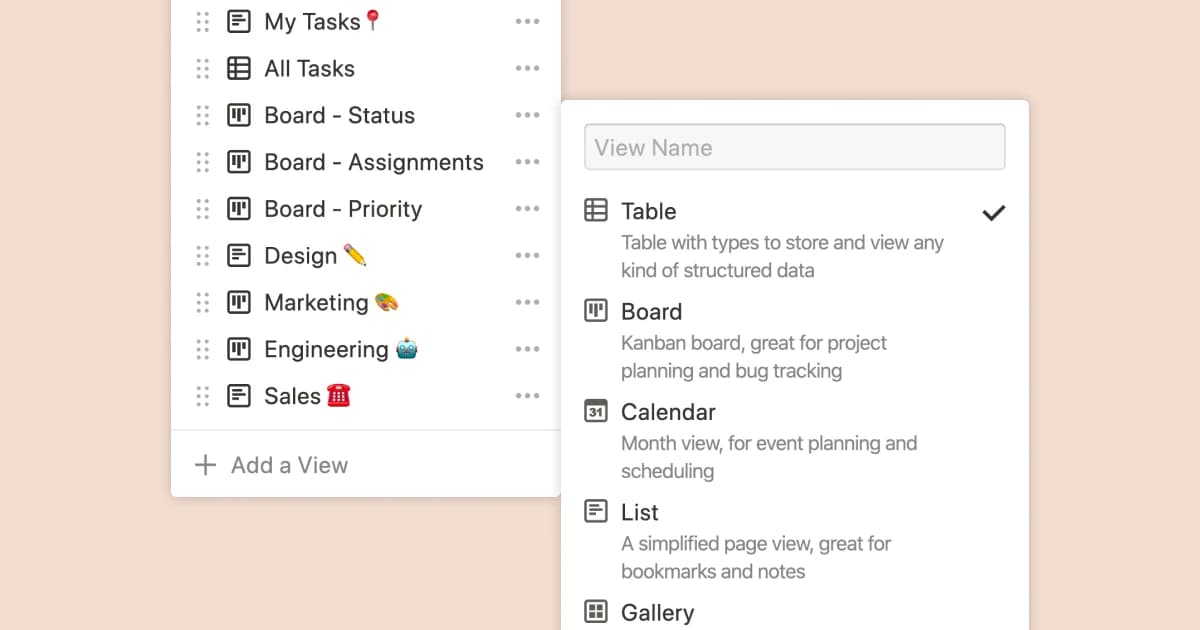
Use Notion for shared project pages, class boards, client lists, meeting notes, or team docs. Keep Obsidian when personal writing, local files, backlinks, and plugins matter most.
Logseq for open-source graph notes
Logseq is close to Obsidian in spirit. It offers linked notes, outlines, graphs, local control, and open-source code. Choose it if you like graph notes but prefer an outline-first way to write.
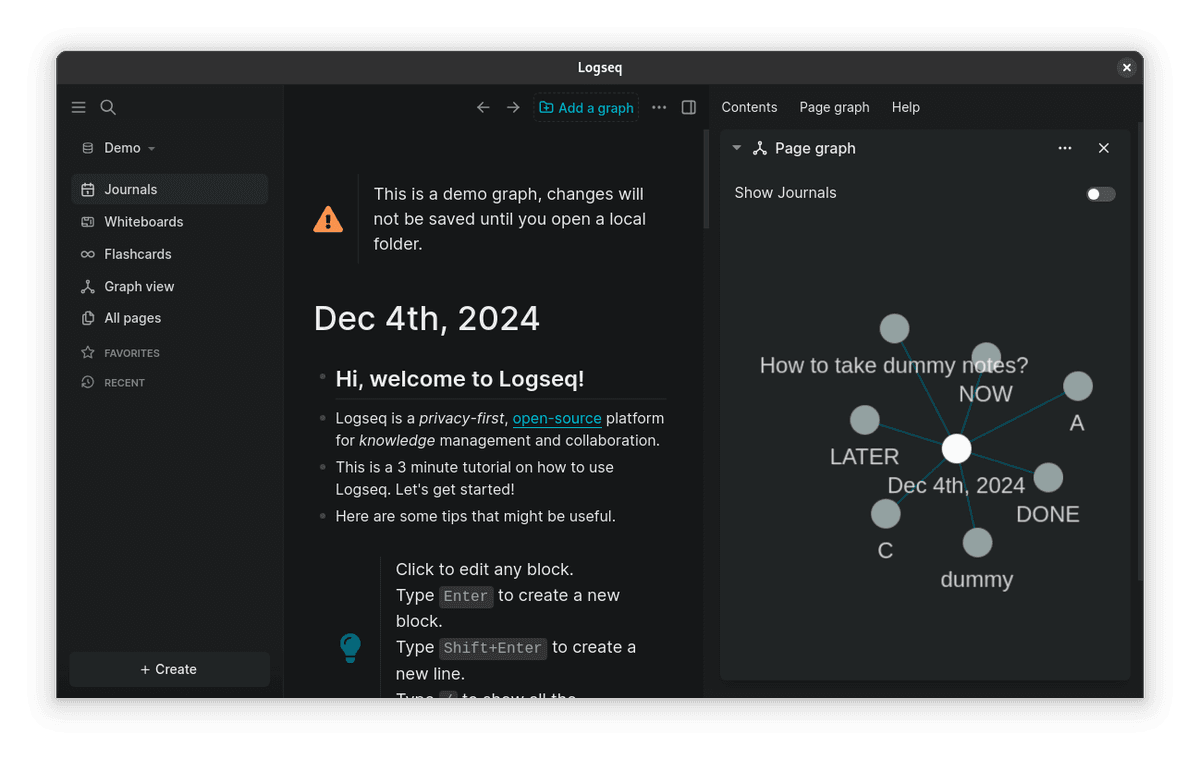
Check its current sync, phone apps, and team features before you move a large vault.
Anytype for privacy-first local objects
Anytype fits people who want encrypted local storage and more control over their data. Its pages act like objects that can appear in graph or table views. The model is a private workspace, not a folder of Markdown files.

Choose Anytype for private local data. Expect to learn a different way to structure notes.
Capacities for object-based PKM
Capacities treats notes as people, books, ideas, projects, and other objects. It adds templates, daily notes, backlinks, a graph, and several views.
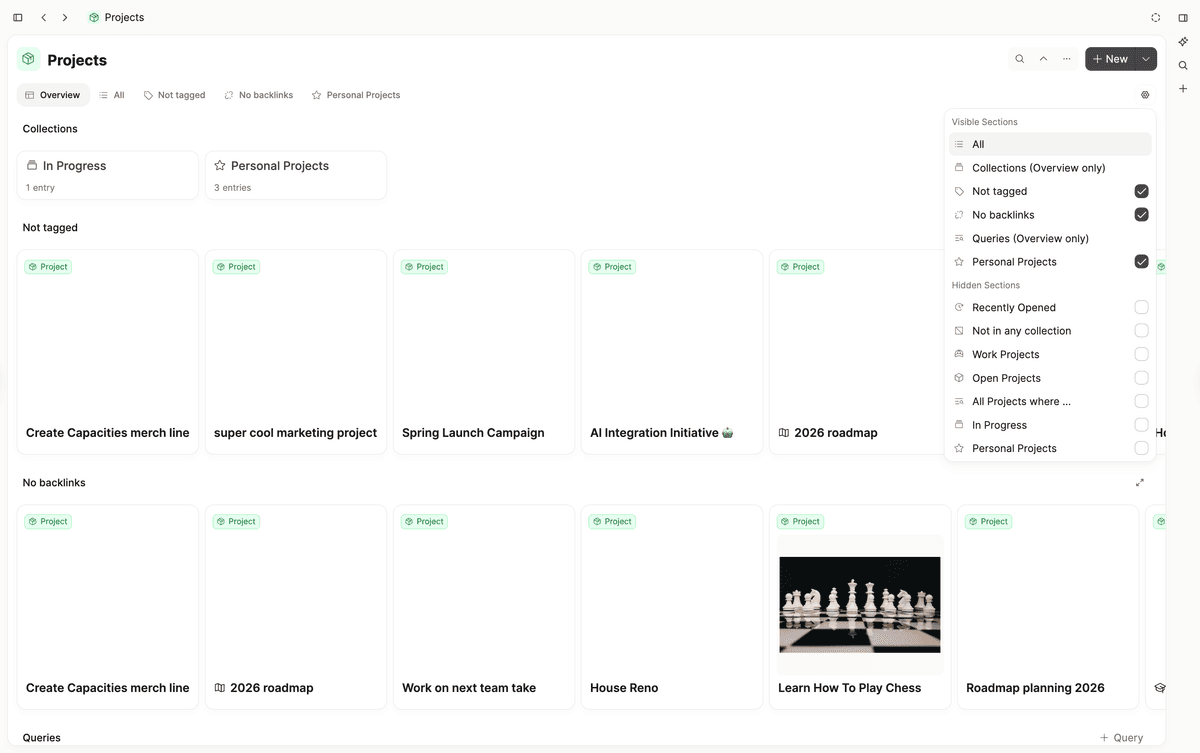
Choose it if those objects feel more natural than a file tree. Keep Obsidian if the Markdown vault must remain your main record.
Heptabase for visual research
Heptabase is strongest for visual research. It puts cards and source material on whiteboards, which helps people map a hard topic. It suits Obsidian Canvas users who want the whole app built around boards.
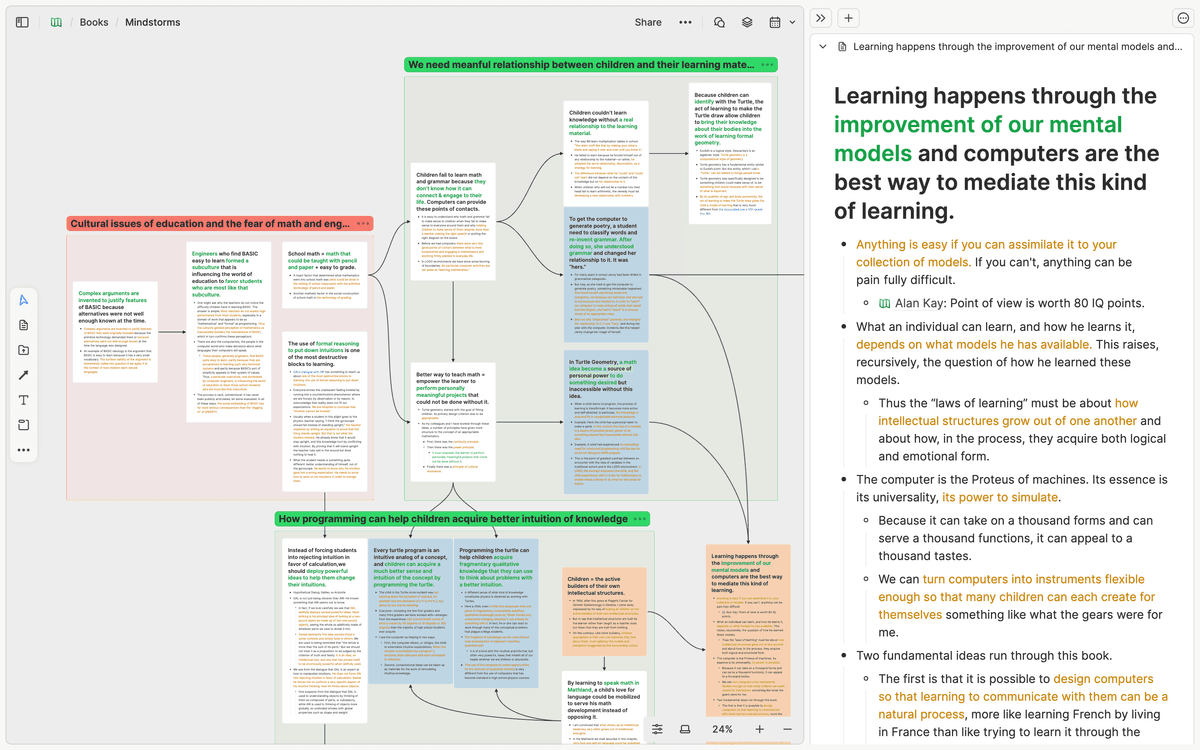
Use Heptabase to arrange sources and ideas by sight. For a direct comparison, see Heptabase vs Obsidian. Use Atlas later if you need to open the source passage behind an answer.
Joplin for simpler encrypted notes
Joplin is a practical choice for open-source notes, sync, encryption, and exports. It does not aim to copy Obsidian's graph and plugin model.
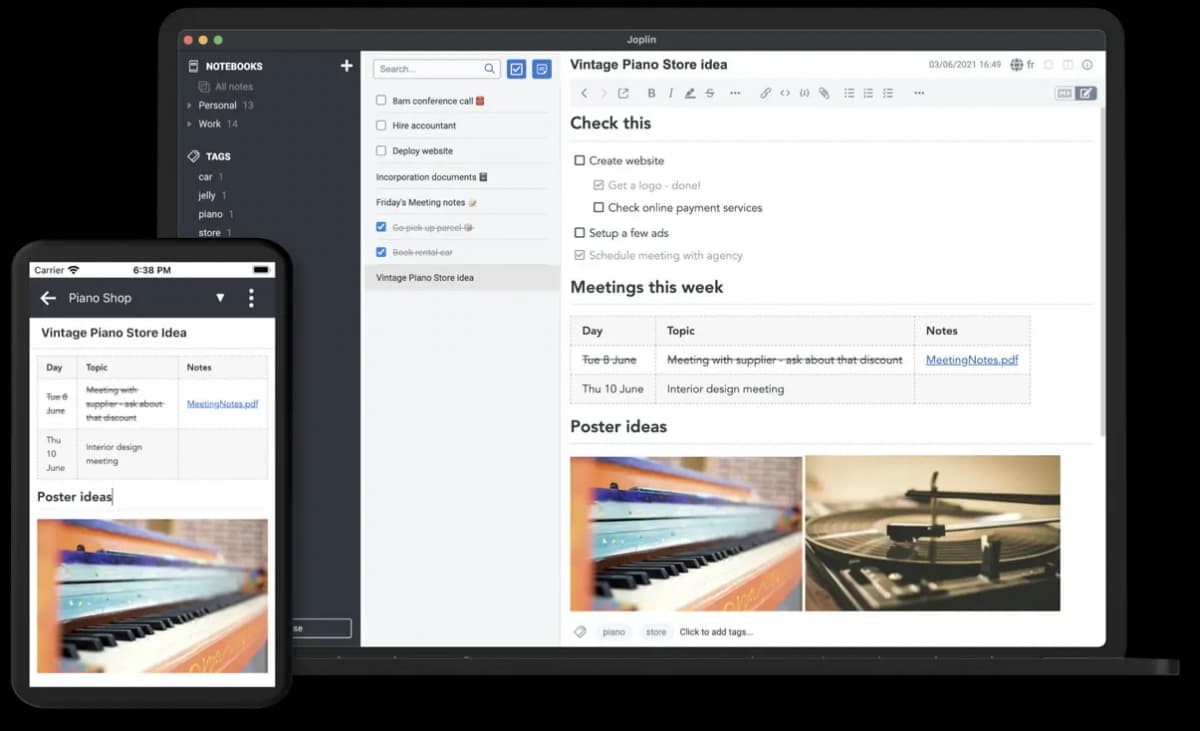
Choose Joplin if you want a simpler notes app. Keep Obsidian if the graph and plugins are key.
Tana for AI-structured outlines
Tana fits people who prefer outlines, Supertags, fields, meeting notes, and AI help. It can turn notes into a set of structured records.

Choose Tana for structured capture. Avoid it if you need open local files.
Where Atlas fits after Obsidian
Atlas fits after note-taking, when you need to answer a question from sources and check the support. Move the work in 6 steps:
- Keep daily notes, class notes, or project planning in Obsidian, Notion, Logseq, or another note system.
- Add the important PDFs, papers, web pages, or notes to an Atlas project.
- Ask a grounded question such as "Which sources disagree about this method?"
- Ask for a table that keeps each source in its own row.
- Open citation badges before trusting the answer.
- Move the checked result back into your note system.
Atlas does not replace a Markdown vault, offline notes, plugins, or a graph. It checks claims across a set of source files after the notes exist.
Which Obsidian competitor should you choose?
Match the tool to the problem:
-
Choose Obsidian if local Markdown files, backlinks, graph view, Canvas, and plugin customization still define your note system.
-
Choose Notion if team sharing and tables are the reason Obsidian feels awkward.
-
Choose Logseq if you want open-source graph notes and outlines.
-
Choose Anytype if private local object storage matters most.
-
Choose Capacities if people, books, and projects feel more natural than files.
-
Choose Heptabase if visual research and whiteboards are the main need.
-
Choose Atlas when you need to compare source files and open the passage behind each answer.
-
Choose Joplin if you want open encrypted notes without graph complexity.
-
Choose Tana if structured outlines and AI fields are the draw. For adjacent decisions, compare Notion vs Obsidian, NotebookLM vs Obsidian vs Atlas, and best second brain apps.
The best choice fixes your main problem without giving up the part of Obsidian you value most.
Compare your sources with cited answers in Atlas
Add source files, compare their claims, and inspect the cited passages.