


The best Paperpal alternative depends on the help you need. Choose Grammarly for grammar and style. Choose ChatGPT, Claude, or Gemini for ideas and first drafts. Choose Elicit, Consensus, or SciSpace to find and read research papers.
Choose Zotero to store papers and build a reference list. Choose Atlas to compare papers you have selected. Each answer cites its sources, and you can open the passage behind each citation.
Paperpal mainly helps with academic writing and manuscript checks. No other tool in this guide replaces every part of it. The right choice is the one that fixes the weak step in your current work.

Compare your own sources in Atlas
Compare sources and inspect cited passages before revising your manuscript.
How to choose a Paperpal alternative
Start with the problem you want to solve:
- Do you want clearer grammar and style?
- Do you need help writing a first draft?
- Do you need to find papers on a topic?
- Do you need to store citations and make a reference list?
- Do you need to check whether a paper supports a claim?
Then ask where the work happens. Some tools edit text inside Word or a web editor. Others search a large collection of papers. Atlas answers questions from the papers and web pages you add to a project.
If you need more than writing help, see our guide to AI tools for academic research. It explains which tools find papers, read them, compare their findings, and help with a final draft.
Paperpal alternatives compared
This table shows what each tool does best. A strong writing tool may still need a separate tool for citations or source checks.
| Alternative | Best fit | Where it differs from Paperpal | Verification note |
|---|---|---|---|
| Atlas | Comparing a set of sources you choose. | It gives cited answers rather than line-by-line editing. | Open the passage behind each citation. |
| Grammarly | Grammar, clarity, and tone. | It serves many kinds of writing, not just research. | Check that each rewrite keeps your meaning. |
| ChatGPT | Ideas, outlines, first drafts, and file tasks. | It is more open-ended than Paperpal. | Check every quote, citation, and source claim. |
| Claude | Reading long files and drafting clear prose. | It does not manage a reference library. | Check quotes and claims against the source. |
| Elicit | Finding studies and pulling the same facts from each one. | It helps with research rather than manuscript polish. | Check extracted facts in the paper. |
| Consensus | Finding quick answers backed by studies. | It is a research search tool, not a writing editor. | Open the studies before you cite them. |
| SciSpace | Finding, reading, and asking questions about papers. | It covers more research tasks than a writing editor. | Check current limits and source claims. |
Table 1: The table is not a single ranking. Grammarly may be best for a rough sentence, while Elicit may be best for finding a study. Atlas fits the later step of comparing what selected sources say.
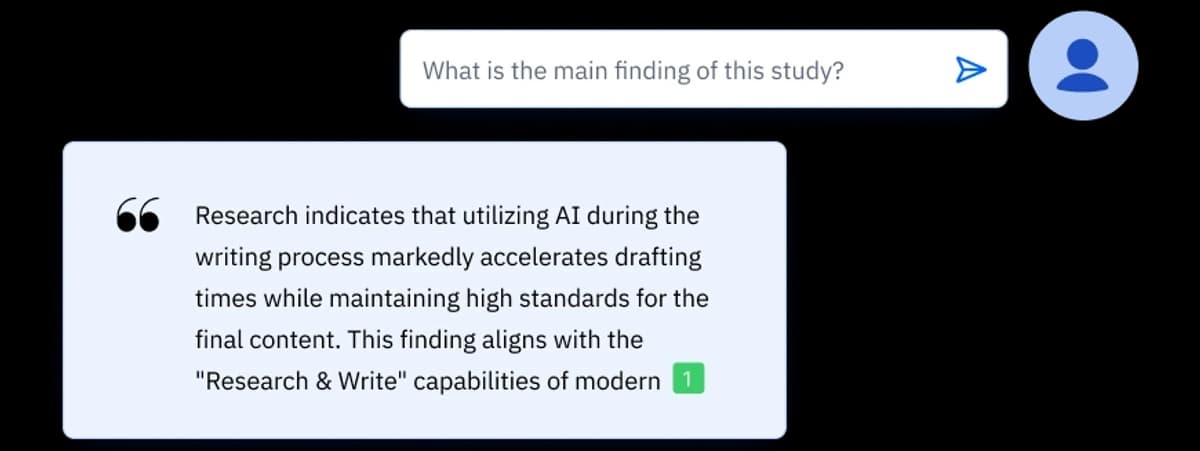
This image comes from Paperpal's Chat PDF page. The number next to the answer points to a citation. Open that citation and read the source before you use the claim in a manuscript.
Paperpal keeps writing help and PDF questions close to the draft. Atlas is useful when you need to compare several sources and check the text behind an answer. If you only need to ask questions about one PDF, compare these PDF chat AI tools.
Best Paperpal alternatives by workflow
Grammarly for general polish
Choose Grammarly for grammar, clarity, and style. It works well for emails, reports, and other drafts that do not need research features.
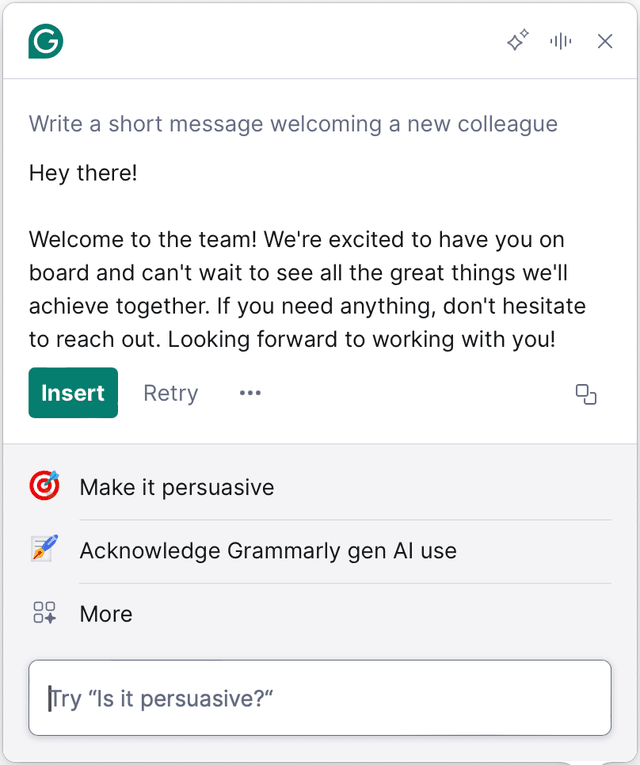
Grammarly’s official Windows and Mac guide shows an AI writing panel with a generated draft, controls, and suggested prompts. This interface example does not evaluate writing quality or current plan access.
ChatGPT, Claude, or Gemini for broad drafting
Choose ChatGPT, Claude, or Gemini for ideas, explanations, outlines, and first drafts. They can work across many subjects. Check their output closely when it includes academic claims or citations.
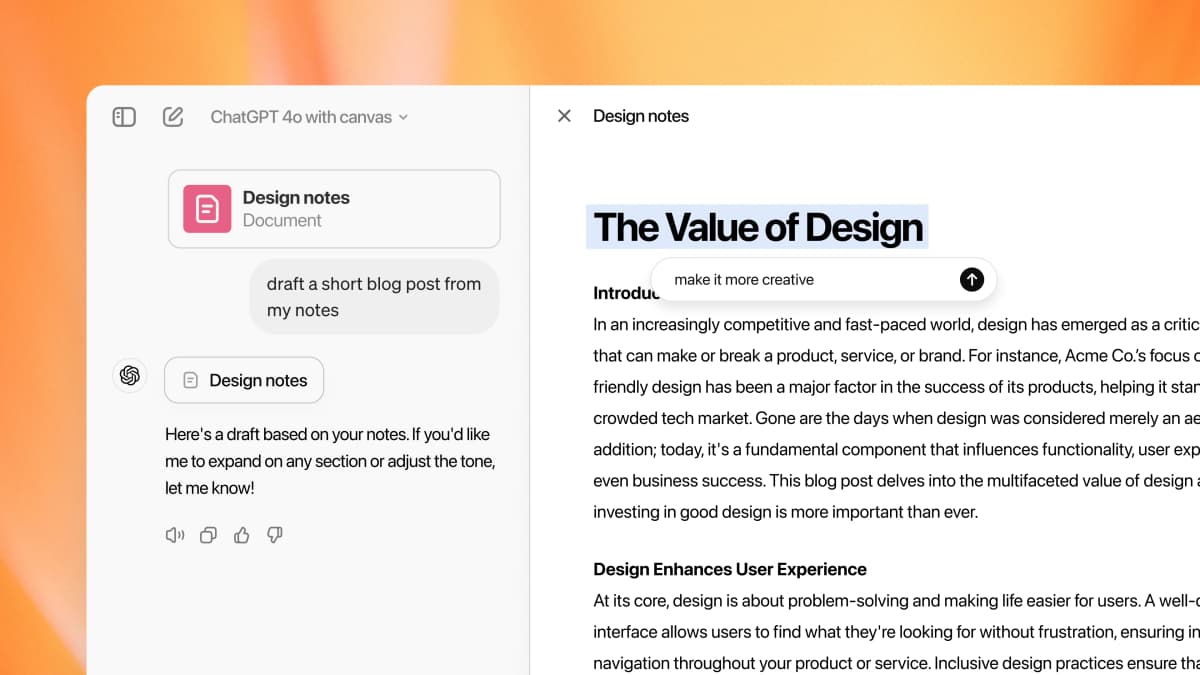
OpenAI’s Canvas launch example shows a prompt beside an editable draft and a targeted revision request. It is interface evidence, not a writing-quality evaluation or a current-availability guarantee.
Elicit, Consensus, or SciSpace for research evidence
Choose Elicit, Consensus, or SciSpace when you need to find or understand studies. Elicit can also pull the same facts, such as sample size, from many papers.
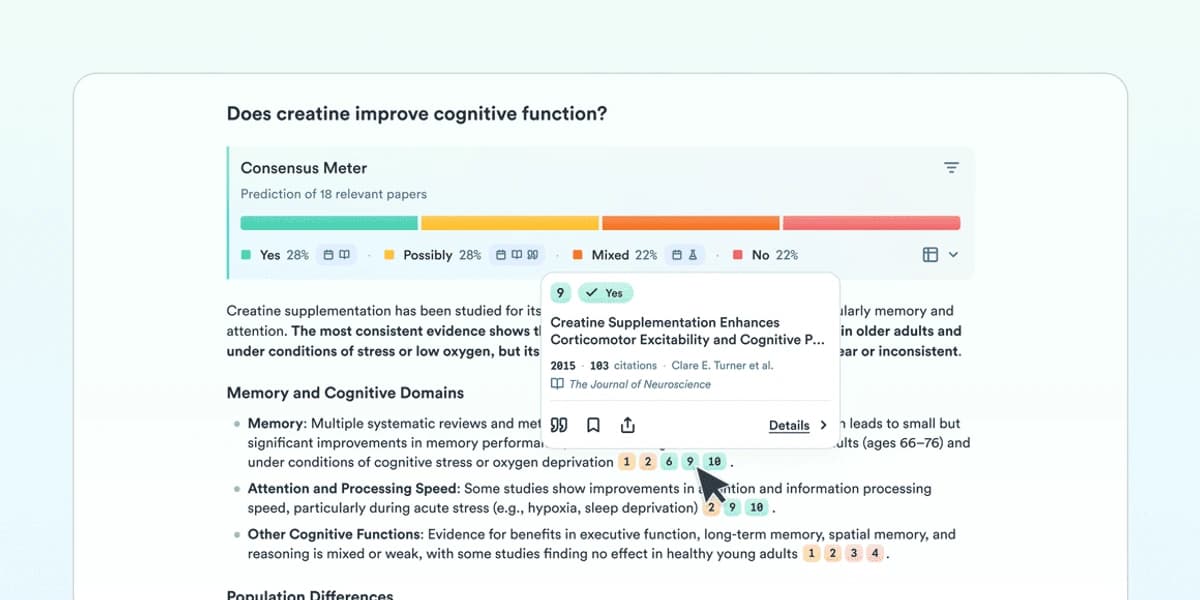
Consensus summarizes the direction of evidence across papers. Open the underlying studies before using the result. These tools help with a literature review, not just the wording of a draft.
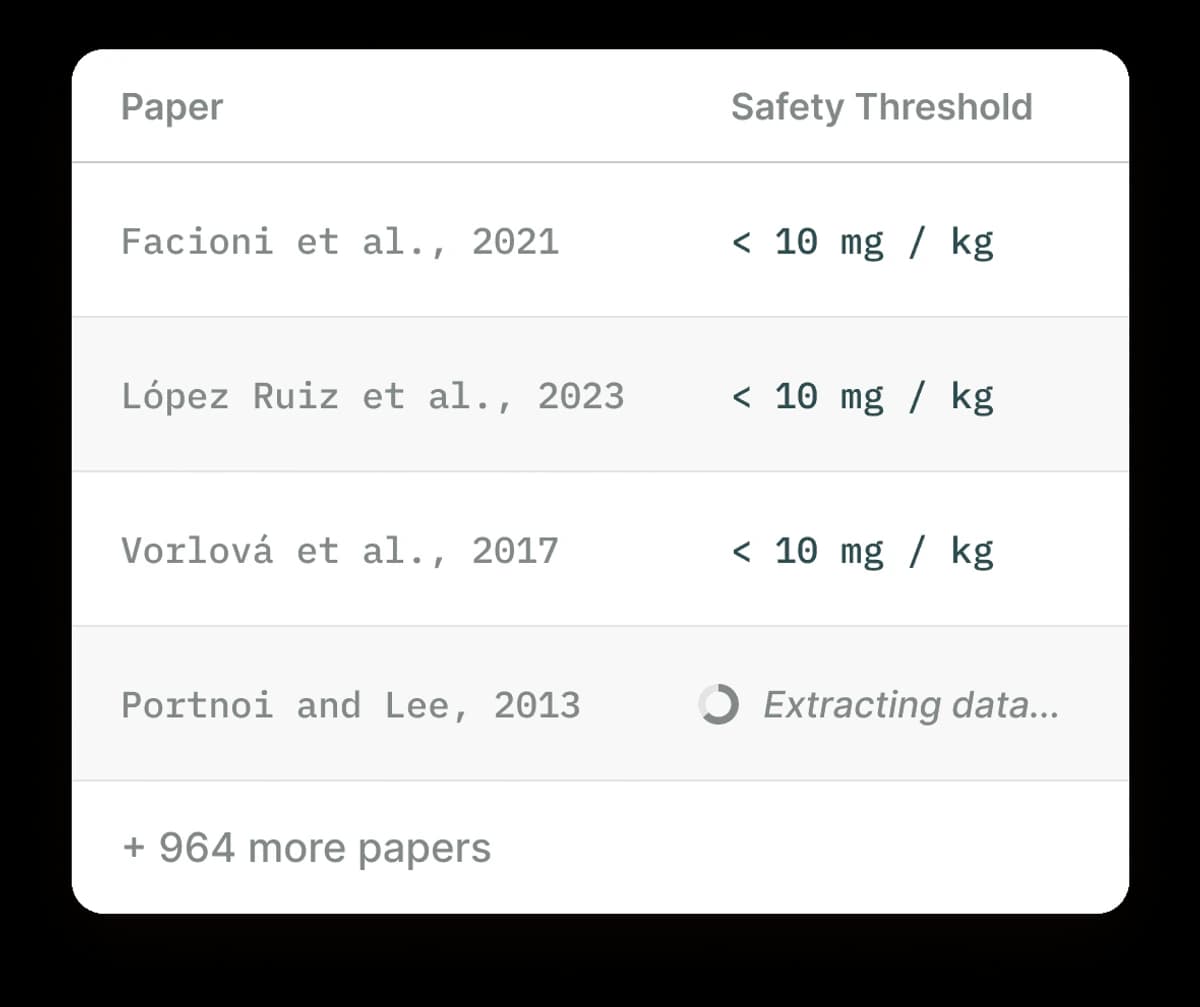
Elicit’s table makes it possible to compare extracted fields across papers. Check each value in the cited study.
Atlas for selected-source verification
Choose Atlas when you already have the papers, PDFs, reports, or web pages you want to use. You can ask a question across those sources and get an answer with citations. Open any citation to read the passage that supports it.
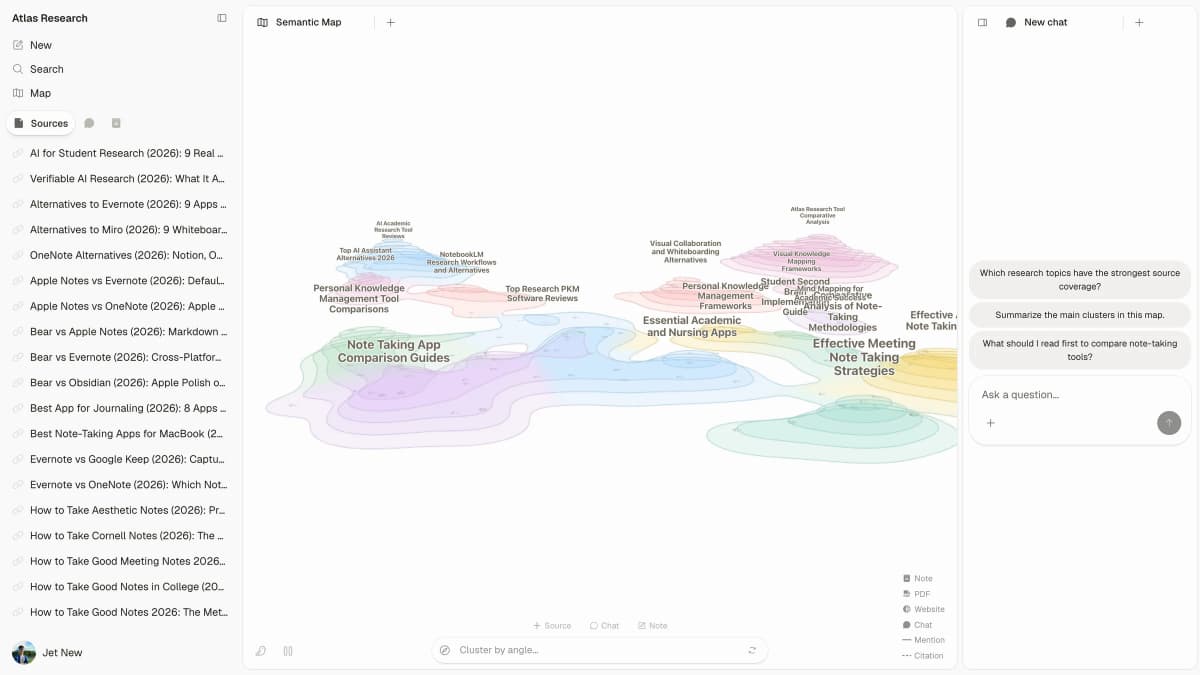
Atlas keeps the source library, project map, and question panel in one research workspace.
If you only need to clean up a bibliography, start with a citation tool for research instead.
Atlas is not a Paperpal editor, plagiarism checker, AI detector, or citation formatter. It answers questions from the sources you add and helps you compare them. This makes it useful next to AI tools that cite sources, especially when you must check whether a citation supports a claim.
A concrete Atlas workflow looks like this:
- Add the paper, its methods PDF, and any web page you plan to cite to one Atlas project.
- Ask: "What do these sources say about whether AI feedback helps academic writing? Note any limits or points of disagreement."
- Read the answer, but do not copy it into your draft yet.
- Open each citation and check that the source supports the sentence.
- If the support is weak or missing, ask a narrower question or change the claim.
The difference is simple. A manuscript editor can make a sentence clearer. Atlas helps you check whether the cited paper supports that sentence.
Keep any limits from the source in your draft. If 2 sources disagree, explain the disagreement.
Zotero or citation managers for references
Choose Zotero when you need to save papers, store citation details, and make a bibliography. A writing assistant can improve your prose, but it should not be the only place where you keep your references.
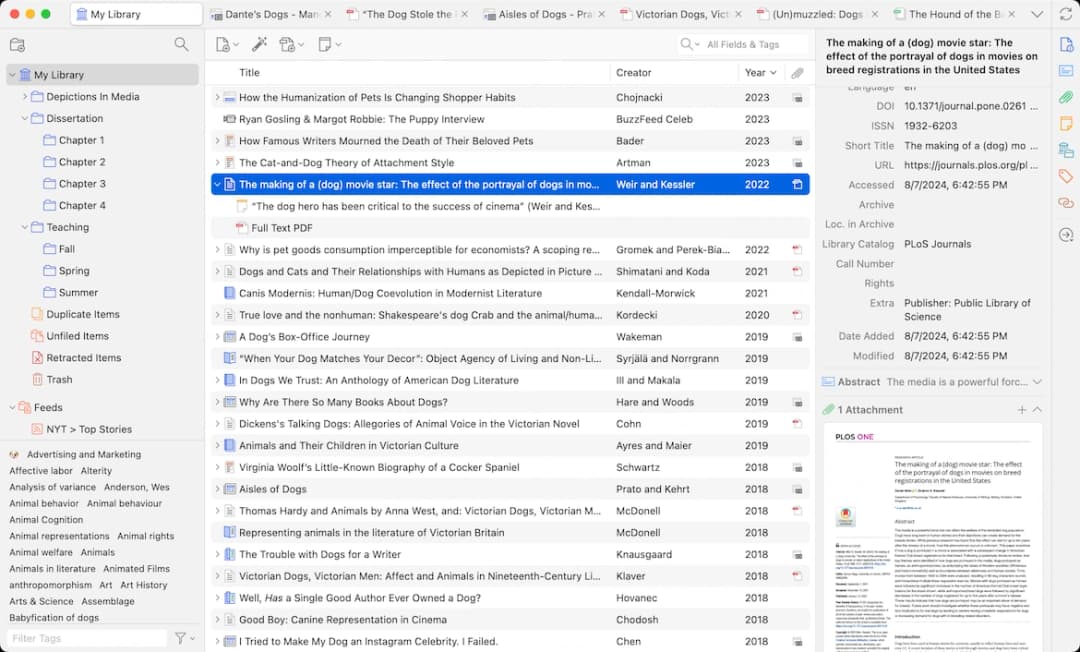
Zotero’s library centers the saved papers and citation records used to build a bibliography.
When Atlas is the better fit
Atlas is the better fit when you must test a claim against papers you trust. Add those papers to a project and ask a clear question. Then open each citation and read the text around it.
Atlas and Paperpal solve different problems. Paperpal helps improve a manuscript. Atlas helps check whether its key claims match the sources.
Do this check before you use a claim in a literature review, thesis, grant, or report. Better wording cannot fix a claim that its source does not support.
Which Paperpal alternative should you choose?
Choose Paperpal when you want academic writing help and checks before you submit a manuscript. Choose Grammarly for general editing. Choose ChatGPT, Claude, or Gemini for ideas and drafts.
Choose Elicit, Consensus, or SciSpace to find and read studies. Choose Zotero to store references and make a bibliography. Choose Atlas to compare selected sources and check the passage behind each cited answer.
You may need 2 tools. One can improve the writing, while the other checks its sources. That split is safer than asking one general assistant to do both jobs.
Compare your own sources in Atlas
Compare sources and inspect cited passages before revising your manuscript.