


The best NotebookLM audio alternative depends on what you want to change. ElevenLabs lets you edit a podcast script. Speechify offers a hosted app for listening. Podcastfy and Open Notebook let you choose how to make the audio yourself.
Check Illuminate if you want a talk about a paper and have access to the experiment. Podwise is useful when you have a recording and want notes from it.
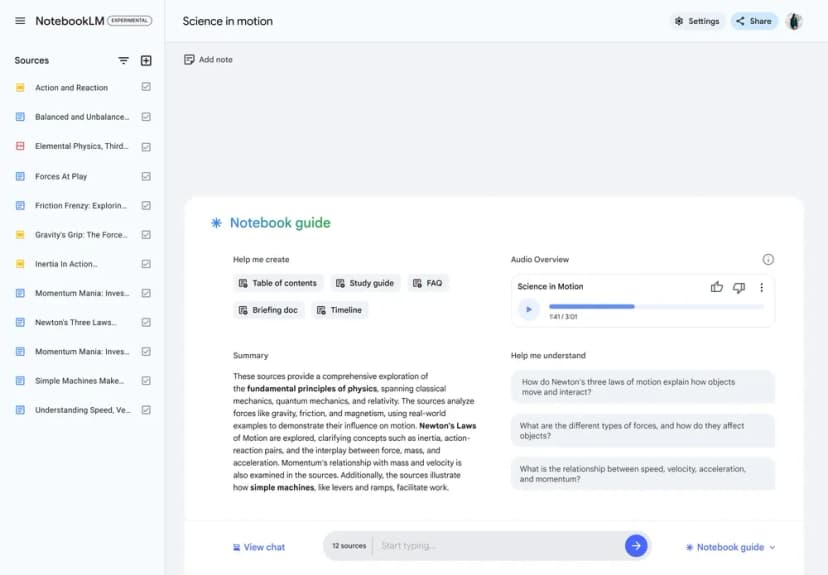
NotebookLM is now Gemini Notebook. Its Audio Overview feature still turns sources into listening material, and it now offers several ways to guide the result. Check those controls before switching. For broader document research tools, see our NotebookLM alternatives guide.

Research a paper after listening
Ask Atlas about the source paper and inspect citations for written follow-up.
Why Should You Look Beyond NotebookLM Audio?
For a student workflow based on fourteen interviews, see the student's guide to AI research.
In Gemini Notebook, open Studio, select Audio Overview, and customize the output before generating it. Google documents focus prompts, language choices, and formats such as Deep Dive, Brief, Critique, and Debate. English length settings can also change the result. The old claim that you cannot steer the discussion is no longer accurate.
Try a focus request such as Explain the methods and limitations in these selected papers. Leave out background history. Then listen for the claims that matter and open the source to check them. A more relevant discussion may solve your problem without a second app.
An alternative becomes useful when you need to edit the exact script, select other voices, build repeated episodes, or manage your own model providers. Generating audio can still take time, and changing the format does not guarantee factual accuracy.
What to Look For
Start with the job. Do you want a new podcast, a spoken script, or notes from a show you heard? Compare each tool on these points:
- Source support: Check which files, links, or recordings the tool accepts.
- Voice control: Check if you can choose the speaker, tone, language, and script.
- Source checks: Look for a script or transcript you can compare with the source.
- Price and limits: Check the allowance and what extra use costs.
- Review options: Find out how to return to a passage after you listen.
Best NotebookLM audio alternatives
1. ElevenLabs for Script Control
ElevenLabs GenFM can create a podcast from a document or URL in Studio. Choose the host and guest voices, read the draft, and edit it before making the audio.
This gives you a place to fix the wording before you hear the finished show. It suits a task where the script needs a close check.
If you already wrote a checked script, use an empty audio project or audiobook narration rather than GenFM's podcast option, which changes the script. Decide whether you want help writing the discussion or want the tool to read your own wording.
GenFM's cost guidance treats text and speech as separate steps. Check the credits shown before you turn the draft into audio. More drafts can mean more use.
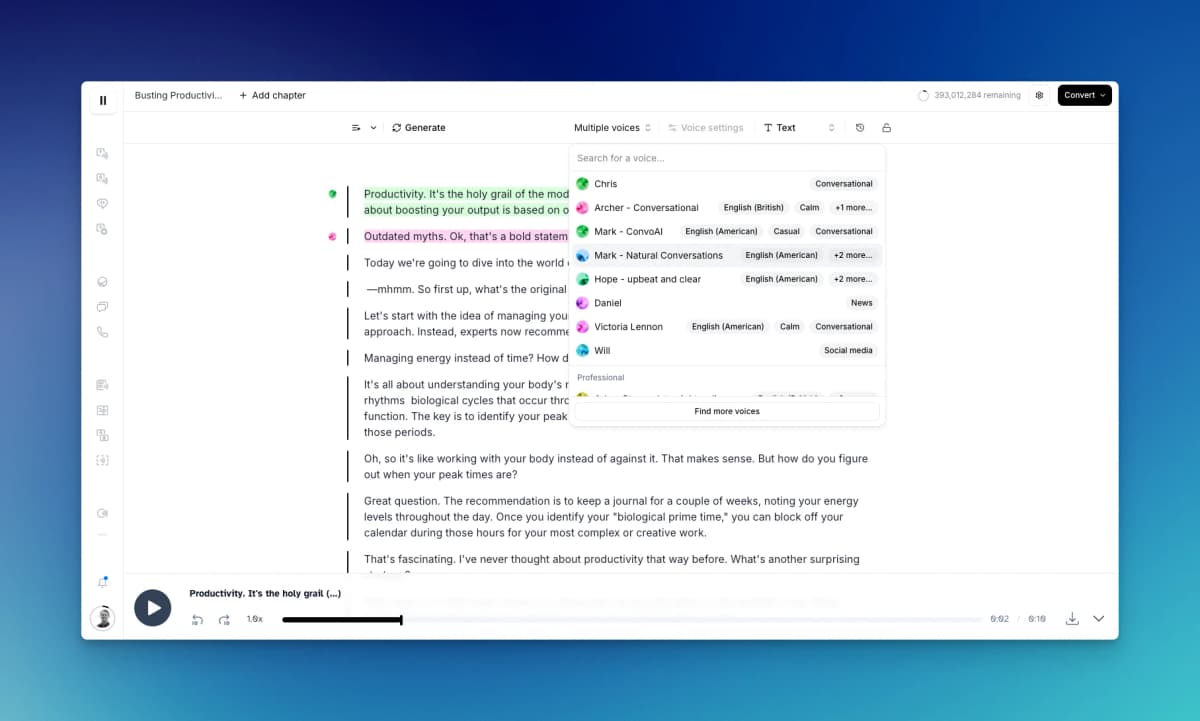
Choose this route when script review is worth the extra step. Do a short listening pass for names, abbreviations, and numbers before converting a long script, since correct text can still be spoken in a confusing way.
2. Speechify for Hosted Listening
Speechify's AI Podcast feature turns documents into audio in a hosted app. Its page lists show styles, read-along text, playback speed, and ways to talk to the hosts.
It suits a reader who wants to upload a file and listen without setting up model services.
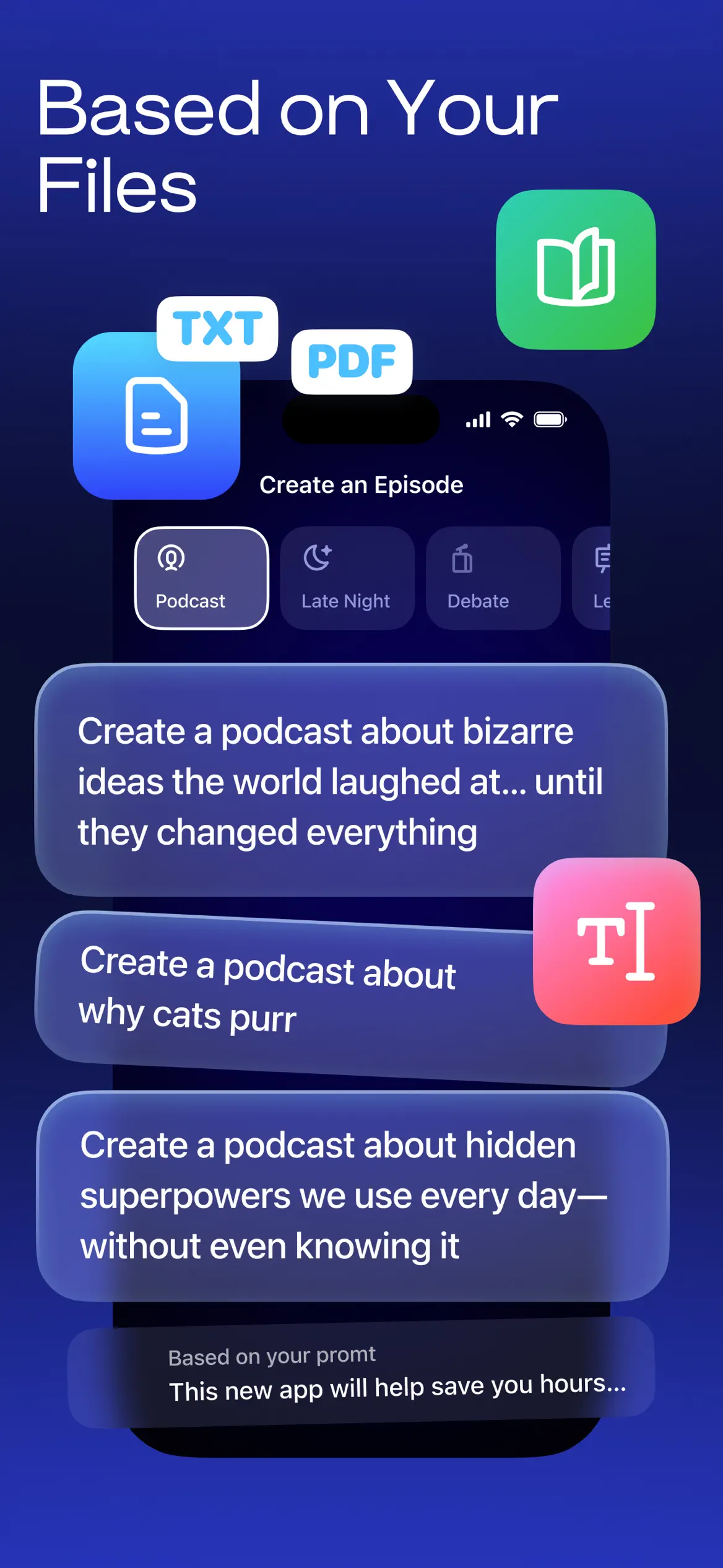
Check the specific podcast feature on the device and account you intend to use. Speechify's ordinary text-to-speech service and Studio are related products, but their language, export, and usage terms should not be assumed identical.
The podcast page separates personal use from paid voice-over work through Studio. If you want to publish a show, check those terms before you pick a plan. A free account or trial does not mean you can make as much audio as you want.
For research listening, keep the document open when you review a claim. A highlighted transcript can help you follow the audio, but you still need to check whether the spoken conclusion preserves the source's conditions.
3. Illuminate for Paper Explainers
Illuminate is Google's paper-focused experiment. Google Research's launch post describes a flow from finding a paper to writing a script and making a talk between two hosts.
Check it when you want a first pass through a paper's ideas. The current signed-out page gives little detail about access or limits.
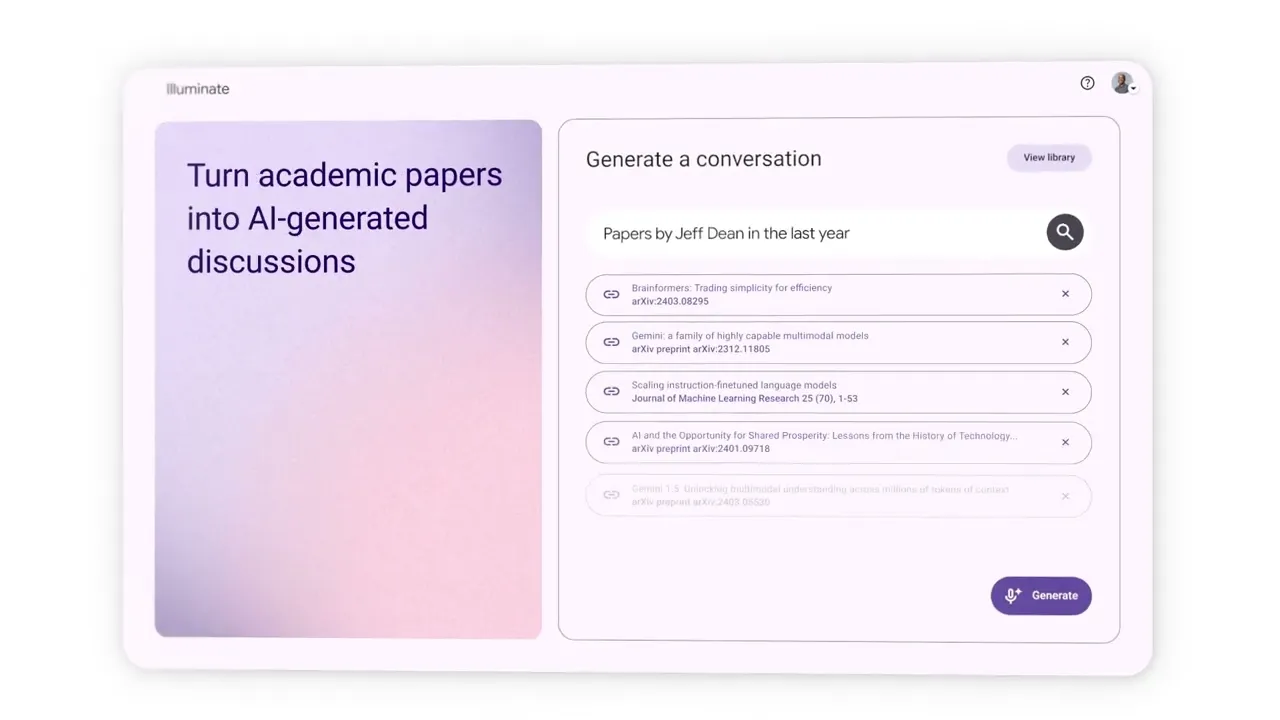
Confirm that your account can make the talk you need before you plan a course or project around it.
Keep the paper beside the audio. When the hosts explain the findings, check what the study measured and which limitations the authors reported. A useful introduction may still omit a detail that matters to your own research question.
For mixed notes, reports, and slides, start with Gemini Notebook or another tool that documents the required inputs. Do not assume a paper experiment accepts every source type that a general notebook supports.
4. Podcastfy for Developer Workflows
Podcastfy's maintainer repository describes an open-source Python tool. It makes talks from text, PDFs, web pages, videos, and other inputs.
You can set up the script and speech through Python or the command line. This suits someone who is at ease with code.
Choose it when you want to repeat a process or choose the model and speech service. You can keep the draft and audio steps apart. That gives you a place to check the script before making the speech.
The trade-off is setup. Follow Podcastfy's installation guide for the software and provider keys, then maintain the setup as services change. Open-source software can still incur model and speech charges, so a free repository is not a promise of free episodes.
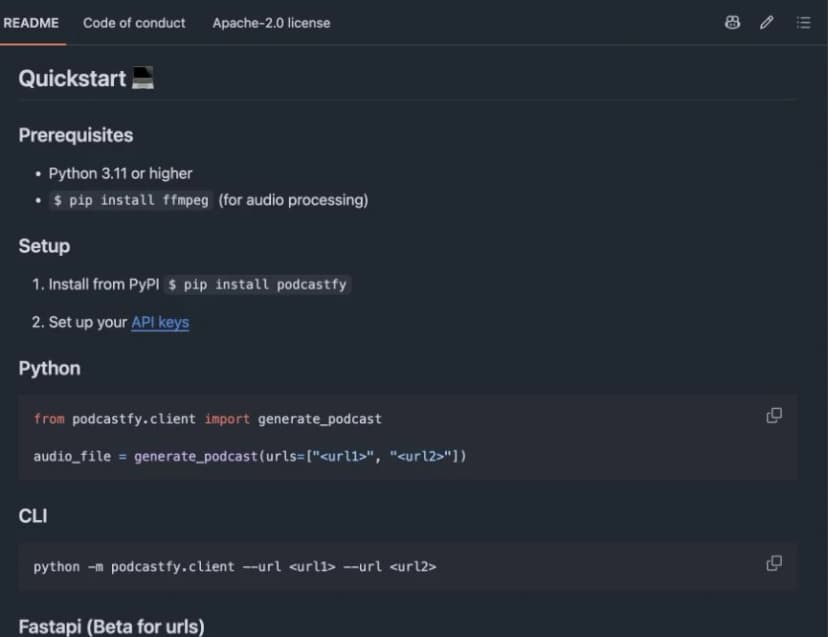
Test one short source first. Check what text the import captured, whether the transcript changes the meaning, and whether the speech handles the words correctly. Use those checks before automating a folder of papers or a recurring feed.
5. Open Notebook for Configurable Podcasts
Open Notebook's podcast generator brings these settings into a notebook-style app. Its guide covers templates, speakers, tone, language, length, voice models, and the notes or files used as context.
This fits someone who wants to keep source files and show settings together while choosing their own providers.
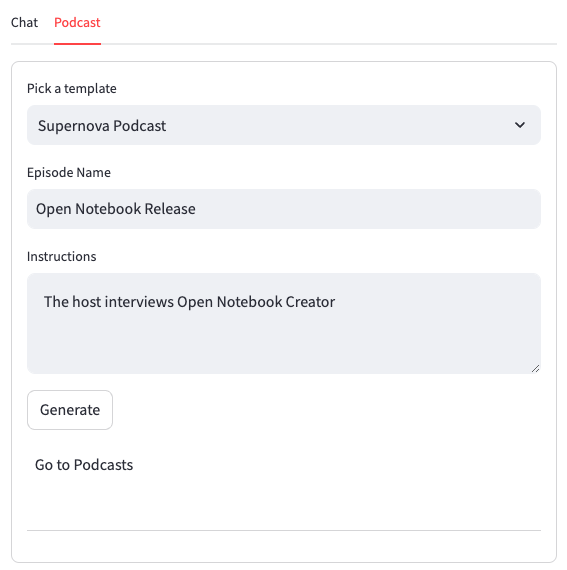
Use Open Notebook's setup guide for the app, keys, and services. Check how they handle your data before you rely on the tool for study.
Start with a template for one task, such as explaining a paper's methods. Select the relevant context, generate a draft, and compare the claims with the source before downloading the episode. A reusable template can save setup effort, but review each new source rather than assuming the template prevents errors.
Check where your configured models and speech services process content. Hosting the interface yourself does not by itself keep every request local. If that control is the reason you are leaving Google, trace the complete path of the files and text.
6. Podwise for Existing Audio Notes
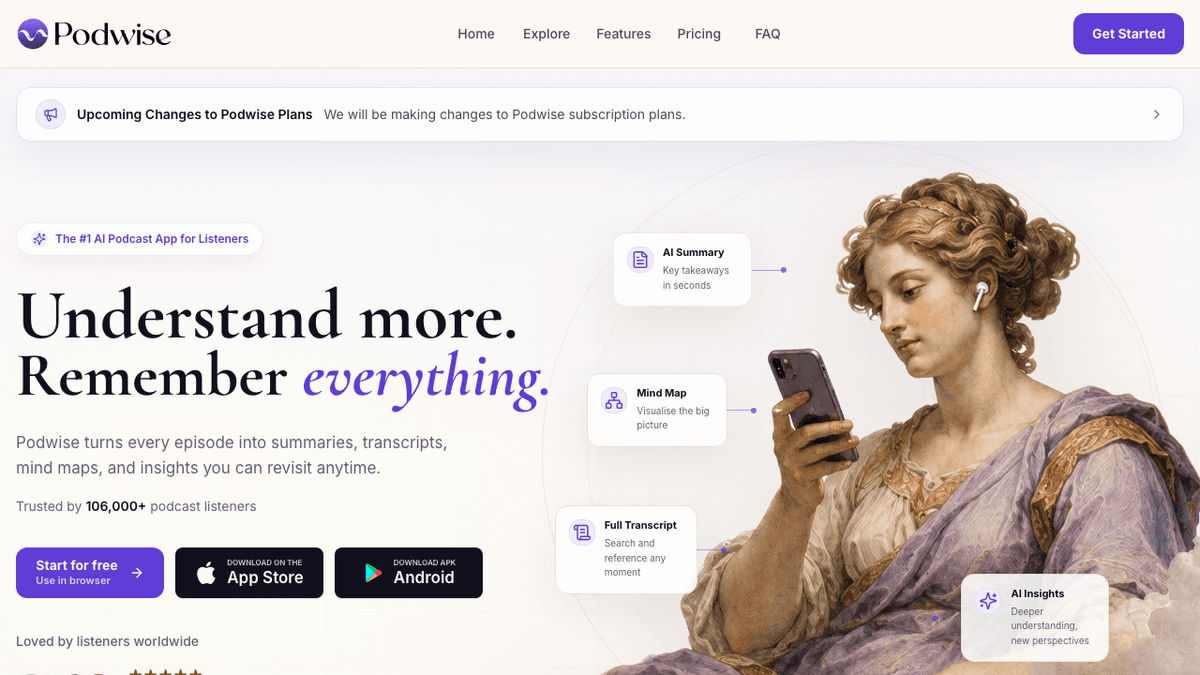
Podwise is a fit when you have a podcast or lecture and want notes you can search later. Its page lists transcripts, summaries, mind maps, questions about shows, and links back to the audio.
Use it to find a passage you heard, check the transcript, and keep a takeaway with the episode context. It supports exports to Notion, Obsidian, and other tools, preserving the official source for that workflow.
Podwise is included for listeners whose actual task is retaining existing audio. Choose one of the document-podcast tools above when you need a new episode from your papers. Turning an episode into notes does not supply an audio version of a separate document collection.
Review the current plans for limits, imports, exports, and trial terms. Basic access and a paid trial grant different features.
Check that the show you need is available before you import a large library.
Comparison Table
Choose the job first, then check the limits and file types for the tool you shortlist. The table compares what each provider says its tool can do. Check the sound and source claims with your own files.
| Tool | Main job | Control to check | Practical trade-off |
|---|---|---|---|
| ElevenLabs | Document podcasts or script narration | Edit generated text; choose voices | Audio conversion consumes credits |
| Speechify | Hosted document listening | Show style, read-along, playback | Podcast access and commercial terms need checking |
| Illuminate | Research-paper conversations | Supported paper and account access | Experimental access needs confirmation |
| Podcastfy | Configurable audio generation | Transcript, model, speech settings | Software and provider setup |
| Open Notebook | Notebook-based podcast creation | Context, templates, speakers | Hosting and provider configuration |
| Podwise | Notes from existing recordings | Transcript, episode questions, exports | Does not create a podcast from your papers |
Table 1: Document-to-podcast tools and existing-audio note tools by job, controls, and practical limits.
If your main complaint is the topic of an Audio Overview, first try Gemini Notebook's focus prompt. If the exact wording matters, shortlist a workflow with an editable script. If you already have the recording, start with transcription and notes rather than generating another episode.
How to Check a Spoken Research Claim
An audio overview can make a paper easier to approach. Before you reuse a claim in an essay, presentation, or research note, check its wording against the source. Neither a pleasant voice nor an editable transcript proves the claim is correct.
Work From the Passage to the Script
Suppose a paper reports that a small group improved on one task after a short course. A draft script might say, "This method improves learning." That drops the group, task, and study period.
This is a made-up example to show what a check can catch. It does not describe a test result for any tool in this list.
Find the source passage and keep its limits in the script: "In this study, the group improved on this task after the course." Add the sample and timing if they matter to your question.
Keep the passage or page number with your note so you can revisit it.
Then listen to that part of the generated audio. Check whether the spoken version preserves your revision, whether a speaker adds a stronger conclusion, and whether numbers or technical terms are understandable. If the tool does not expose an editable script, record the correction separately and return to the source when you use the claim.
Use One Source Before Scaling Up
Start with a short, familiar paper or document. Confirm that the import captured the relevant text, then ask for one narrow explanation. A focused trial makes it easier to spot a missing section or a claim that wandered beyond the material.
For a longer show, review the claims you expect to use. Look closely at methods, numbers, exceptions, and limits. Check those passages before sharing the audio or citing its claims.
Keep questions raised during listening. A useful next question is “Which passage supports that conclusion?” Another is “What evidence would limit this claim?” These prompts turn a listening session into a list of source checks you can finish when you are back at a screen.
What Will Generation Cost?
Estimate cost from the complete workflow: importing the material, drafting text, generating speech, and revising it. Providers can count those steps differently. A plan described as free may include limited processing, and an open-source interface may still call paid services.
Gemini Notebook's usage help describes compute allowances rather than one universal daily Audio Overview count. Feature complexity and chat length affect usage. Check Settings → Usage for your account and read the usage indication before starting a large generation. The current help also documents a web option to generate later when usage is exhausted.
For ElevenLabs, check the plan's credit allowance and the amount shown before you make speech. For Speechify and Podwise, check which feature the plan covers: reading text, creating a podcast, or processing an existing episode. Those allowances are not interchangeable.
For Podcastfy or Open Notebook, add the model and speech provider costs to any hosting cost. A failed draft or a regenerated section can add usage. Start with the short source you reviewed above, then decide whether the expected volume fits your budget.
Choose a Voice With Your Own Material
Listen to a short sample containing the names, terms, and numbers you use. A voice that works for a casual explanation may be less clear when reading equations, citations, or acronyms. Check whether the pace gives you time to follow the argument.
If you want exact narration, correct the script before converting the full document. If you want a discussion, check whether the hosts explain distinctions clearly and leave room for caveats. Use this sample to choose a voice and format for your task; the available documentation does not establish a universal winner for realism or accuracy.
Check Privacy and Publishing Terms
Before you upload a private file, check the account, host, model, and speech service involved. A notebook you host yourself can still send text to a cloud model.
Google's privacy guidance separates personal accounts from qualifying Workspace and Education use. If you send feedback from a personal account, it can allow human review of the linked content.
For other tools, check data terms before importing a restricted file. Speechify distinguishes private listening from paid Studio work. ElevenLabs' privacy policy describes its data handling. A voice feature alone does not establish suitability for confidential work.
Also check whether you have permission to publish the source material and use the chosen voices. A private study summary and a public podcast have different audiences. Decide who may access the script and audio before you export or share them.
Next Step After Listening
Keep Gemini Notebook if its current focus, format, and language controls cover your needs. Choose ElevenLabs when reviewing the script is central, Speechify for a hosted listening flow, or Podcastfy and Open Notebook when configuration and automation justify the setup. Check Illuminate access for paper explanations. Use Podwise when your source is an existing recording.
For a student workflow, the NotebookLM for students guide shows where listening can fit alongside reading and notes. For other file tasks, compare document AI tools.
After listening, write down the claim you want to use and the source passage that supports it. Atlas can provide an optional written follow-up: add the paper to a project, ask a question about the claim, and follow its citation back to the source. Review the answer against that passage before using it.
Our AI research tools guide compares this kind of cited follow-up workflow. For a source check inside Google's notebook, see how to use NotebookLM.
Choose the audio tool for the listening task and keep a written record of the evidence you need afterward. If you want that checked wording as audio, return to the script narration workflow and listen once more before sharing it.
Research a paper after listening
Ask Atlas about the source paper and inspect citations for written follow-up.