


The best SciSpace alternative depends on what you need to do next. Choose Consensus for quick answers drawn from research papers. Choose Elicit to find papers and collect the same details from each one. Choose Paperguide when you want search, reading, writing, and references in one place. Choose Logically when you want to ask questions about your own files. Choose Atlas when you have chosen your sources and want to compare them with citations.
SciSpace covers paper search, literature reviews, PDF chat, writing, citation, data collection, and AI checks. An alternative does not need to replace every feature. It only needs to do your next task well.
The image below shows one part of SciSpace. SciSpace Copilot helps you read a paper that is open on screen. Other tools are better at finding papers, making study tables, or comparing papers you chose.
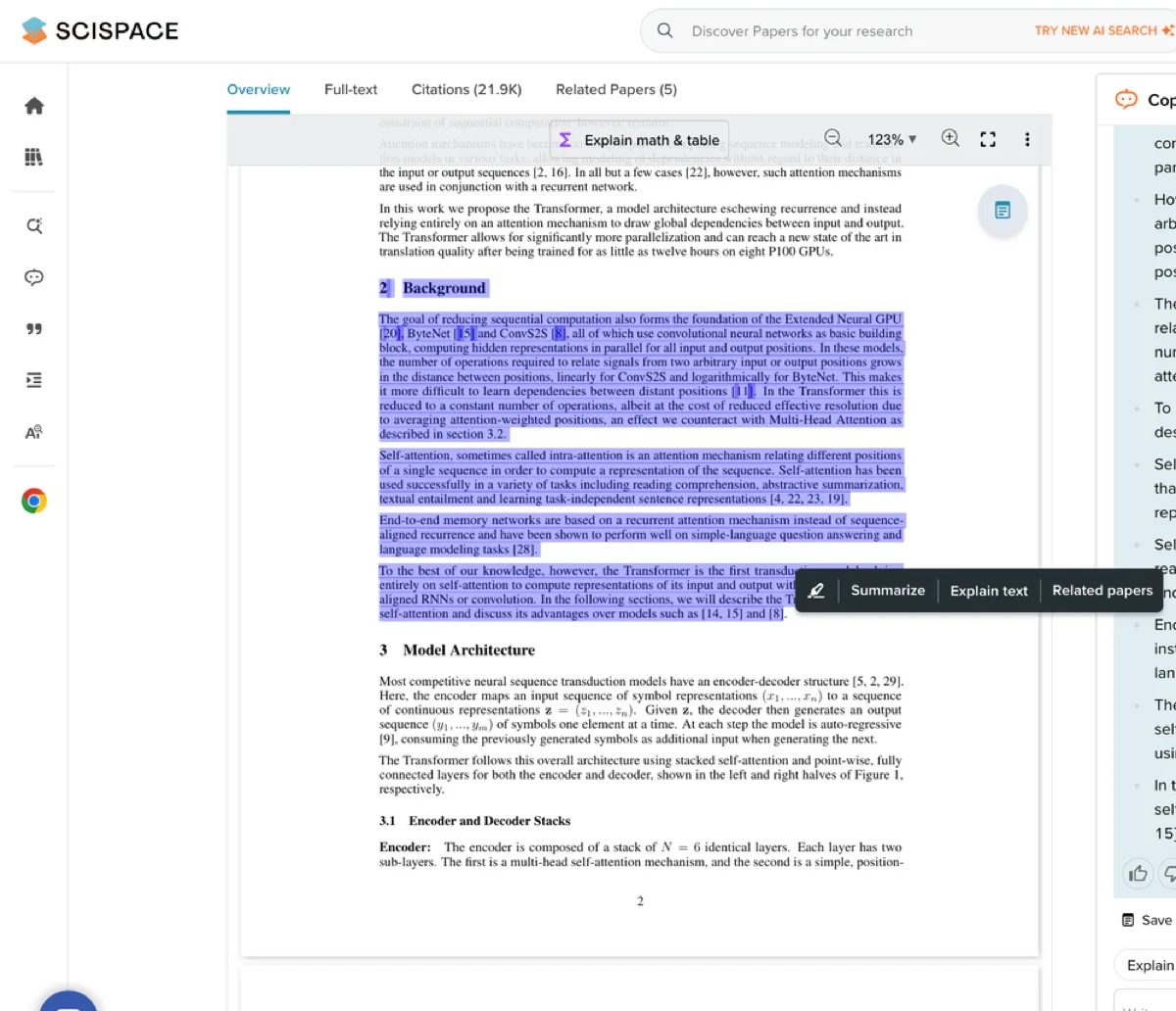
In SciSpace Copilot, you can mark a passage and ask for an explanation or summary. Check the answer against the paper before you use it.

Compare your own sources in Atlas
Add your selected sources, compare their claims, and inspect the cited passages.
How to choose a SciSpace alternative
First, ask where the tool gets its source text. If you still need to find papers, choose a tool that searches a large research library. If you have PDFs, reports, web pages, or notes, choose a tool that can answer from your files.
Next, define the result you need. A reference tool can format citations for a paper. A review tool can help you decide which studies to keep and copy the same facts from each study into a table.
Last, check whether you can trace an answer to its source. Some tools give links. Some make tables. Others let you open the exact passage from your own files. Choose the one that gives you enough source detail to check your work.
If you are choosing between SciSpace and a general web answer tool, read SciSpace vs Perplexity. It explains the difference between working with papers and searching the web.
SciSpace alternatives compared
This table shows what each tool does best, where it gets its sources, and how you can check an answer.
| Tool | Best fit | Sources it can use | How you check the answer |
|---|---|---|---|
| Atlas | Compare a chosen set of sources. | PDFs, web pages, YouTube, search results, notes, and files the user adds. | Open citation badges and read the source passage. |
| Consensus | Quick answers from studies. | Its research database. | Open the papers behind the answer. |
| Elicit | Find studies and collect facts from them. | Its paper search. | Review the study table and source papers. |
| Paperguide | Search, read, write, and manage sources. | Papers and files used in its workspace. | Check its current limits and source handling. |
| Logically | Ask questions about a private library. | Files the user adds. | Follow citations back to those files. |
| ChatPDF | Ask questions about one PDF. | One PDF or a small file set. | Check the answer against the PDF. |
| SciSpace | Find, read, and write about papers. | SciSpace search and supported files. | Open the paper and check key claims. |
Table 1: The best choice depends on whether you need to find papers, collect study facts, read one PDF, or check a set of sources.
Best SciSpace alternatives by workflow
Atlas
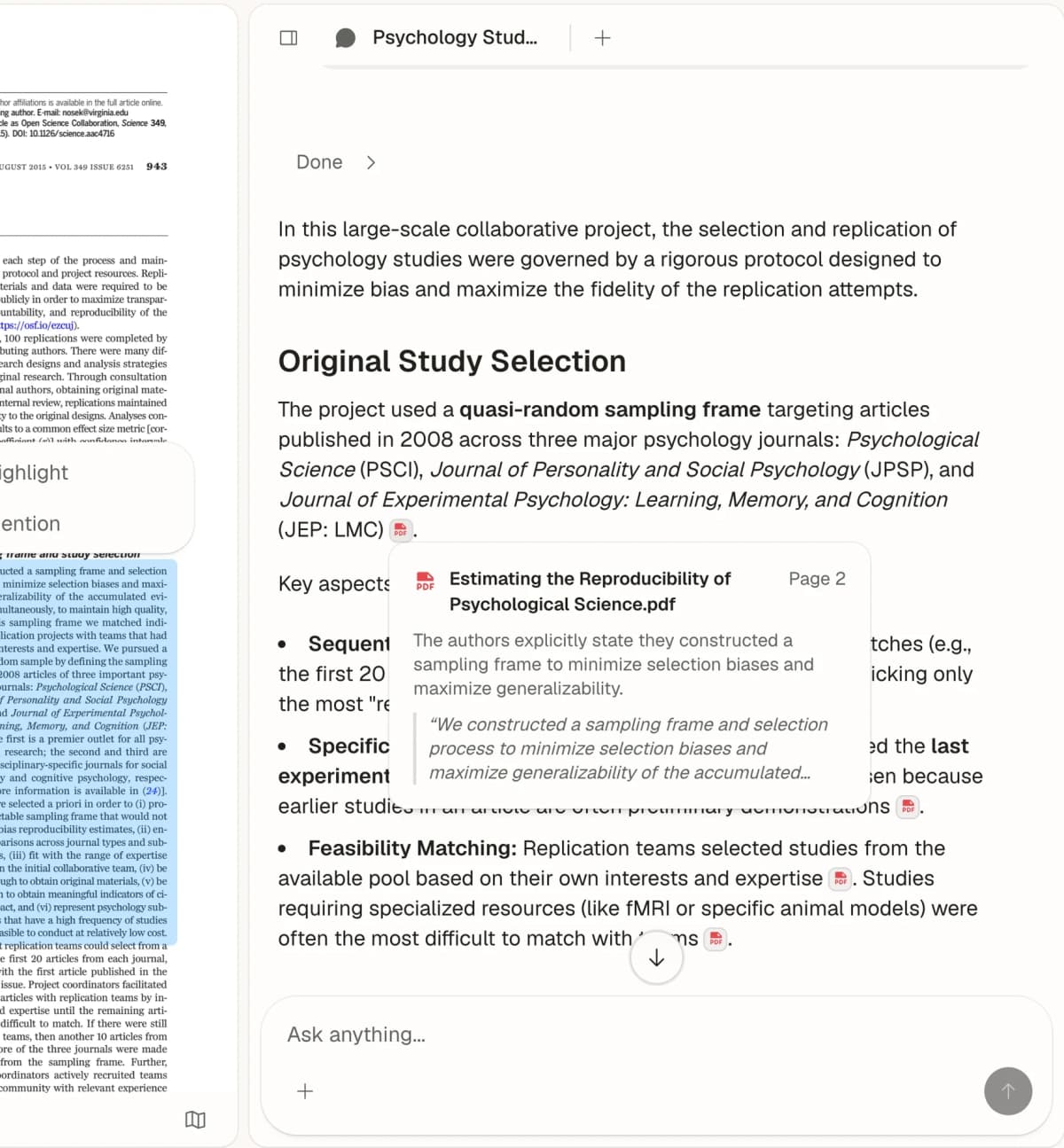
Use Atlas when you have chosen the sources and need to check an answer against them. Add the papers, web pages, notes, or search results to a project. Ask a comparison question, then open the cited text before you use the answer.
For example, find papers in SciSpace, Elicit, or Consensus. Then ask Atlas, "Where do these sources disagree about the method?" Open each citation to see whether the source text backs the answer.
Consensus
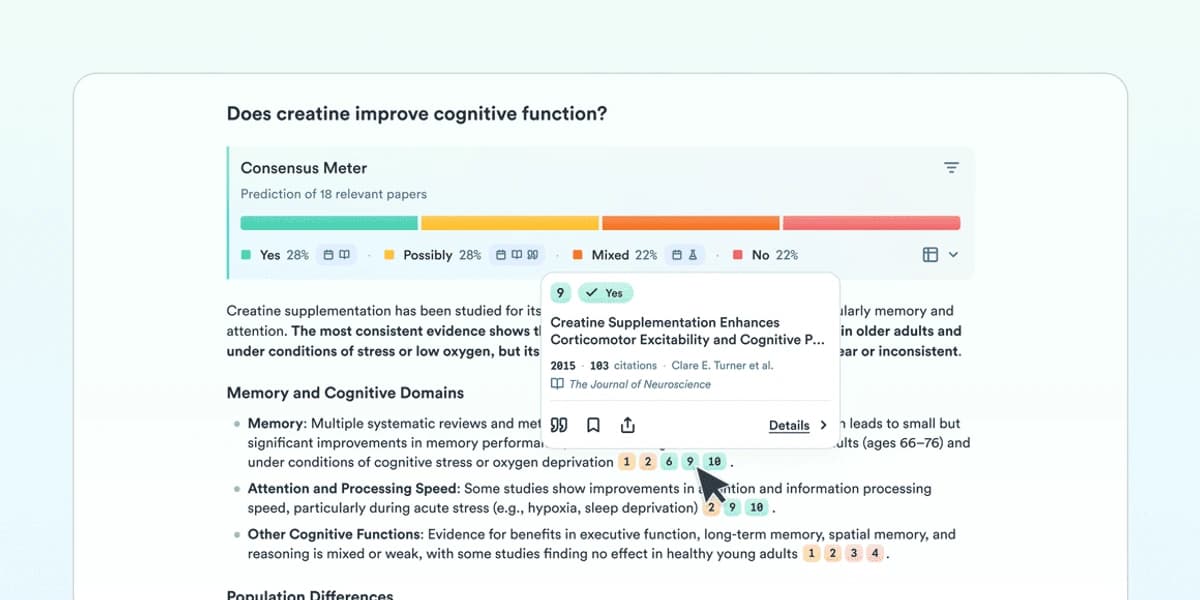
Use Consensus when you want to ask, "What does the research say?" It gives a quick answer and points back to studies instead of broad web pages.
Elicit
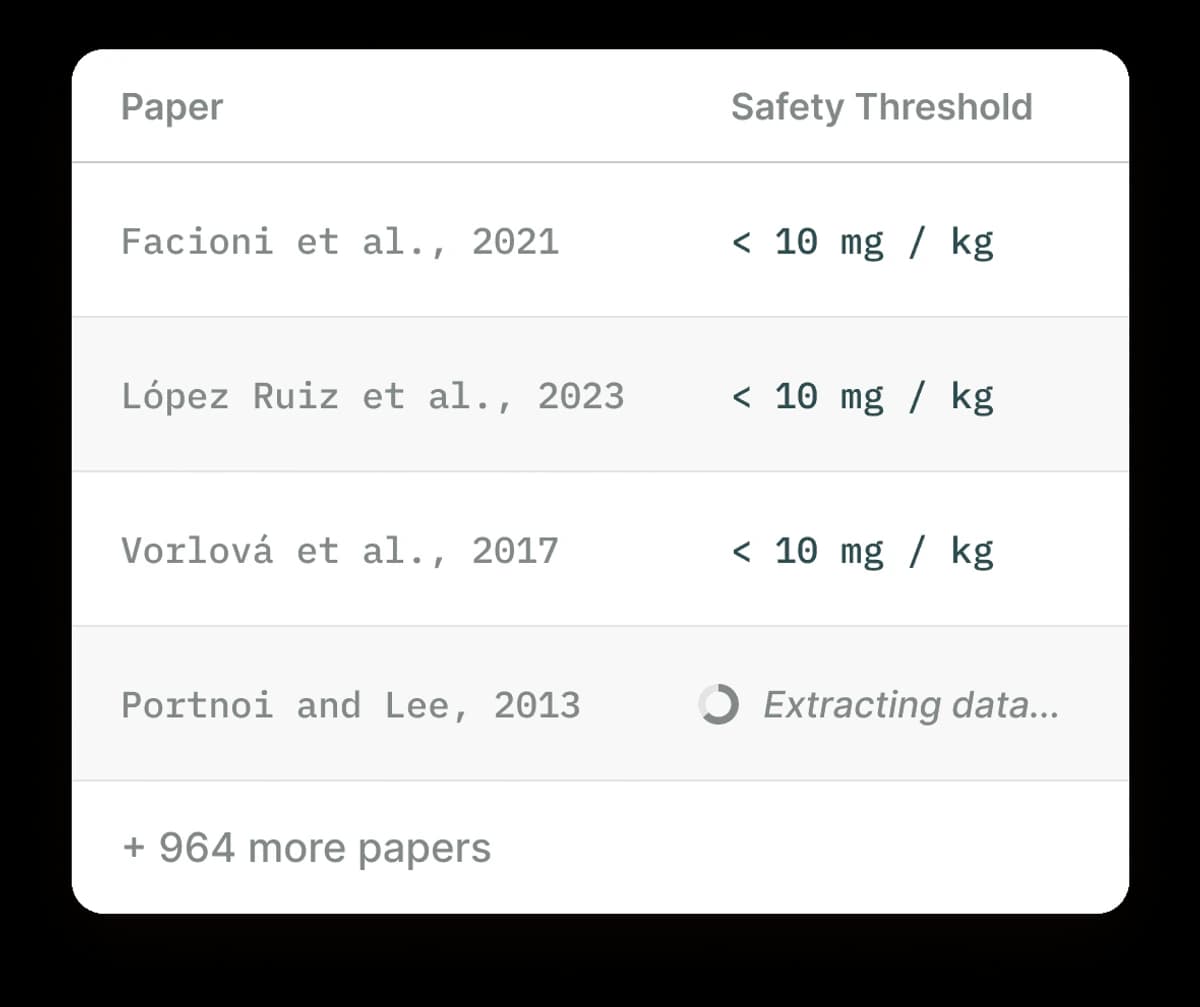
Use Elicit to find papers and copy the same facts from each one into a table. It helps when you need to compare methods, results, study groups, or rules for which papers to keep.
Paperguide or research workbenches
Use Paperguide when you want to search, read, write, and manage references in one place. This can be simpler than moving work between several tools.
Logically or private-library chat
Use Logically when you want to ask cited questions about files you already have. It fits teams that care more about a private set of files than a wide paper search.
ChatPDF
Use ChatPDF to read one paper, report, or manual. Choose another tool if you need to compare many studies.

When Atlas is the better fit
Atlas is a better fit when you have your sources and want to compare them with visible proof. It does not replace a public paper search or a broad writing tool.
An Atlas proof sequence looks like this:
- Collect the PDFs, web pages, notes, or search results that matter.
- Add them to an Atlas project as sources.
- Ask a clear comparison question, such as: "Where do these sources disagree about the method?"
- Read the cited answer.
- Open the citation badges and inspect the exact passages before reusing the finding.
This works well after you find papers. SciSpace, Elicit, or Consensus can help build a shortlist. Atlas can then compare those papers and link each answer to its source text.
Which SciSpace alternative should you choose?
Choose a paper search tool if you still need sources. Choose a review tool if you need a study table. Choose a PDF tool if one file is enough. Choose a writing tool if you mainly need help with your draft.
Use Atlas when you have picked the sources and need to check whether they support an answer. The key test is simple: can you move from each claim to the citation and read the source text?
Compare your own sources in Atlas
Add your selected sources, compare their claims, and inspect the cited passages.