


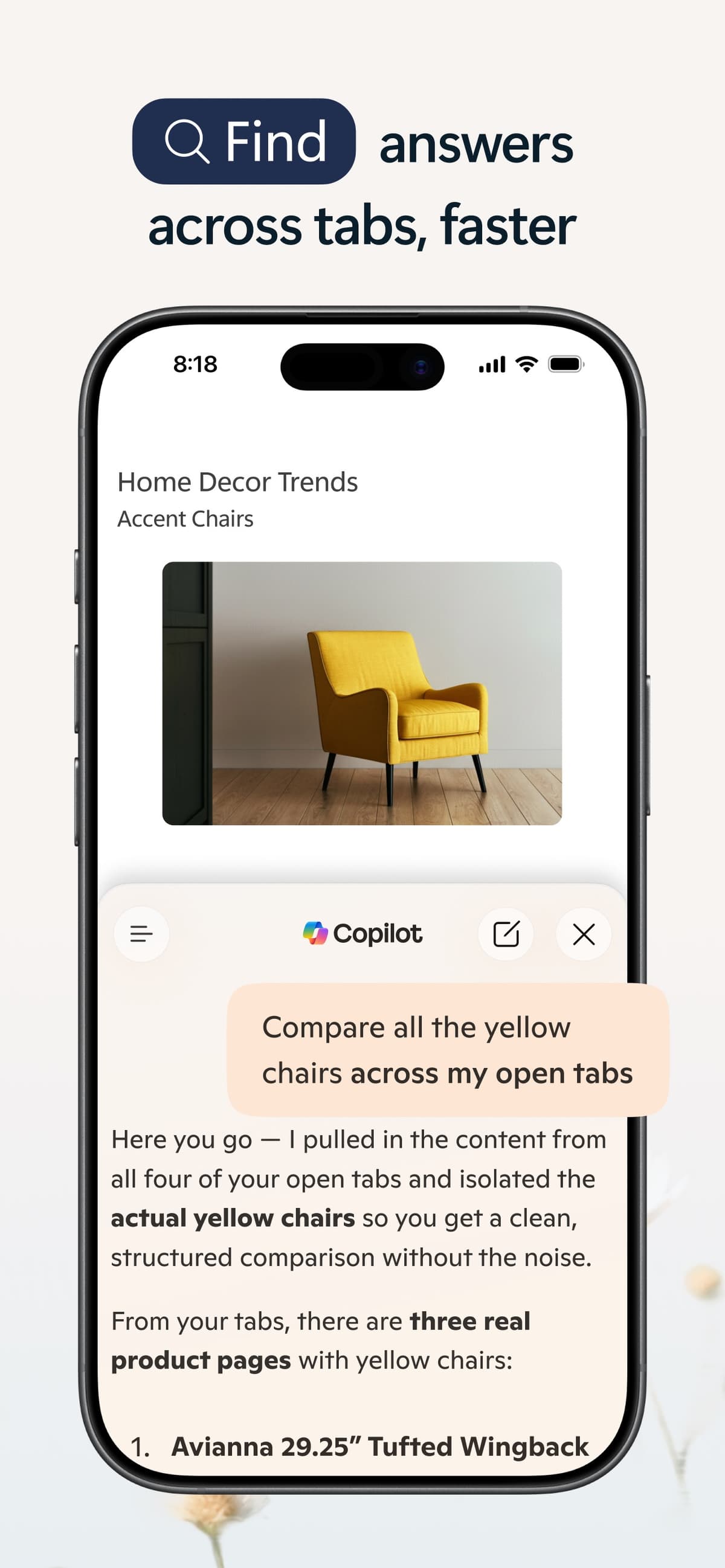
Choose Microsoft Copilot when the work already lives in Microsoft 365. It fits tasks that use Teams, Outlook, Word, Excel, PowerPoint, or SharePoint.
Choose Perplexity when you need to research the current web. It finds sources, shows links with its answers, and supports follow-up questions.
Use either tool for the first pass. Before you reuse a claim in a memo, report, or research note, open the source and check the passage that supports it.

Compare sources from either tool in Atlas
Add selected web and work sources, then inspect citations behind each claim.
What to compare first
Start with where the information for your task lives.
Microsoft 365 Copilot works inside Microsoft apps. It can use work files and information that a user has permission to access. Copilot Chat and agents can also search the web. When Bing search contributes to an answer, Copilot can show its web sources. Its exact access depends on your Microsoft plan, account, and company settings.
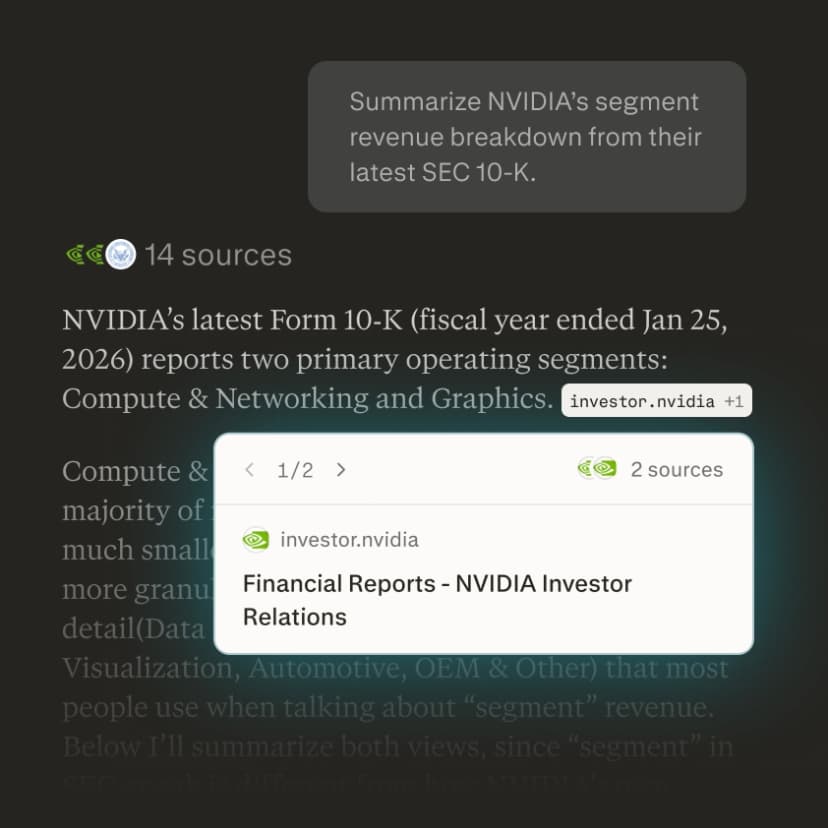
Perplexity is an AI search engine. It searches the web and gives answers with numbered source links. You can ask follow-up questions, upload files, and keep related research in Projects. Choose it when you want to find current sources and see which pages informed the answer.
The tools overlap. Copilot can search the web, and Perplexity can work with uploaded files. Plans, limits, and available models can change, so check each product's current plan before you buy it.
Copilot vs Perplexity workflow matrix
This table shows which tool fits each task and what you still need to check.
| Workflow need | Better first choice | Why | What to verify |
|---|---|---|---|
| Microsoft 365 work context | Copilot | It is built around Microsoft apps, work data, enterprise search, chat, agents, and admin-controlled work surfaces. | Confirm the required app, tenant, license, and data access are available for your organization. |
| Current web research | Perplexity | It is search-first and designed around answer generation from current web sources. | Open the cited sources and check whether they support the generated sentence. A topical match is not enough. |
| Citations and source inspection | Perplexity for discovery, then separate verification for reuse | Perplexity puts citation links in the research flow. A separate verification step matters once selected sources need cited comparison inside a project. | Check source relevance, passage context, and whether the answer overstates the evidence. |
| Files, reports, and PDFs | Depends on where the files live | Copilot fits Microsoft-native files and app workflows. Perplexity can use uploaded files as research context. A source workspace fits when files need to become a project evidence base. | Avoid treating a temporary attachment as durable evidence unless the tool preserves and cites it in the workflow you need. |
| Enterprise controls | Copilot for Microsoft tenants, Perplexity Enterprise for search teams | Microsoft documents enterprise data protection for Microsoft 365 Copilot and Copilot Chat. Perplexity Enterprise positions itself around enterprise research controls and retrieval. | Review current official security, privacy, retention, connector, and admin documentation before procurement. |
| Model and tool flexibility | Perplexity | Perplexity exposes model and research-mode choices as part of the search workflow. | Check current availability before basing a team workflow on one model, mode, or connector. |
| Deliverable-ready evidence | Verification after either tool | Use a source-checking workflow when selected sources need grounded questions, synthesis across sources, and citation paths back to passages. | Open citation badges or source links and read the surrounding passage before reusing the claim in a report, memo, or literature review. |
Start with Copilot for work in Microsoft 365. Start with Perplexity for web research. In both cases, check important claims against the original source before you reuse them.
Microsoft 365 work and enterprise controls
Copilot is the better default when the task depends on Microsoft context.
A request to summarize a Teams thread needs access to Microsoft apps and files. Copilot is built for that work. It can use the information the user already has permission to see.
Copilot does not use company data in every answer. What it can see depends on the app, company setup, user permissions, and selected mode. If it searches the web, inspect the web sources shown with the answer.
Copilot also fits companies that already manage access and security through Microsoft 365. Microsoft documents enterprise data protection for prompts and answers in Microsoft 365 Copilot and Copilot Chat. Review those protections with your security and legal teams before adoption.
Microsoft Researcher can research the web, work documents, or both. It can then produce a report with sources. This makes Copilot more useful when the files you need are already in Microsoft 365.
Before choosing Copilot for a team, confirm its current app access, file support, source links, Researcher access, and admin controls.
Web research, citations, and files
Perplexity is usually the easier place to start when the answer is on the web. It searches current pages, answers follow-up questions, and links to its sources.
Those links make fact-checking easier, but they do not prove the answer. A linked page may support only part of a claim.
For important work, open the page. Check the exact claim and read the text around it for limits or exceptions.
Perplexity can also use uploaded files in a chat. Projects keep instructions, files, and selected sources together. They can also support sharing and contributors. This is useful when research takes more than one search.
Perplexity's best fit is finding sources quickly. It can help answer questions like:
- What has been published recently on this topic?
- Which sources explain the same claim from different angles?
- What do the cited sources say, and which ones deserve closer reading?
- Is this worth taking into a deeper review?
Perplexity can shorten the time needed to find sources. Before you use its answer in finished work, check each important claim against the linked page.
Source verification after Copilot or Perplexity
You should use source verification whenever an AI answer will support a memo, review, or decision. Once you have the relevant sources, check what each one says and keep a clear link from every important claim to its evidence.
For example, Copilot might draft a brief from company files. Perplexity might find 3 recent reports that challenge part of that brief. You then need to compare those reports before you decide which claim to keep.
Use this process to check the evidence:
- Import the PDFs, web pages, reports, or notes that matter.
- Ask a precise question. For example: "What evidence does each source give for productivity gains from remote work? Include limits and citations."
- Make sure the answer shows which source supports each finding.
- Open the citation badges attached to important claims.
- Read the cited passage and surrounding paragraph before saving the finding.
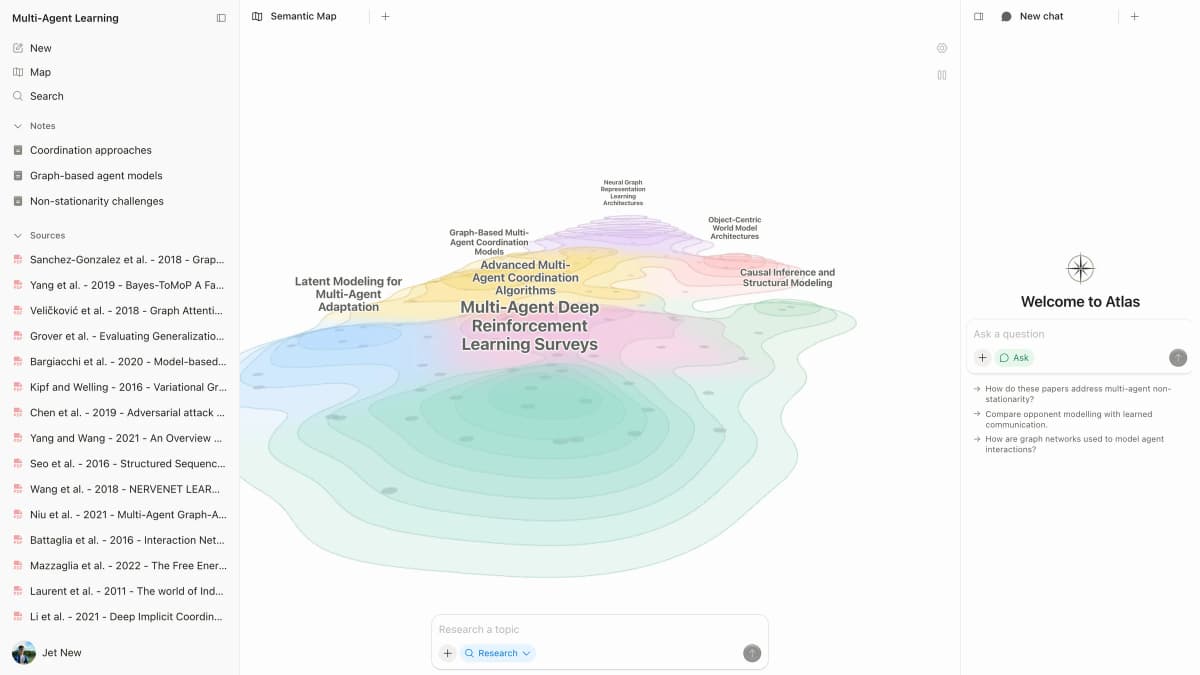
Atlas can help after you add the relevant material to a project. You can add PDFs, websites, YouTube transcripts, paper search results, notes, and other files. Ask questions across those sources, compare their findings, and open the citation badge beside an important claim to read its supporting passage.
This step gives you a cited comparison that a person can check before it enters a memo, review, strategy document, or client report.
Each citation badge opens the passage that supports the claim.
Which should you choose?
Choose Copilot for Microsoft 365 work
Use Copilot when the task needs Teams conversations, Outlook email, Word drafts, Excel data, PowerPoint slides, or SharePoint files. It also fits companies that manage work and access through Microsoft 365.
Choose Perplexity for current web research
Use Perplexity when you need current information from the web. It is a good first choice for finding sources, following citation links, and asking more questions about a topic.
Use both across files and the web
Use both when the work spans company files and the public web:
- Keep Copilot for Microsoft-native work and internal drafts.
- Use Perplexity for current source discovery and citation-forward web research.
- Move important sources into Atlas when claims need cited comparison and passage checks.
The right choice depends on where your information lives and how you need to check it.
For more options, read Copilot vs ChatGPT, Copilot vs Gemini, Perplexity vs ChatGPT, or Atlas vs Perplexity. You can also compare ChatGPT alternatives and Gemini alternatives.
Compare sources from either tool in Atlas
Add selected web and work sources, then inspect citations behind each claim.