


The best Tana alternative depends on the constraint you need to solve. Choose Capacities for object notes with less schema work. Choose Obsidian for local Markdown and writing control. Choose Reflect for quick daily capture. Choose Routine for task and calendar flows. Choose Roam for outliner-first linked notes. Choose Atlas when a claim needs cited source support. Atlas belongs in the shortlist only when source-backed research is the part Tana does not cover.
Each pick solves a different problem. Tana alternatives stop looking interchangeable once you test the artifact you care about most.
Keep Tana if supertags, nodes, saved views, phone capture, and AI inside an outliner are still the reason your system works. Switch only when one artifact fails. Test the capture, object model, local file need, task view, or source trail.
Use Tana if supertags, nodes, saved views, and an outliner graph are the job. Look elsewhere for phone capture, lower setup work, local Markdown files, or cited research across PDFs, articles, and notes. If the shortlist is narrower, compare Tana vs Obsidian for local Markdown and Tana vs Notion for workspace databases.

Compare sources in Atlas
Add PDFs, articles, and notes to compare evidence with citations.
How to Choose a Tana Alternative
Start with the part of Tana you are trying to replace. One tool may fit capture and fail at source checks. Another may fit local writing and fail at outliner structure.
| If you need | Start with | Why |
|---|---|---|
| Cited synthesis across sources | Atlas | It is strongest when the job is importing sources, asking grounded questions, checking citations, and synthesizing evidence. |
| Object-based PKM with less schema work | Capacities | It organizes notes as connected objects rather than files and folders, which is closer to Tana's entity-first model than a folder app. |
| Local linked notes and writing control | Obsidian | It gives you Markdown files, links, graph views, plugins, and a durable vault you control. |
| Outliner-first networked thinking | Roam Research | It keeps the bulleted, graph-database style of connected notes close to Tana's outliner feel. |
| Faster daily notes and capture | Reflect | It centers backlinks, fast capture, calendar context, sync, and a lighter daily-note flow. |
| A simpler direct Tana switch | Supernotes | It explicitly positions itself as a Tana alternative for users who want lighter note-taking. |
| Workflows connected to external services | Routine | It frames the alternative around connected services and automatic workflow structure. |
Table 1: That split matters because Tana itself is a strong notes app. Tana Outliner covers supertags, nodes, saved views, AI, phone capture, voice capture, and outliner structure. Switch when your hardest job belongs to another tool category. For a broader shortlist beyond Tana-style tools, use the connected notes apps comparison.
The official Tana Outliner homepage shows why a replacement decision should start with structure instead of a generic notes-app checklist. A meeting node can carry tags, employee context, follow-ups, and AI transcript material in one outliner workspace.
Compare alternatives against that kind of structured workspace. Then test whether your own task, meeting, or source artifact survives the move. Use current Tana Outliner positioning as the baseline before relying on old forum memories.
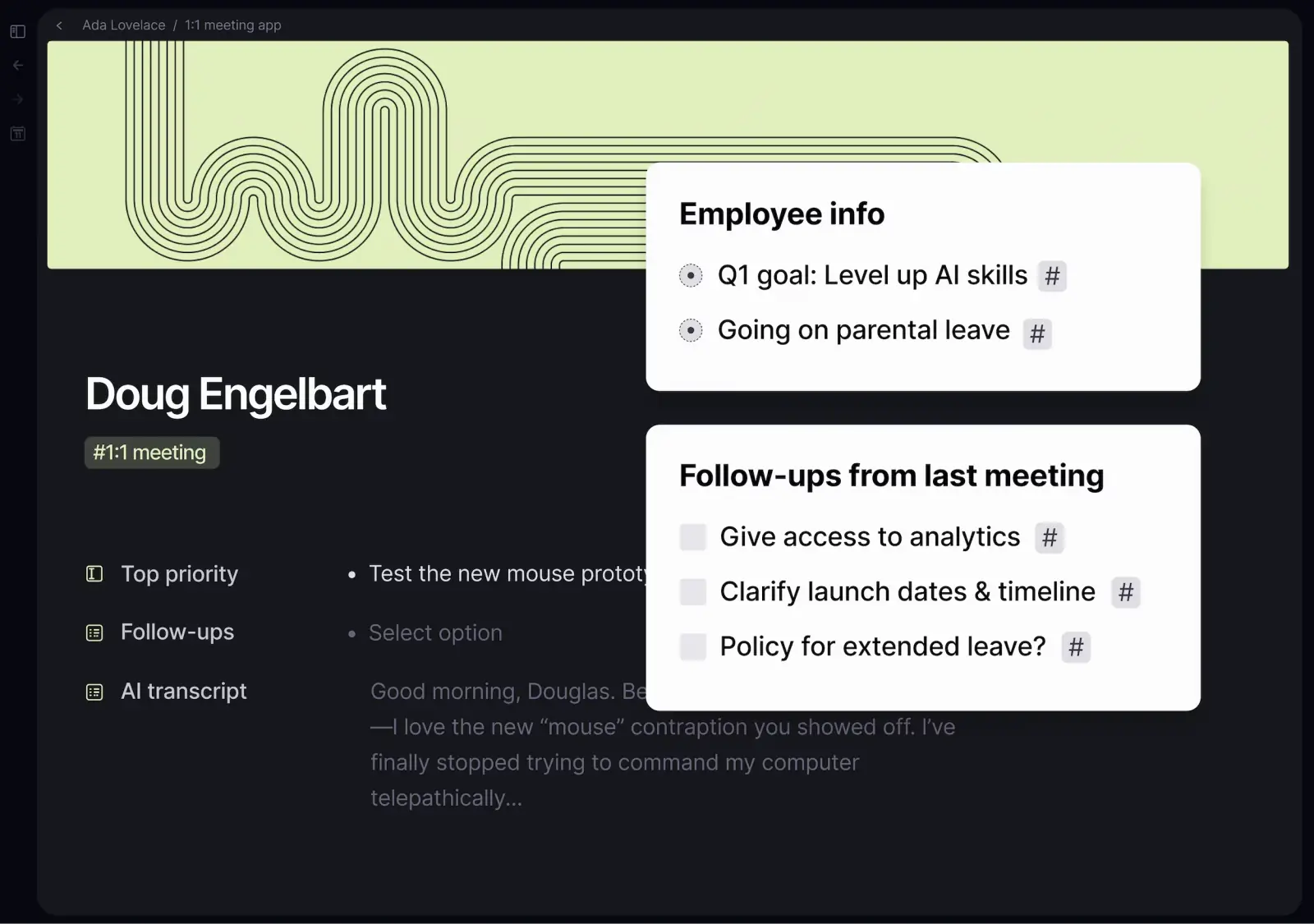 This screenshot from the official Tana Outliner homepage is the baseline for testing whether an alternative preserves Tana-style structured meeting notes.
Tana Alternatives Compared by Workflow Fit
Use this table to build a shortlist. The right choice depends on whether you need structure, capture, source checks, or long-term ownership.
| Tool | Best fit | Structure model | Capture and mobile fit | AI or citation posture | Migration caution |
|---|---|---|---|---|---|
| Atlas | Cited source comparison | Projects with sources, notes, citations, and synthesis | Starts from sources rather than an outliner | Answers cite passages. Synthesis can compare sources in a project | Use with a notes app when evidence checks matter |
| Tana Outliner | Supertags, meetings, nodes, saved views | Outliner with nodes, fields, supertags, and views | Docs show tabs, quick capture, voice, camera, media, files, search, and supertags | AI includes chat, meeting notes, voice memos, image generation, and paid-plan credits | Keep it if supertags make the system work |
| Capacities | Object notes with less filing | Objects, backlinks, daily notes, and object types | Good when captures can become objects later | AI exists, but object notes are the main fit | Test whether supertags map to object types |
| Obsidian | Local notes, Markdown, plugins, graph view | Markdown files in a vault | Strong for desktop writing and ownership | AI usually depends on plugins or setup | Build conventions if you need Tana-style objects |
| Reflect | Daily notes, backlinks, quick capture | Backlinked daily notes | Strong for iOS capture, calendar context, and search | AI-assisted notes are part of its pitch | Poor fit for deep schema work |
| Supernotes | A lighter switch from Tana | Card-based or lighter notes | Good when setup overhead is the pain | Verify AI and source claims in current docs | Good for simpler notes. Test complex Tana spaces first |
| Routine | Tasks, calendar, and connected services | Custom types, views, canvases, services | Strong when work spans apps | Its Tana page stresses automation and services | Test before using it for research sources |
| Roam Research | Outliner-first linked notes | Bullets, backlinks, pages, graph links | Familiar to outliner users | Not mainly a cited research tool | Refresh pricing, export, and phone fit first |
Table 2: The common mistake is choosing a tool because its feature list looks close to Tana. Test the artifact that carries your system. Use a supertagged project, a meeting note, a phone capture, a task view, or a source-backed finding. If that artifact breaks, the demo does not matter.
For broader note-app context before you narrow the Tana shortlist, compare second brain apps, note-taking apps, and simpler Obsidian alternatives.
Best Alternatives for Structured PKM
Capacities for object-based notes
Capacities is the first place I would look if you like Tana because notes represent things. That can mean people, books, meetings, projects, ideas, and sources.
Capacities uses objects, backlinks, and daily notes instead of folders. That makes it a credible Tana alternative when you want object structure before deep schema work.
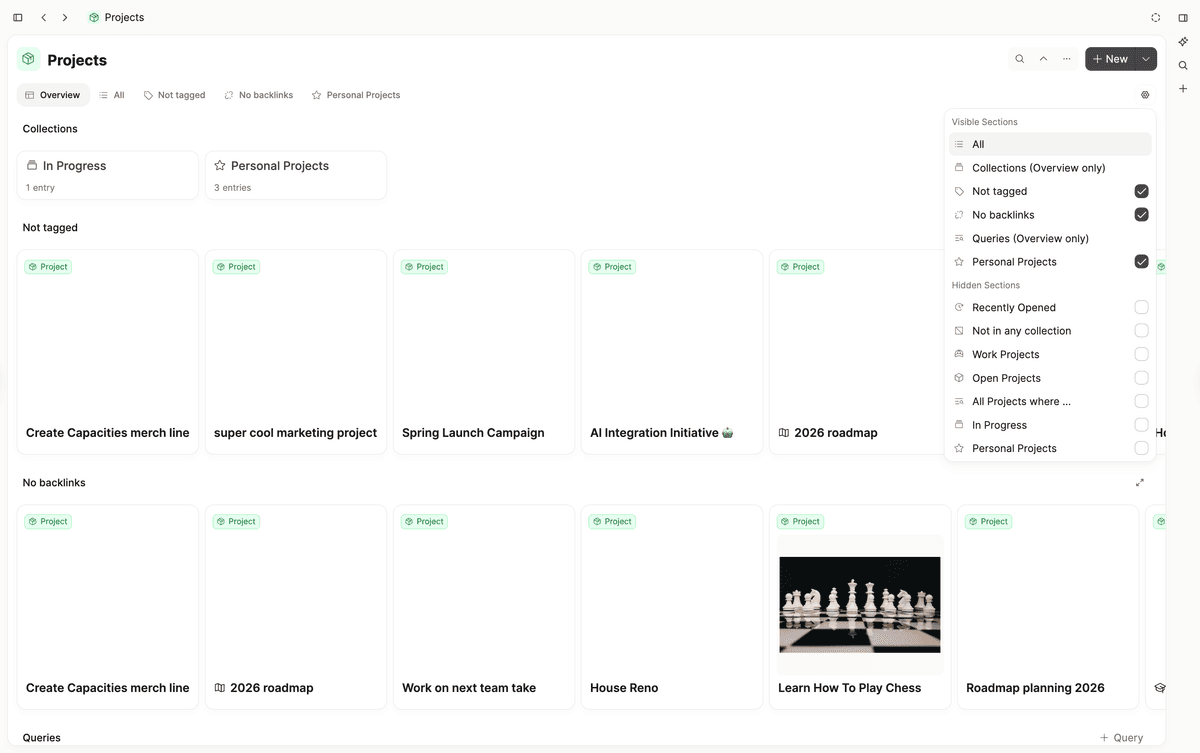
The dashboard groups work by object type and project (Capacities content types).
The tradeoff is control. Tana's supertags can become a custom operating system for your notes. Capacities is more opinionated about objects. That helps if your Tana space is hard to maintain. It can pinch if you rely on specific fields, views, and queries.
Obsidian for local Markdown control
Obsidian is the better alternative when ownership and writing matter more than objects. It is built around local Markdown files, links, graph views, and plugins.
Obsidian's graph view shows links across the vault. Local graph view narrows that map around the active note. In Obsidian, the file is the durable unit. In Tana, the node and supertag do more of that work. If that tradeoff sounds right but Obsidian feels heavy, compare Obsidian competitors and Obsidian for research.
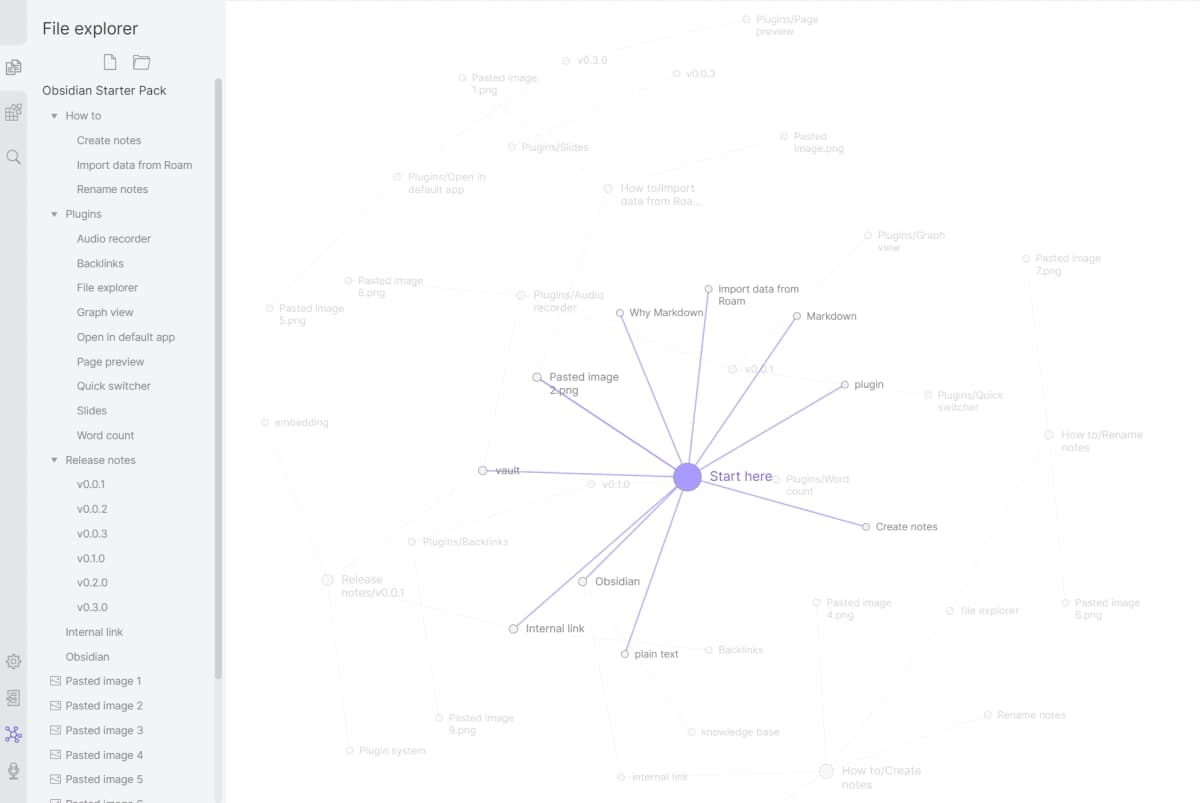
Graph View makes links in the vault visible (Obsidian Graph View).
Roam and Supernotes for lighter outliner-adjacent work
Roam Research is still relevant for users who want linked thought in an outliner. Its own positioning compares it to a bulleted list and a graph database. It will feel closer to Tana's outline rhythm than a document app. Check current pricing, phone support, and export before you move serious notes. If Roam is mostly a stand-in for open-source outlining, compare Logseq alternatives too.
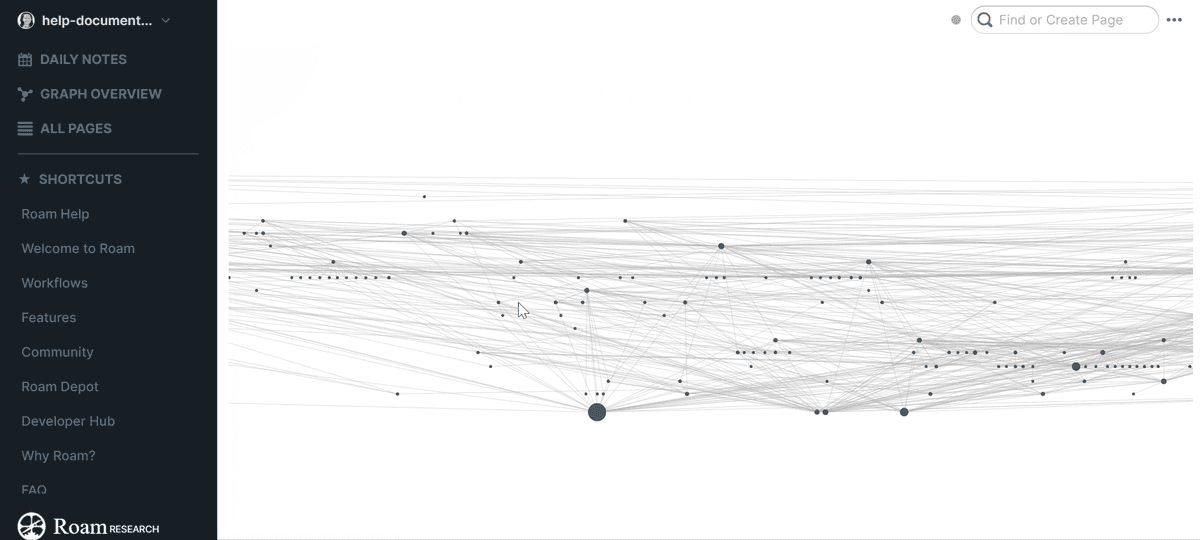
Roam’s Graph Overview shows connected pages at a glance (Roam Help Graph Overview).
Supernotes belongs in the structured-PKM shortlist if you want lighter notes. Its Tana page speaks directly to switchers. Keep the claim narrow. It can be a simpler notes option. Test supertags, saved views, AI flows, and source synthesis before you move a complex Tana space.
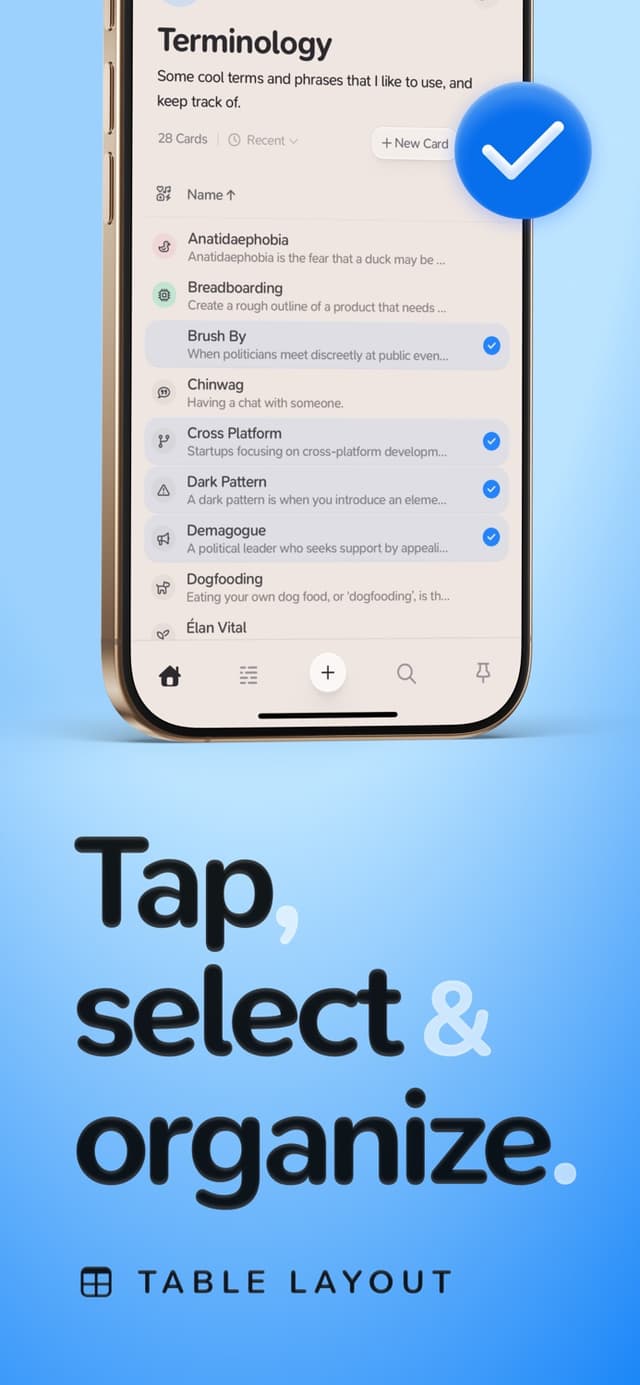
The official App Store screenshot shows Supernotes’ Table Layout. The promotional text and example cards are illustrative, not evidence of Tana feature parity (Supernotes on the App Store).
| Source workflow | Atlas proof step | Tana-style note tool |
|---|---|---|
| Save a cited research claim | Open the cited source passage before saving the claim | Store the note, tag, or backlink |
| Compare several papers or pages | Ask a grounded comparison question and inspect source-separated evidence | Summarize the takeaway in a note |
| Turn evidence into a reusable note | Keep the source link and caveat attached to the conclusion | Move the conclusion into the PKM system |
Table 3: How Tana-style note tools and Atlas split source-backed research work before a claim becomes a saved note
Mobile Capture and Daily Notes
Recheck Tana's current mobile state first
Older Tana switcher threads often mention phone friction. They are useful for understanding reader pain, but current feature claims should come from Tana's docs.
Tana Mobile now documents tabs for browse, supertags, capture, search, and account settings. Capture can include writing, voice, camera, media, and files. Tana AI also documents AI chat, meeting notes, voice memos, and credits, so treat AI as a comparison dimension rather than an absence.
That does not make Tana the best phone capture tool for every user. Test whether the phone flow preserves your real workspace. Can you capture a meeting note, add fields, find the node later, and keep working from desktop without cleanup?
Reflect for daily notes and quick capture
Reflect is the strongest Tana alternative here when daily notes and capture should stay light. Reflect's public page centers backlinks, quick thought capture, sync, calendar links, reading links, web clips, and AI-assisted notes.
Choose it when notes start as daily entries, highlights, meetings, and short reflections.
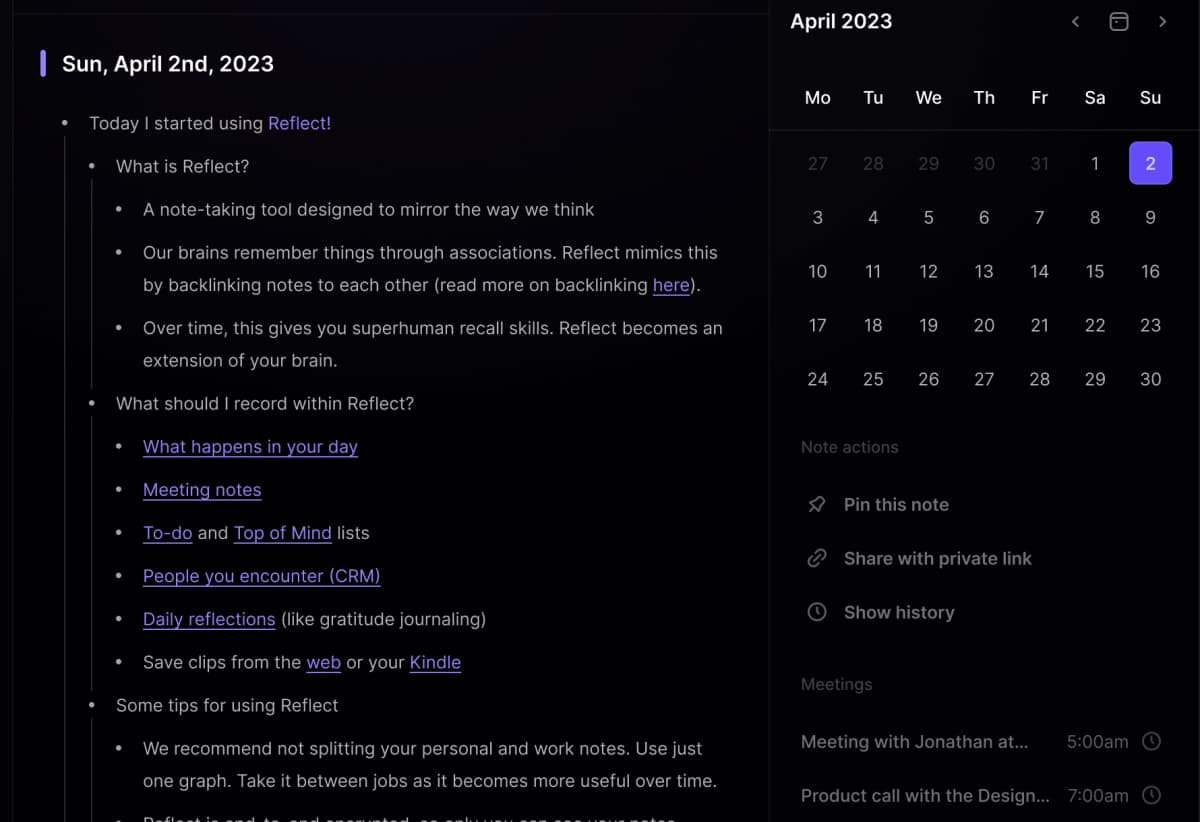
A crop of Reflect’s public product example focuses on one daily note with nested links and the adjacent calendar. The date and note content are provider demo material, not a real user record. Source: Reflect.
Routine for connected tasks and services
Routine's Tana comparison fits a different capture problem. Its Tana page argues for connected services, custom types, views, canvases, and auto-filled flows. That helps if the pain is keeping calendars, tasks, notes, and tools in sync. It matters less when the pain is source checks or academic evidence.
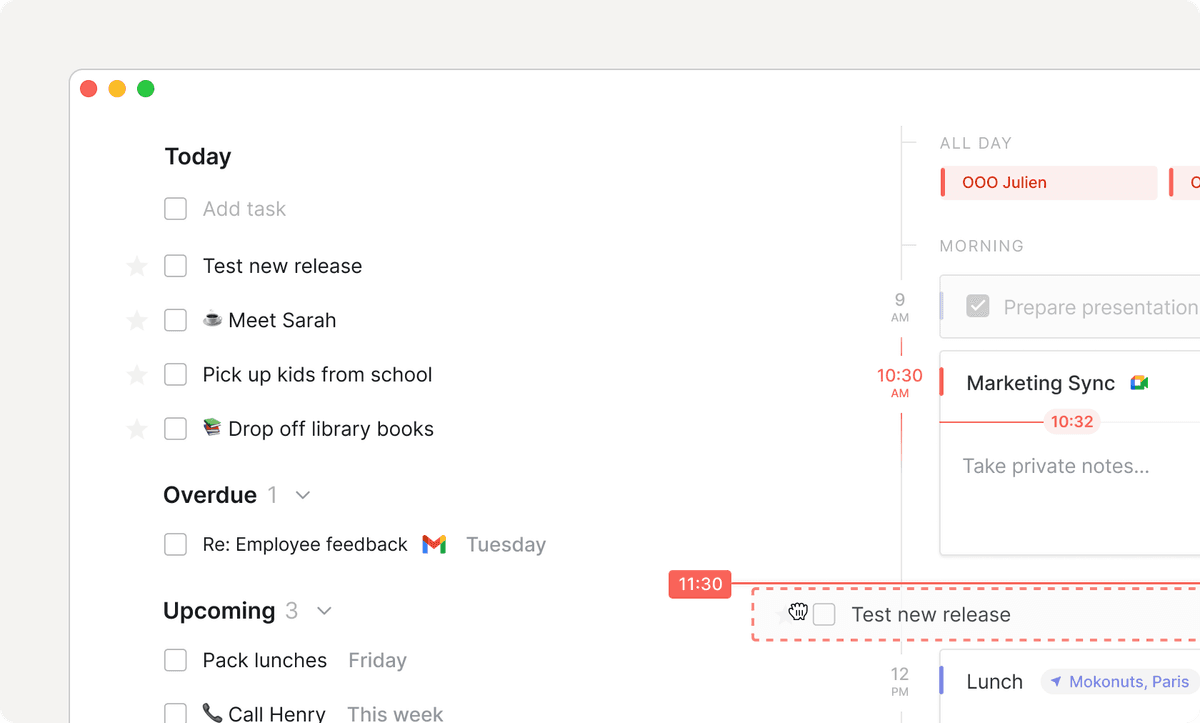
Routine’s product page shows tasks beside a calendar and meeting card. The displayed task and event details are demo content, not evidence of a real account or sync reliability (Routine).
Source Checks in Atlas
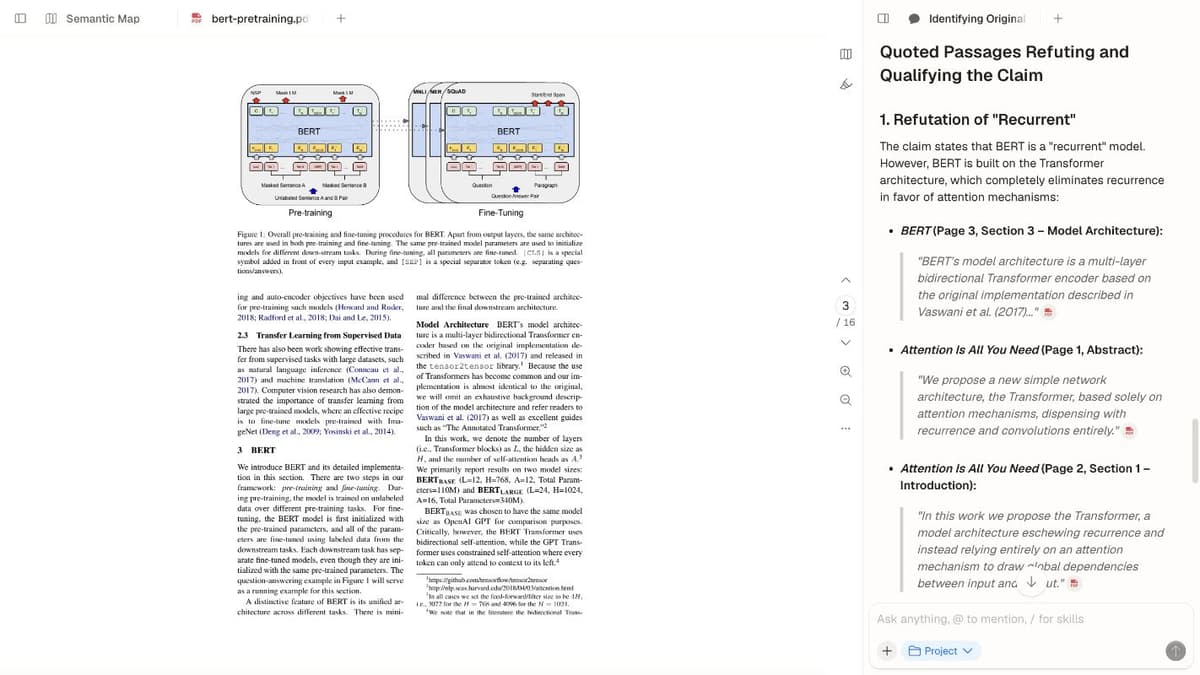
Separate notes from evidence
A Tana replacement search can hide two different jobs. One job is keeping structured notes, tasks, and reusable objects. The other is checking evidence from PDFs, web pages, papers, and notes.
Atlas fits the evidence-checking job because it is built around source-backed questions. Tana remains the better fit when you want a structured note system with supertags, views, and outliner workflows.
Test any Tana alternative the same way here. Check whether the tool can keep the source trail open after you ask a question.
The core question is, "Which source backs this claim?"
Test a small cited workflow
Here is the source test I would run before choosing a research tool:
- Add two PDFs, one web page, and one Markdown note to an Atlas project.
- Ask a narrow question that names the source, claim, method, or decision.
- Open the source links attached to key claims.
- Ask for a table when sources agree, disagree, or use different methods.
- Save only the finding whose source links you checked.
The source-link test is the boundary for this category. Tana can hold meetings, people, tasks, and reusable ideas. A research workspace should hold the sources, cited questions, checks, and findings before a conclusion moves back into your notes. For adjacent research workflows, compare NotebookLM alternatives, AI research assistant tools, and citation checker AI.
Before the finding moves into Tana, Capacities, Obsidian, or another notes app, open the cited passage and check whether the source supports the claim.
Keep Atlas as research layer
For a student, that might mean comparing 3 papers before writing a review paragraph. For an operator, it might mean checking which customer interview supports a product claim.
For a founder, it might mean reading sources before turning a market note into a memo. Atlas fits that proof-checking job because its answers can cite project sources and its synthesis flow can compare source-separated findings.
| Source-work proof | What to check |
|---|---|
| Add two PDFs, one web page, and one Markdown note | Confirms the source set can enter one project |
| Ask a narrow comparison question | Tests whether the answer names source-backed claims |
| Open the source links and ask for a table | Shows which source supports, limits, or conflicts with each claim |
Table 4: Use this proof table when the alternative search is about checking source-backed claims before they move into a notes system.
Migration Checklist Before Leaving Tana
Do not migrate the whole workspace first. Export or recreate a small sample that includes the parts most likely to break.
Test five artifacts:
- Nodes: Pick a dense part of your workspace with nested bullets, backlinks, references, and reused ideas.
- Tags or fields: Move one tagged object into the new tool. Check whether fields, views, and links still make sense.
- Tasks: Test dates, statuses, recurring tasks, assignments, or dashboards if Tana currently manages your work.
- Mobile captures: Capture the same idea from your phone in both tools and compare cleanup time the next day.
- Source proof: Move one source-backed note. Check whether you can still open the passage, source link, or document.
The fifth test is where many note apps split. A note that says "Paper A supports this claim" is not the same as an answer that opens the passage. If your project depends on source traceability, keep that proof step separate from the PKM move.
For migration planning beyond this shortlist, use how to organize research notes, literature review process, compare PDF files, and chat with PDF as separate workflow checks instead of forcing one Tana alternative to cover every job.
Which Tana Alternative Should You Choose?
Use this final map after you test the artifact that matters most. The right choice is the tool that preserves that artifact with the least cleanup.
- Choose Capacities if you want object-based PKM with less schema design than Tana.
- Choose Obsidian if local files, Markdown writing, plugins, and vault ownership matter more than Tana's node model.
- Choose Reflect if the real problem is capture, daily notes, backlinks, calendar context, reading highlights, and quick recall.
- Choose Routine if your notes are tangled with calendars, tasks, and external services.
- Choose Roam if you want networked thought in an outliner and accept its current tradeoffs.
- Choose Supernotes if you want a simpler switch and do not need to reproduce the whole Tana system.
- Keep Tana if supertags, saved views, nodes, AI flows, and outliner thinking still make your system work.
Use Atlas alongside whichever note system you choose when the next step is cited research. Add the sources, ask a narrow question, open source links, and compare the proof before the conclusion becomes a saved note.
Compare sources in Atlas
Add PDFs, articles, and notes to compare evidence with citations.