


Miro is better than Notion when the team needs a shared board. Use it for workshops, maps, diagrams, retros, product discovery, and live planning. Notion is better when the team needs a lasting record. Use it for docs, project tables, task views, wikis, meeting notes, and the plan people revisit next week.
The overlap is real, but it can mislead. Miro now includes docs, tables, slides, kanban, diagrams, templates, and AI features on the board. Miro's pricing page still makes the board model clear. Free has three editable boards. Paid team plans add private boards without that limit. Notion has pages, databases, projects, forms, charts, app links, and AI features. Its Projects page focuses on data fields, filtered views, automations, permissions, and project records.
Ask where the plan should live after the meeting ends. That question is more useful than a feature count.

Compare your own sources in Atlas
Check source documents and citations before moving findings to Miro or Notion.
Quick verdict
Choose Miro if the session starts with people moving ideas around. It is the better default for workshops, mind maps, customer journeys, retros, flowcharts, system maps, and PI planning. The board helps when position and groups carry meaning.
Choose Notion if the plan needs to become a team home. It is the better default for docs, wikis, briefs, notes, owners, status fields, views, and the final record.
Use both when the team needs open planning and a final record. A product team might map risks in Miro. Then it can embed the board in Notion and turn the agreed choices into a project tracker.
Add Atlas only when the choice depends on outside proof. If the plan relies on reports, notes, PDFs, papers, web pages, or technical docs, use Atlas first. Compare the sources, check citations, and then move checked findings into Miro or Notion.
Criteria and methodology
Miro and Notion are often compared as project tools. That label hides the useful split.
Canvas signal
Miro starts from a shared board. Its own Miro vs Notion comparison page frames Miro around visual thinking, diagrams, PI planning, team editing, and Notion links. Its pricing page also shows why teams pick it for workshops. The key pieces are templates, board sharing, board formats, meeting tools on paid plans, exports, app links, and admin controls.
Record signal
Notion uses records as its base. Its project page describes databases, timelines, charts, fields, automations, filters, permissions, tasks, dependencies, and project docs. Its pricing page shows the plan limits. Free includes databases and trial AI features. Plus expands team work and file uploads. Business adds Notion Agent, meeting notes, work app search, SSO, and database permissions. Enterprise adds admin and security controls.
That split explains why teams often feel torn. A Miro board is a better place to see links before the plan is stable. A Notion database is a better place to keep owners, status, dates, and choices after the session.
For this comparison, official product and pricing pages set the factual boundaries. Review sources such as Capterra's Miro vs Notion comparison and Software Advice's comparison are useful for evaluation criteria and user-language patterns. Current pricing and plan limits still need official pages.
Source notes used in the routing matrix:
- Miro product boundaries come from its product, whiteboard, diagramming, integrations, AI, and pricing pages.
- Notion product boundaries come from its docs page, wikis page, projects page, AI page, Miro connection page, and pricing page.
Miro vs Notion compared by workflow
Use this matrix before you compare feature lists. Start with the artifact the team needs at the end.
| Workflow | Better default | Why |
|---|---|---|
| Brainstorming and workshops | Miro | The shared board, templates, sticky notes, voting, timers, and board sharing fit messy group planning better than a page-first tool. |
| Diagramming and mapping | Miro | Miro's official comparison page and pricing page stress diagrams, flows, journeys, technical shapes, and canvas formats. Notion can hold diagrams, but it is not mainly a diagram tool. |
| Docs, wiki, and team record | Notion | Notion is built around pages, docs, wikis, teamspaces, and reusable workspace structure. This is where notes, specs, choices, and standing references usually belong. |
| Project database and task views | Notion | Notion Projects centers databases, timelines, charts, statuses, dependencies, filters, forms, and permissions. Miro can plan visually, but Notion is stronger for the lasting project record. |
| Templates and reusable planning formats | Depends | Miro templates help teams run visual sessions and planning boards. Notion templates help teams repeat docs, databases, meeting notes, and operating systems. Pick based on the artifact the team will reuse. |
| Integration handoff | Both | Miro's Notion embed page and Notion's Miro connection page support embedding Miro boards in Notion. Treat that as a handoff: Miro says viewers can move and zoom, but editing happens by opening the board in Miro. |
| Pricing and plan boundaries | Depends | Miro's Free plan is constrained by editable boards, while paid plans expand private and unlimited board work. Notion's paid tiers expand collaboration, uploads, AI, database permissions, search, SSO, and admin controls. Check the official pricing pages before choosing on cost alone. |
| Source-backed research and memos | Atlas plus your chosen workspace | Miro can arrange the choice visually and Notion can store the final memo. Atlas fits when claims need source intake, grounded questions, citation checks, and synthesis across sources before they move into either tool. |
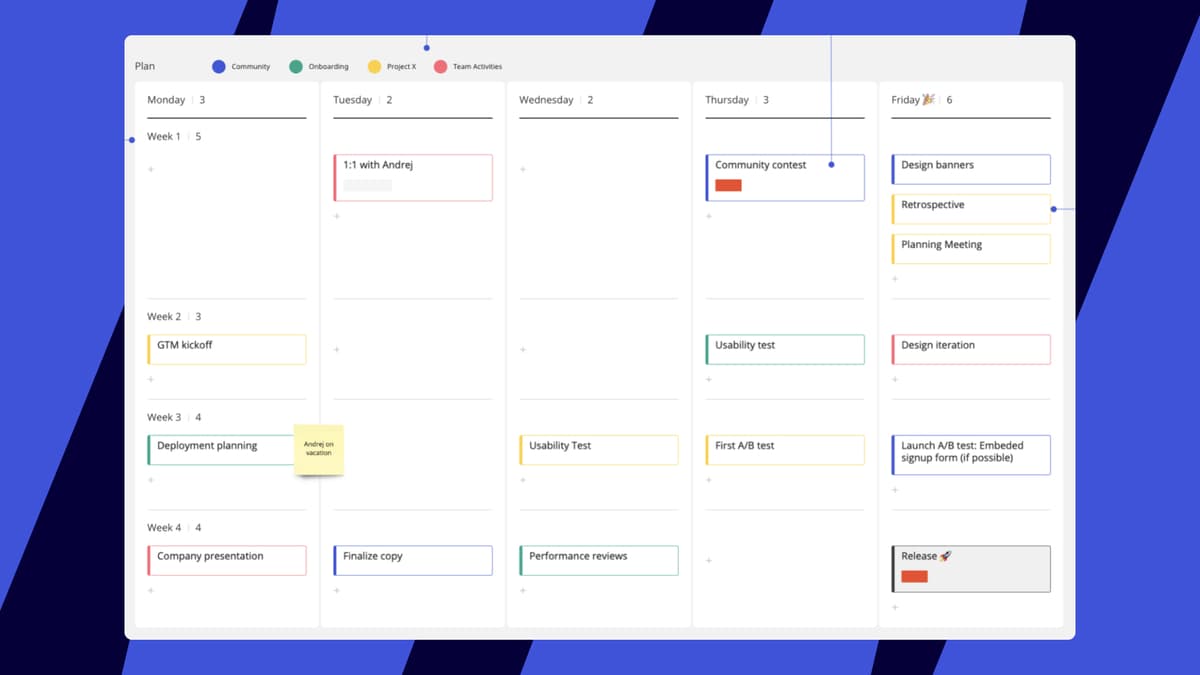
Table 1: The table also shows where the tools should not be forced. Miro's newer docs, tables, and project formats do not turn every long-running workspace into a canvas problem.
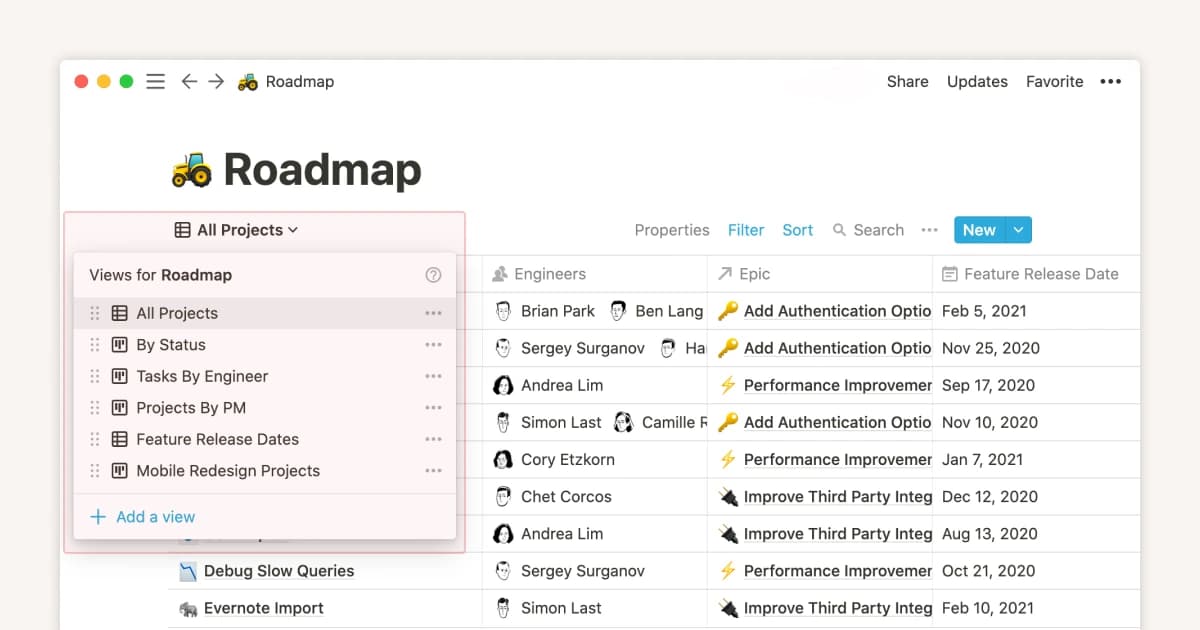
Notion's embeds and visual views do not turn every workshop into a document problem.
When to use Miro and Notion together
The strongest combined pattern is a handoff.
Start on the board
Start in Miro when the team is still exploring. Put the open questions, screenshots, journey stages, architecture blocks, risks, and sticky-note groups on the board. Use the canvas when people need to move ideas around, point at links, vote, and see the system at once.
Commit in the workspace
Then move the agreed output into Notion. Create a decision page, project database, roadmap item, task view, or wiki entry. Capture the board link or embed the board for context. Write the commitment in Notion with the owner, status, due date, decision, rationale, open questions, and next review point.
Here is a common flow. A team maps user pain on a Miro board. People add notes, group themes, and vote on the next bet. After the call, one person opens Notion and writes the plan. The Notion page names the goal, the owner, the date, and the next step. The Miro board stays linked for context.
This pattern works well for:
- product discovery that becomes a roadmap or PRD
- design workshops that become a decision log
- customer-journey mapping that becomes an experiment backlog
- architecture mapping that becomes an implementation brief
- quarterly planning that becomes team goals and project trackers.
It fails when the team treats the embed as the source of truth. If the choice lives only inside a board, late readers must scan a large visual file to answer basic questions. If the team skips the board and writes the database first, it may lock the plan before the hard links are visible.
Source workflow for Miro and Notion decisions
Miro and Notion can hold research files. They should not be the main proof check by default. That matters when a choice depends on source material rather than team taste.
If the next question is which AI tools keep answers tied to sources, compare the broader AI tools that cite sources shortlist before you move research claims into a planning board or workspace.
For Miro vs Notion, the practical question is where the checked evidence should land. Use Miro when the evidence needs to become a visual planning board. Use Notion when the evidence needs to become a durable memo, project record, or wiki page. Add a source-checking step before either handoff when the team needs to compare:
- customer interview transcripts
- research reports and market PDFs
- policy or rule docs
- academic papers
- technical docs
- web sources collected during discovery
- long notes that need source separation before they become a memo.
If the source-backed research row is the deciding factor, do that proof step before the plan becomes a board or workspace record. Atlas can support this narrow pre-handoff check after the relevant sources are imported, but the comparison remains the same: Miro is the visual planning surface, and Notion is the durable team record.
Evidence handoff
Use a source-checking pass before the Miro or Notion handoff:
- Add source documents such as PDFs, websites, academic papers, notes, or temporary attachments.
- Ask a focused comparison question, such as "Which sources support entering this segment, and what caveats do they raise?"
- Ask for a table with claims, proof, limits, and citations.
- Open the citation badges for important claims and read the source passages and surrounding context.
- Move the checked synthesis into Miro for planning or Notion for the durable record.
Before a claim becomes a board decision or workspace record, open the citation marker and compare the answer with the original passage.
The proof step should stay separate from the planning step. Miro can still hold the canvas, and Notion can still hold the operating record, but the cited answer gives the team a narrower checkpoint for claims that came from PDFs, reports, papers, websites, or notes.
Here is the proof surface to use before the planning tool decision becomes a team record:
| Source set | Question to ask | What to inspect | Where the checked output goes |
|---|---|---|---|
| Customer interview notes | Which pains appear across several interviews, and which are isolated? | Citation badges for each pain point, plus any quote that sounds stronger than the transcript supports. | Miro for affinity mapping, then Notion for the decision log. |
| Market reports and PDFs | Which segment claim has the strongest evidence, and what caveats repeat? | The cited passage, the report date, and whether another source disagrees. | Notion for the memo and roadmap rationale. |
| Policy, legal, or rule docs | Which constraints affect this launch path? | Exact cited clauses and surrounding context before the team turns them into requirements. | Notion for requirements, with a Miro board only if the team needs a visual dependency map. |
| Technical docs and web sources | Which integration route is feasible, risky, or unsupported? | Source passages for setup limits, version caveats, and assumptions that need engineering review. | Miro for architecture tradeoffs or Notion for the implementation brief. |
Table 2: For example, a team may have five interview notes, two market reports, and one legal memo. Check which claims are well backed and which claims are weak before the planning call. Then bring the short, checked answer into the Miro board or Notion page.
This keeps each tool in its strongest role. Miro shows links and tradeoffs. Notion stores the team record. A source-checking workspace helps before that handoff when the team needs imported sources, grounded answers, citation checks, and synthesis across sources. Citations still need review. Open the source before you rely on a claim.
Which should you choose?
Choose Miro if your team's problem is spatial. Use it to map a plan, run a workshop, draw a flow, group ideas, or align people on one board. Miro is strong when a doc would flatten important links too early.
Choose Notion if your team's problem is memory. Use it to write the choice, manage tasks, keep a wiki, track projects, store notes, and give future teammates one current plan.
Use Miro and Notion together when the same project has two phases. Let Miro hold the messy thinking. Let Notion hold the final team record. Embed or link the board in Notion for context, but keep the commitment readable without making someone decode the whole canvas.
Add Atlas if the decision depends on evidence you need to verify. It is not a whiteboard or a workspace database. Use it before claims from PDFs, papers, reports, websites, or notes become a roadmap, memo, or planning board.
For more board tools, compare Miro alternatives. Read Notion vs Obsidian if your real question is team memory versus local notes.
Related decision routes may help if the comparison is really about a narrower workspace job: Miro for students, Notion for students, Notion vs ChatGPT, Notion vs NotebookLM, NotebookLM vs Notion, Tana vs Notion, and Heptabase alternatives. For tool-family research, compare ChatGPT and NotebookLM alternatives separately.
Compare your own sources in Atlas
Check source documents and citations before moving findings to Miro or Notion.